PlayStation®2 Setup
Set up your PlayStation®2 computer entertainment system according to its Instruction Manual. Ensure the MAIN POWER switch on the back of the console is turned on.
•
When the power indicator lights up, press the OPEN button to open the disc tray.
•
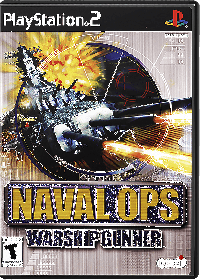
Place the Naval Ops™: Commander disc on the disc tray with the label side facing up.
•
Press the OPEN button again to close the disc tray.
•
Attach game controllers and other peripherals as appropriate.
•
Follow on-screen instructions and refer to this manual for information on using the software.
Game Objective
You are a warship captain in the Navishian Navy. Your mission is to design and deploy ships to stop the evil nation of Virshia and their superships from taking over the world.
Accomplishing mission objectives earns you money. This money can be used to build stronger ships to fight increasingly tougher enemies.
Areas and Stages
You must clear stages in order and proceed through each area, following orders from Navishia. Each area consists of 10 stages (Battle Phase).
Special bonus stages may appear depending on your story progress. Clearing a stage opens the next one, and later stages in an area may contain giant Virshia warships called super-ships. Clearing an area unlocks the next area and its stages. The game is complete once all areas are cleared.
Game Flow
One stage is comprised of three different phases: Strategy Phase, Battle Phase, and Results. You prepare for battle in the Strategy Phase and then send your ship to battle the enemy and carry out objectives in the Battle Phase.
Strategy Phase (Dock)
Here you can purchase parts to design and build your ships. You can also buy prebuilt ships or aircraft for your ship.
Funds can be used to research new parts and armaments. Ensure your ship is properly equipped for each mission. Games can only be saved and loaded in the Strategy Phase.
Battle Phase
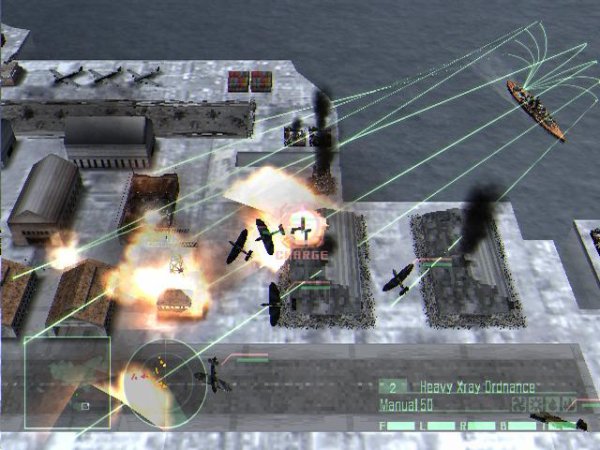
This is where you send your ship into battle to complete your objectives. An operation is successful if you complete your objectives and safely "Return" to base.
If your ship is sunk, or you retreat and cannot accomplish your objective, the mission will fail, and you must retry it.
Results
The results of each mission are displayed on the Results screen. If you succeed, you advance to the next stage. If you fail, you must replay the mission.
You receive funds based on your performance, which can be used to power up your ship in the Strategy Phase.
Starting The Game
Follow these steps to start a new game.
1. Preparation
Insert a memory card (8MB) (for PlayStation®2) into MEMORY CARD slot 1 and turn on the power. At least 1,316KB of free space is required to save a game.
2. Insert the Disc
Insert the game disc, and the opening movie will be displayed.
3. Title Screen
Press the START button during the opening movie to display the Title Screen.
4. Press the START Button
At the Title Screen, press the START button to go to the Start Menu.
Start Menu
The Start Menu contains the following selections:
•
Load a previously saved game.
•
Start a new game from the beginning.
•
See how far you can take a single ship without powering it up in the Strategy Phase. You must clear Area A within the main game to unlock Survival mode.
•
Learn how to control your ship.
•
Set game options such as volume and vibration.
•
Press the button to view trailers of other KOEI games. You may press the START button at any time during these trailers to return to the Start Menu.
Starting a New Game
Select "New Game" from the Start Menu. When you first start, you will be taken immediately to the Battle Phase. You play as the captain of a small fleet that has just lost its Mission Command en route to a friendly base.
Following your commander's directions, you must lead your ship east to safety. If this is your first time playing, you should play through the Tutorial (P.09) to learn how to control your ship before you start.
1. Select a Difficulty Level
Before you play, you must select either Normal or Hard difficulty level.
2. Select Your Ship Type
Clearing the first stage will take you to the ship registration screen. First, you must select your ship type.
Use the directional buttons to select a type and press the button. There are four ship types: Japanese, American, British, and German. Each type has its own strengths and weaknesses, and some are better than others for specific ships.
Ship Manufacturing Capabilities and Aircraft Abilities
| Ship Type | Weapon Types Ability | Aircraft Ability | Destroyer | Cruiser | Battleship | Carrier | Battlecarrier | Aircraft |
| :-------- | :------------------- | :--------------- | :-------- | :------ | :--------- | :------ | :------------ | :------- |
| Japanese | AVERAGE | GOOD | GOOD | AVERAGE | AVERAGE