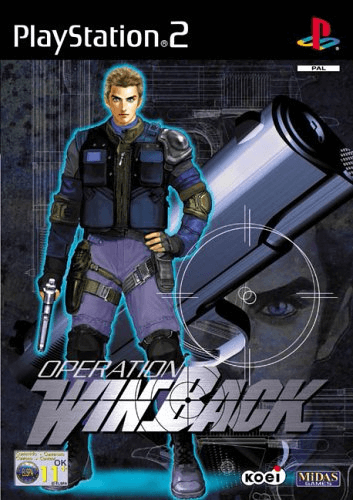
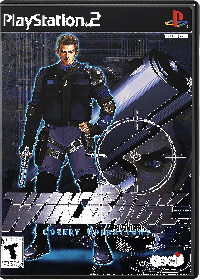
WINBACK: COVERT OPERATIONS
PlayStation 2 Setup
Set up your PlayStation 2 computer entertainment system according to its Instruction Manual. Ensure the MAIN POWER switch (located on the back of the console) is turned on.
Starting the Game
•
When the power indicator lights up, press the OPEN button to open the disc tray.
•
Place the Winback: Covert Operations disc on the disc tray with the label side facing up.
•
Press the OPEN button again to close the disc tray.
•
Attach game controllers and other peripherals as appropriate.
•
Follow on-screen instructions and refer to this manual for information on using the software.
Console Ports
Starting a Game
Set the "WINBACK: Covert Operations" CD in the game console. Insert a memory card (8MB) (for PlayStation 2) into MEMORY CARD slot 1. When the power is turned on, the game opening begins. When the opening ends, or if the START button is pressed while the opening is playing, the title screen is displayed.
The memory card (8MB) (for PlayStation 2) is necessary if you want to save game data. You will need at least 120KB to save data for one game. Refer to your PlayStation 2 user's manual for details on using memory cards. Story Mode
The Story mode is the main one-player game.
•
NEW GAME: Start a new game.
•
LOAD GAME: Load a previously saved game. This item is only available if game data has been saved (page 9).
Versus Mode
Play in one of six different versus modes (page 11). Point Match is only a 3 or 4-player game and will only be available if the multitap (for PlayStation 2) is inserted. Bot Mode
This is a battle mode involving one or two players and up to seven computer-controlled enemies (maximum of 8 characters on-screen). Two-player mode includes both cooperative and competitive play.
Tutorial Mode
Learn about and practice all character moves.
Language Option
Choose any combination of English/Japanese subtitles and voice recordings.
Options
Set game options and configure controller buttons.
•
Turn radar ON/OFF in Versus modes.
•
Set volume and sound type.
•
Set controller functions.
•
Sight Control: Adjusts the reaction of the weapon's sight to user input.
•
Sight Speed: Adjusts the speed of your weapon's sight.
•
Camera Control: Adjusts the reaction of the camera to user input.
•
Camera Pan: Set the camera panning method.
•
Normal - default setting.
•
Manual - player has total control and camera will only move if the player moves it.
•
Auto - camera is locked behind Jean-Luc and follows his movement closely.
•
Key Type: Set controller button functions.
•
Turn controller vibration ON/OFF.
•
Performance records of completed games.
Story Mode Game Objective
Regain control of the GULF Strategic Weapons Control Center from the terrorists. You control Jean-Luc Cougar, the main character. The story moves forward with every mission you complete. This mode has three different story paths, and each will depend on how fast you reach certain points in the game. Each involves different events and enemy encounters.
Hint: The more times the satellite fires, the worse you are doing.
Game Over
The game is over when Jean-Luc is killed (life bar reaches 0). You can continue from a previously saved mission or checkpoint by pressing the START button on the countdown screen.
Save After Every Mission
Performance statistics are displayed after the completion of every mission. Press the button to proceed to the Save screen. You can save game data after the completion of each mission.
Game data is saved on a memory card (8MB) (for PlayStation 2). One game requires 120KB. Game data is tentatively auto-saved at each Checkpoint displayed on the mission map. When you choose to continue, you start play at the last saved Checkpoint. This save data will be lost if the console is reset or if the power is turned off.
Versus Mode
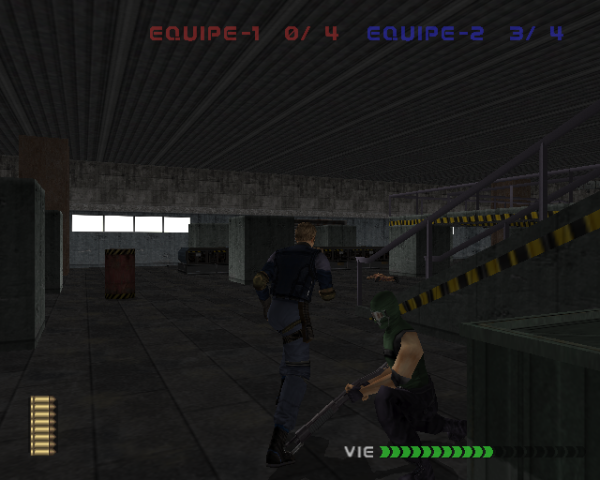
2 to 4 players can play in the Versus modes.
Versus Mode Settings
•
Mode: Types of versus modes. The number of players determines what versus modes are available.
•
Time: The maximum time limit for each stage.
•
Character: Select character.
•
Controller: Controller settings.
Pause Game & Options (Versus Mode)
To pause the game, press the START button during game play.
•
Continue: Continue versus mode.
•
Retry: Begin again with the same settings.
•
Settings: Return to versus mode settings.
•
Help: View the explanation of