GETTING STARTED
PlayStation 2 Console Layout
Note: Illustration may not match all PlayStation 2 console types. For owners of SCPH-70000 series PlayStation 2 systems, refer to the setup instructions supplied with your system. Set up your PlayStation®2 computer entertainment system according to the instructions in its Instruction Manual. Make sure the MAIN POWER switch (located on the back of the console) is turned ON.
Press the RESET button. When the power indicator lights up, press the OPEN button and the disc tray will open. Place the RESIDENT EVIL® OUTBREAK FILE #2 disc on the disc tray with the label side facing up. Press the OPEN button again and the disc tray will close.
Attach game controllers and other peripherals, as appropriate. Follow on-screen instructions and refer to this manual for information on using the software.
MEMORY CARD (8MB) (for PlayStation®2)
To save game settings and progress, insert a memory card (8MB) (for PlayStation®2) into MEMORY CARD slot 1 of your PlayStation®2 system.
You can load saved game data from the same memory card or any memory card (8MB) (for PlayStation®2) containing previously saved games.
STARTING UP
DUALSHOCK®2 ANALOG CONTROLLER CONFIGURATIONS
Before beginning play, connect the DUALSHOCK®2 analog controller to controller port 1.
•
When VIBRATION is ON, the controller will vibrate in response to game events.
•
You can turn VIBRATION ON/OFF in Options. (See page 20.)
•
left analog stick (L3 button when pushed down)
•
right analog stick (R3 button when pushed down)
ONLINE SYSTEM REQUIREMENTS
You must have the following to play RESIDENT EVIL® OUTBREAK FILE #2 online:
•
PlayStation®2 computer entertainment system.
•
Installed Network Adaptor (Ethernet/modem) (for PlayStation®2).
•
Broadband Internet service.
•
RESIDENT EVIL OUTBREAK FILE #2 save data (see below).
MEMORY CARDS AND SAVE GAME DATA
To save RESIDENT EVIL® OUTBREAK FILE #2 game data, you must have a memory card inserted into MEMORY CARD slot 1. (This game does not support MEMORY CARD slot 2.)
Note: If you do not have enough free space on your memory card, please erase unwanted files to create the space needed before beginning the game.
MAIN DATA
•
Used to save main game data, which includes game history, Result points and Collection mode data.
•
It is also used to save game data during scenarios in Single Play. (You cannot save while playing a scenario online.)
•
To save the data on a memory card, you need at least 348KB of free space.
CAPCOM NET FILE
•
Used to save network settings in order to play online. You must have at least 123KB of free space on your memory card to save this file.
YOUR NETWORK CONFIGURATION FILE
•
Used to save the network settings. You must have at least 94KB of free space on your memory card to save this file.
Warning: Game data may be corrupted if you turn off the system, press the RESET button, or remove the memory card while the game is loading or saving game data.
Note: You can resume a game from any memory card containing saved RESIDENT EVIL OUTBREAK FILE #2 main game data.
THE MAIN MENU
Turn on the power to your PlayStation®2 and press the START button. The Main Menu will appear. If you are using a memory card containing RESIDENT EVIL® OUTBREAK FILE #2 save game data in MEMORY CARD slot 1, the data will load automatically.
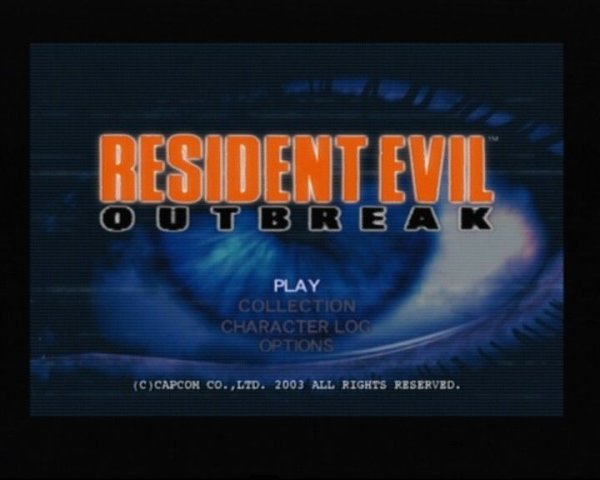
Use the left analog stick or directional buttons to highlight the option of your choice, and press the Circle button to confirm your selection. To begin a game, select either SINGLE PLAY or NETWORK PLAY from the Main Menu.
•
SINGLE PLAY - 1 Player. Proceed through the game, assisted by computer-controlled non-player characters (NPCs).
•
NETWORK PLAY - 1 to 4 Players. Go online to enjoy playing with players across the country. (See page 21.)
•
COLLECTION - Unlock bonus features depending on your Result Points acquired in either Single Play or Network Play, then select this option to see them. From the Collection Screen, select DATA CONVERT to convert and use save data and carry over extras from RESIDENT EVIL® OUTBREAK. (See page 19.)
•
CHARACTER LOG - Browse through data, records, and other information for different characters. (See page 19.)
•
OPTIONS - Set various game preferences, including the controller button configuration. (See page 20.)
•
HDD INSTALL - You can install data on the special internal hard disk drive (40GB) (for PlayStation®2). Although you can play a game without installing data, doing so will shorten loading time and allow for more seamless play. (See page 20.)
GAME OBJECTIVES