Setting Up Your PlayStation 2 System
Set up your PlayStation®2 computer entertainment system according to the instructions in the manual. Make sure the MAIN POWER switch (located in the back of the console) is turned ON.
Press the RESET button. When the power indicator turns green, press the OPEN button and the disc tray will open. Place the Sly Cooper and the Thievius Raccoonus™ disc on the disc tray with the label side facing up.
Press the OPEN button again and the disc tray will close. Attach a game controller and other peripherals, as appropriate. Follow on-screen instructions and refer to this manual for information on using the software.
Memory Card
To save game settings and progress, insert a memory card (8MB) (for PlayStation®2) into the MEMORY CARD slot I of your PlayStation 2 computer entertainment system. You can load saved Sly Cooper and the Thievius Raccoonus game data from the same card or any memory card (8MB) (for PlayStation®2) containing previously saved games.
Starting a New Game
The first thing you have to do is create a SAVE File to save your progress through the missions. On the Save File prompt screen highlight YES and press the button to create that file.
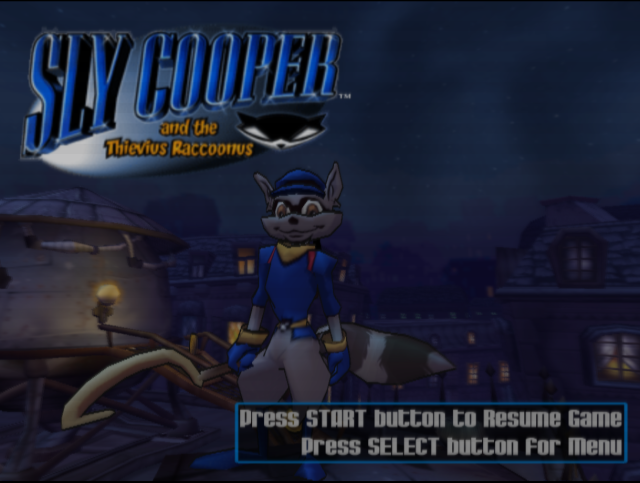
Press the START button and we're on our way to recovering the Thievius Raccoonus.
Bentley's Mission Strategy
I've got the whole mission mapped out... including the best places to break in, locations of security devices, vaults and escape routes.
Before you do anything, we've got to get into Inspector Carmelita Montoya Fox's safe. It holds a police report and profile on YOU! - including your family history and some vital intelligence on the Fiendish Five. Once you get into her office, I'll give you the combination to her safe.
Using the Cane
The cane is both a weapon and a tool. To swing your cane, press the button. Use it to break into places, smash objects and attack enemies.
You can also jump first (button) and then press the button for a jumping attack. As we recover pages from the Thievius Raccoonus, additional secrets of your cane will be revealed.
Grabbing, Hanging and Swinging
You can also grab onto rings, hooks or ropes that are out of reach. Press the button to jump and press the button to grab with your cane.
Once you are hanging, press the Left analog stick to swing back and forth. To let go, press the button.
Water
Avoid water that is over your head. Fall in the drink and you lose one life.
Lives
Sly, you've got five lives when you start. Lose all your lives and select CONTINUE to keep playing from the beginning of the current area.
Checking Out the Surroundings
I've invented the Binocucom so you can scan the mission area. When I have an intelligence report, you'll automatically look through the binocucom at the specified area I am talking about.
If you return to that area again, my Bentley Icon will appear at the bottom left of the screen. Just press the L1 button and I will repeat the intelligence report for that area.
Press the Right analog stick to swing the camera view anytime you want to see around you. You can click on the Right analog stick to move the camera behind you.
To use the binocucom anytime:
•
Press the L1 or R1 button to look through it or put it away.
•
Use the Left analog stick to scan the area.
•
Use the Right analog stick ↑/↓ to zoom in and out.
•
A compass at the top of the display shows the direction you are looking.
Sly Life
This gives you one extra Sly life. Sometimes defeating an enemy or breaking something open will reveal one.
Key
Find these to gain entry to another area. Once you have a key, you can walk up to locked doors, gates or equipment and automatically insert the key.
Sometimes you need multiple keys to completely gain access to an area.
Bentley's Signal Repeaters
Sly, I've launched signal repeaters throughout the operational areas. They are a checkpoint to mark your progress. If you lose a life, you'll restart at the last signal repeater you passed.
Navigating the Map
Once you have visited an area in any Fiend's operation, you can return using the Map.
1. Press the START button to display the Pause Menu and select VIEW MAP or press the SELECT button.
2. Press the Directional Button or Left analog stick to highlight the area you want to revisit and press the ❌ button to warp back to that region.
The Hideout
After defeating one of the Fiends, return to the hideout to prepare for your next mission.
Press the Directional button or Left analog stick to view a location and press the ❌ button to get a closer look.
•
Select Me (Bentley) to get a look at the movies you've won by defeating members of the Fiendish Five. Press the Left analog stick or Directional buttons to highlight a movie and press the ❌ button to play it.
•
Select any one of your old mission maps to travel back to a Fiend's operation you've already raided. You can have another


_1.jpg)
_2.jpg)
_3.jpg)



.png)

.png)



.png)

_1.jpg)



.png)