GETTING STARTED
*Note: Illustration may not match all PlayStation 2 console types. For owners of SCPH-70000 series PlayStation 2 systems, refer to the setup instructions supplied with your system.* Set up your PlayStation®2 computer entertainment system according to the instructions in its Instruction Manual. Make sure the MAIN POWER switch (located on the back of the console) is turned ON.
Press the RESET button. When the power indicator lights up, press the OPEN button and the disc tray will open. Place the SNIPER ELITE™ disc on the disc tray with the label side facing up. Press the OPEN button again and the disc tray will close.
Attach game controllers and other peripherals, as appropriate. Follow on-screen instructions and refer to this manual for information on using the software.
MEMORY CARD (8MB) (for PlayStation®2)
To save game settings and progress, insert a memory card (8MB) (for PlayStation®2) into MEMORY CARD slot 1 of your console. You can load saved game data from the same memory card or from any memory card containing previously saved games.
You must be using a memory card with at least 1401KB of free space in order to save game data. To free up space on the memory card, delete older data before starting play.
To protect your game data, do not remove the memory card or turn off the power while saving or loading game data.
MAIN MENU
MAIN MENU OPTIONS
Single Player Game
Start the Berlin campaign or load and resume a previously saved game.
Two Player Co-op
Cooperative play in split screen of the full Berlin campaign, including the ability to share equipment and resuscitate each other if wounded.
Online Game
Features "deathmatch," "team deathmatch," and "assassination" multiplayer modes for up to eight players.
Settings
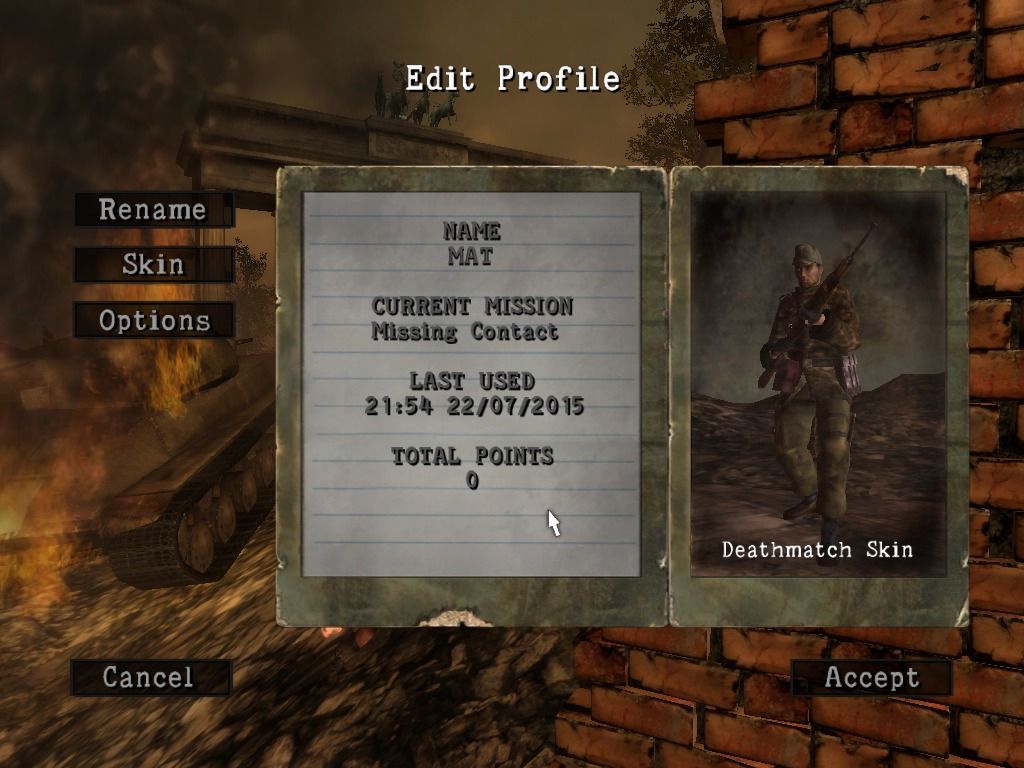
Creating a new profile: If you have not yet created a profile, you need to create a new one. The name of your current profile appears at the bottom of the page. Use the virtual keyboard to enter your profile name and select "accept."
Editing a profile: Select "rename" to display the virtual keyboard, then use it to change your profile name. Select "skin" to display an interface where you can change the character's skin tone and zoom in/out on the rotating character. Select "save profile," then select "yes" when prompted to save.
Setting options: Change game settings, adjust audio volume and remap the controls. See page 9.
War Record
Shows detailed statistics of your performance during the current mission. The Points of Fame (POF) awards recognize your true skill as a sniper by rewarding marksmanship and covert field skills.
Load Profile
Load any currently saved profile.
Credits
View names of the SNIPER ELITE development team.
DIFFICULTY SELECT MENU
Before starting a game, you'll choose your game difficulty from the "difficulty select" menu.
Four difficulty modes are available: "rookie," "cadet," "marksman" and "sniper elite." Each mode has preset parameters described below. You can also choose to play in "custom" difficulty mode where you custom-set various difficulty parameters.
•
Instant Scope/Binoculars: Allows instant switching between sniper scope and binoculars.
•
AI Difficulty: Set how tough a fight the AI will give you.
•
Grenade Blast Radius: Set the blast radius of grenades.
•
Realistic Sniping: Set the realism of the sniping simulation based on the following parameters: •
Gravity: Level of gravity effect.
•
Wind: Level of wind effect.
•
Posture: Level of effect of character's posture.
•
Heart Rate: Level of effect of character's heart rate.
•
Empty Lung: How many seconds of steady aim the character gains by using the "empty lung" technique.
ONLINE RANKING
If you have a Network Adapter (Ethernet/modem) (for PlayStation®2) and are connected to the Internet, you can register your score after each single player mission to prove you're the best sniper.
If you're using "custom" difficulty mode you will not be able to register your scores online.
PAUSE MENU
•
Save: Save your progress to a memory card. You can save at any time but you have a limited number of saves per mission. The number of saves remaining for a given mission is shown on the right side of your compass.
•
Load: Load a previously saved game.
•
War Record: Review your performance statistics for the mission.
•
Options: Change the configuration of controls, game settings and audio.
•
Restart Mission: Restart the current mission.
•
Quit Mission: Quit the current mission back to the main menu.
GAME VIEWS
THIRD PERSON VIEW
Best for infiltration/stealth and close combat. SNIPER VIEW
Best for sniping.
1. Wind correction indicator.
2. Scope view.
3. Compass/Watch/Health indicator. (See page 12.)
4. Posture










.png)
.png)

.png)





.png)



.png)