GETTING STARTED
MODE SELECT
When you press START on the Title Screen, you will go to the Mode Select Screen. Nine menu items will be displayed.
Use the directional buttons to choose your desired mode, then press START or the button to select it. For detailed directions on how to play each mode, refer to the Mode Introduction section.
•
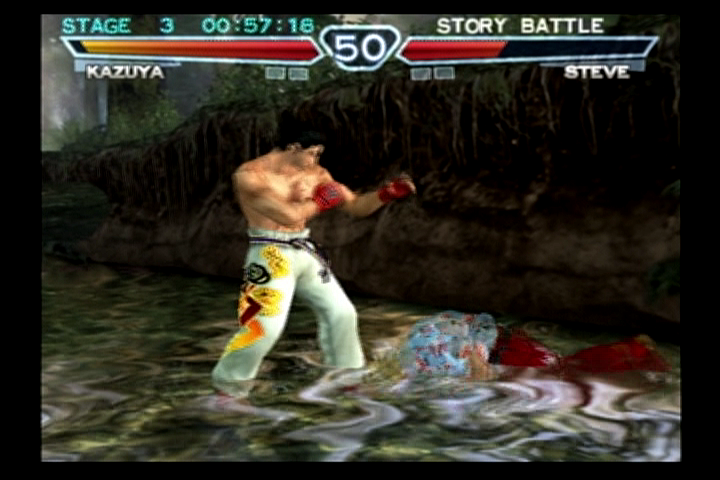
STORY BATTLE: Play out a different story for each character.
•
ARCADE / TIME ATTACK: Compete against the clock and try to beat the game in the fastest amount of time.
•
VS BATTLE: Player 1 and Player 2 can compete against each other. It is also possible to create handicap values to give less skilled players an advantage.
•
TEAM BATTLE: Create a team of up to eight characters. The first team to defeat all opposing team members wins.
•
SURVIVAL: Defeat as many CPU opponents as you can before your Health Meter runs out.
•
PRACTICE: Study each character's techniques such as 10 Hit Combos.
•
TRAINING: Practice moves from the Command List and quickly input moves as they are displayed.
•
OPTIONS: Change various game settings such as round times and CPU difficulty level.
•
TEKKEN FORCE: Defeat the Tekken Force troops that come after you en masse. You progress through each stage by defeating all troops who attack. You clear the stage by defeating the Boss.
BASIC RULES
MATCHES
Win a match by forcing the opponent's Health Meter to 0, or by maintaining a higher health meter than your opponent until the end of the round. Once you have won the set number of rounds, you will have cleared the stage.
TIME LIMIT
Each round has a time limit. If this time expires, Time Up is called. At this point, the remaining health will be displayed as a percentage, and whoever has the higher percentage will win the round.
DRAW
In the event of a double knock out or if the players' Health Meters are equal when Time Up is called, it will be a draw and both sides will be awarded a point. If there is a draw in the final round of Arcade Mode, the game will be over.
Whoever played first in two-player battles will win, and the match will be over in VS Battle Mode.
GAME OVER AND CONTINUE
If you lose in Story Mode, it will be Game Over. However, pressing the START button on the Continue Screen allows you to restart the game from the last stage you played.
MODE INTRODUCTION
VS BATTLE
Battle continuously against another player in this mode. When the match is over, you will return to the Character Selection Screen and your combat records will also be displayed at this time.
Select the mode, then choose your characters. When you have decided on handicaps and the stage as instructed below, the game will start.
HANDICAPS
When selecting your characters, you can give yourselves handicaps by changing the amount of health that you have. Use the Left and Right directional buttons to adjust the gauge.
SELECTING THE STAGE
Select a stage of your choice using the Left and Right directional buttons. You can select your position (where the character is standing when the match starts) in the stage at this time as well. When you have picked the stage you want, use the Up and Down directional buttons to choose your position.
You can get a random stage by pressing the START button or the button without pressing any of the directional buttons. In any two-player battle situation (not limited to Versus Battle), the player who joined into the match will be able to select the stage.
TEAM BATTLE
This mode lets you create teams with up to eight characters on each side, and fight elimination style using the members of your team. You will fight one at a time and when you win a battle, you will fight the next opponent. You win when you have defeated all of the characters on the opposing team.
When the game is over, you will get the Battle Results Screen and you will be able to see a chart of the outcome. In this mode, you recover some of your health when you defeat an opponent.
Begin by determining the team size by using the Left and Right directional buttons. Then, select the characters and the stage to start the game.
SURVIVAL
In this mode, try to defeat as many CPU opponents as possible, with a limited amount of health. As in the Team Battle Mode, you will recover some of your health with every match you win. The game will be over when your health meter runs out.
When the game is over, you will get the Results Screen and you will be able to see such stats as how many opponents you defeated. Also, you will not be able to change the time limit and number of rounds from the Options Menu in this mode. The game will start when you have chosen your character and stage.
PRACTICE
In this mode, you will be able to study the fighting style of each character. Select a method of practice from the three menu items below. Select the character you wish to use, the opponent to fight, and the stage you wish to practice on. Once they are selected, the game will start.
If you press the START button during game play, the Practice Menu will be displayed and you will be able to view information such as the character's Command List, power of an attack, and move demonstrations.
•
FREESTYLE: This is the most basic mode and you will be able to set the conditions for both yourself and your opponent in any way you want.
.png)

.png)