GETTING STARTED
*Note: Illustration may not match all PlayStation 2 console types. For owners of SCPH-70000 series PlayStation 2 systems, refer to the setup instructions supplied with your system.* Set up your PlayStation®2 computer entertainment system according to the instructions in its Instruction Manual. Make sure the MAIN POWER switch (located on the back of the console) is turned ON. Press the RESET button.
When the power indicator lights up, press the OPEN button and the disc tray will open. Place the Torino 2006™ disc on the disc tray with the label side facing up. Press the OPEN button again and the disc tray will close. Attach game controllers and other peripherals, as appropriate. Follow on-screen instructions and refer to this manual for information on using the software.
The Main Menu
Select your desired play mode using the directional buttons. To confirm your selection press the ✖ button.
Competition - 15 Events
In this mode you compete in all 15 TORINO 2006™ events across various disciplines one after the other. Your overall performance and ranking is displayed in the league table.
Competition - 9 Events
In this mode you compete in 9 events across various disciplines one after the other. Your overall performance and ranking is displayed in the league table.
Creating a Competition
This gameplay mode allows you to create your very own Olympic competition, selecting from each of the available single events. Each single discipline can only be used once in a competition. This means that your competition will consist of at least one discipline and at most 15 single events.
Use the directional buttons to scroll down the list of available events on the left and select the desired event by pressing the button. The event that you select is then displayed in the list of selected events on the right. If you want to remove it from the list, use the directional buttons to highlight the desired event and remove the event by pressing the button. The removed event is then automatically displayed once more in the list of available events.
Single Event
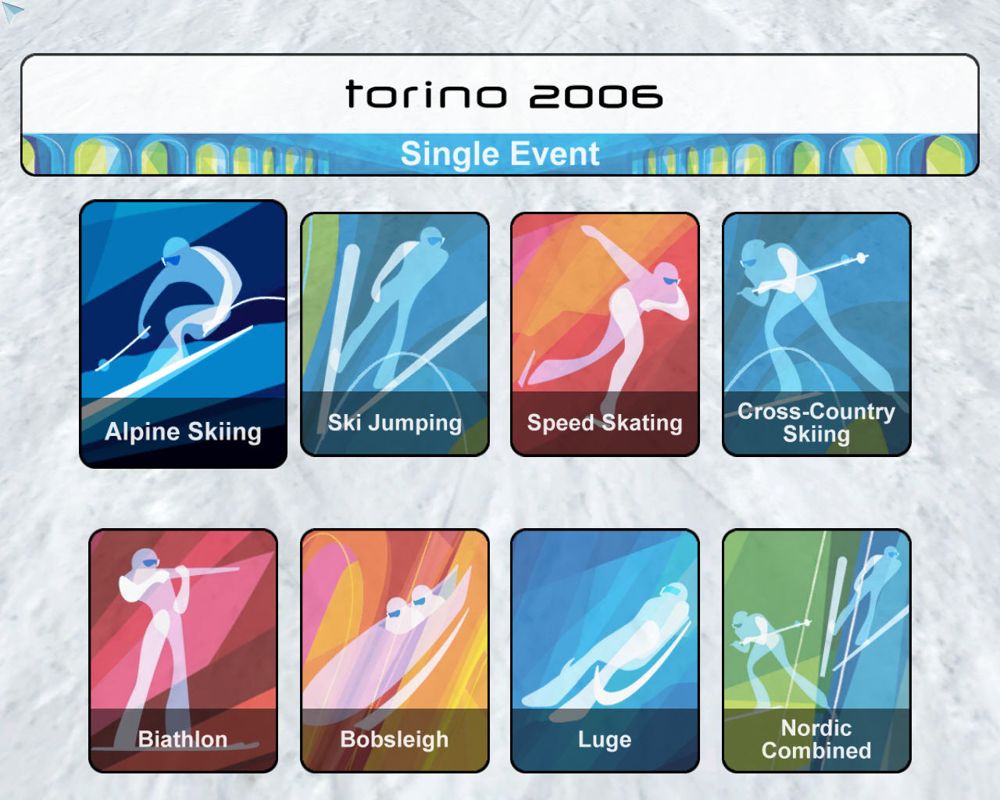
Enter yourself for a single event in your preferred discipline. Try and beat the best performance "Records"! The nordic combined discipline is an exception as it consists of both ski jumping and cross-country skiing events, which are completed one after the other.
Records
Check out the best performances in the individual disciplines.
OPTIONS
Tailor the game to suit your personal requirements. Use the directional buttons to scroll down the list of available options and select the desired option by pressing the button.
•
Loading the game: Load a saved game.
•
Saving a game: Save the current game.
Game options
Use the or on the directional buttons to scroll through the list of available settings and change the settings by pressing the or on the directional buttons.
•
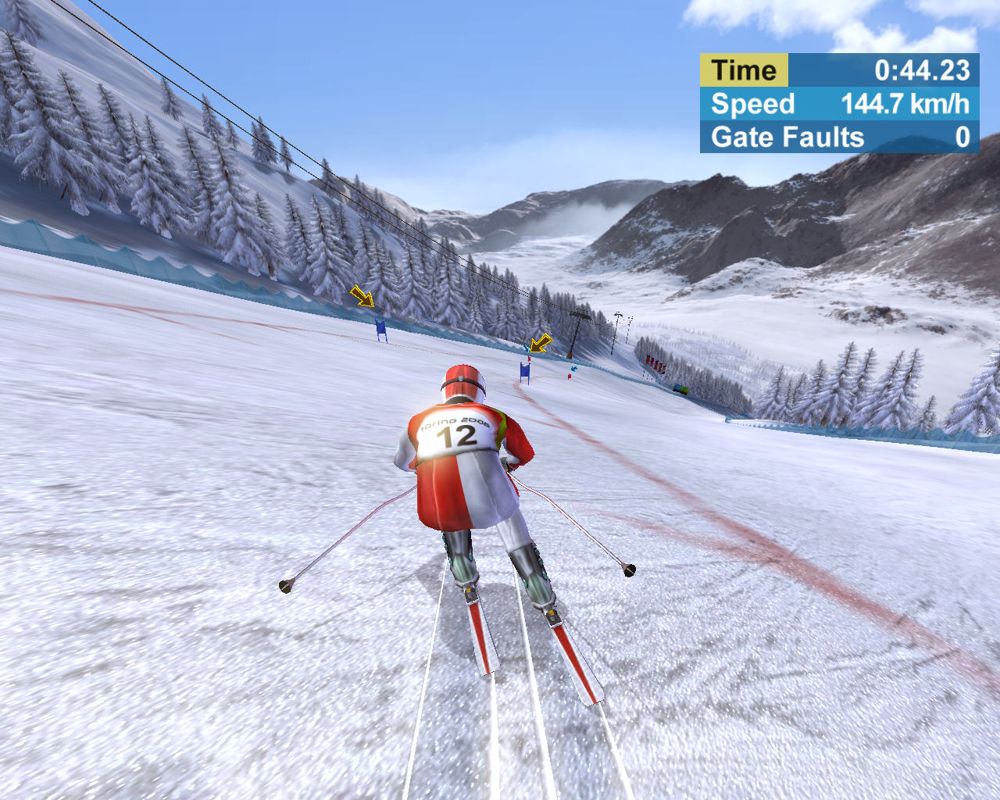
Turn the arrow markers above the gates on / off (only for the alpine skiing discipline).
•
Turn the ghost feature on / off (see "Ghost" section).
•
Turn the button settings displayed during the competitions on / off.
•
Switch the vibration function of your controller on or off (only available if the controller supports this feature).
Press the button to confirm your selection.
Sound options
•
Adjust the music volume, sound effects and the commentary to suit your preference. Press the button to confirm your selection.
Sound Options
Challenges / Tasks
TORINO 2006™ offers you a wide variety of challenges. There are rewards for mastering certain tasks. For example, if you come in first place in every available event, a new level (extreme) is unlocked and activated. The numerous different challenges, gameplay options and rewards are detailed within the next section of this manual.
Ghost
TORINO 2006™ has a Ghost mode feature so that you can easily and continually assess your performance. You can turn it on or off using the Pause menu (accessible during the competition via the START button).
If the Ghost mode feature is turned on, your previous run is superimposed on the current race as a "ghost" athlete. This mode allows you to truly hone your times, racing lines and timings it also makes for great turn-based challenge mode!
Camera
During the game you can press the X button to switch between various in-game camera angles.
STARTING A COMPETITION
•
In the main menu choose your competition, a single event or put together your own competition.
•
Enter the number of players. You have the option of choosing between single-player mode and three multi-player modes. You can compete against one, two or three opponents. The players each have their turn in the "Hot Seat".
•
Choose the country that you want to represent, enter your name and click on "Continue".
•
Choose the difficulty factor from "easy", "medium" or "hard".
•
Now give it your very best shot!
Please note: You can return to the previous selection by pressing the A button. During the competition, you can press the START button at any time to call up the Pause menu, for example to restart or terminate a race.
THE DISCIPLINES
TORINO 2006™ offers you the opportunity to demonstrate your sporting skills and competitive ability across a total
.png)

.png)



.png)


_1.jpg)




.png)
.png)
.png)
