PlayStation 2 Setup
Set up your PlayStation®2 computer entertainment system according to the supplied instructions. Ensure the system is turned on (the on/standby indicator is green).
Insert the Disney•Pixar UP disc with the label side facing up. Attach game controllers and other peripherals as appropriate. Follow on-screen instructions and refer to this manual for software information.
Memory Card
To save game settings and progress, insert a memory card (8MB) (for PlayStation®2) into MEMORY CARD slot 1.
You can load saved game data from the same memory card or any memory card (8MB) (for PlayStation®2) containing previously saved games.
Console Components
Interactive Elements
Vines and Branches
Jump towards these, and Russell and Carl will automatically grab on. For vines, use the left analog stick to start to swing. For branches, Carl and Russell swing automatically. Press the button to let go.
Teeter Totters
Use these rock formations to reach high ledges. Have one character stand on one end while the other character jumps from a high point onto the other side. You can also use teeter totters to launch objects.
Levers
Use levers to move Muntz's bird traps to access unreachable areas or trap enemies.
Tree Trunk Challenge
In certain areas, Russell and Carl will need to cross ravines using fallen tree trunks. One character rolls the log back and forth while the other walks across the log through a maze of roots and dangerous thorns.
Rotten Fruit and Logs
Kick these to unleash a storm of spiders. Compete to smash or collect the most bugs. Rope Challenge
In certain areas, Russell will need to use his rope to guide Carl along a cliff side around dangerous thorns. Use the left analog stick to move the characters. Dog Gates
Only Dug can pass through these specialized gates built by Muntz.
Crates
Use crates to help the characters access unreachable places. Some crates are heavy and require both characters to move them.
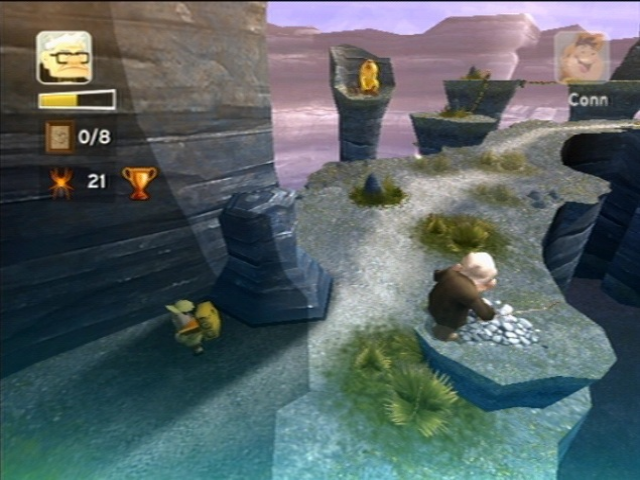
Pile of Pebbles
During the game, Carl will collect one of Muntz's golf clubs. Use this in future and already completed levels to fend off enemies or reach hidden areas.
Minigames
Minigames are automatically unlocked as you progress through the main game. There's also a Championship Mode to compete in. Try to unlock all the minigames!
Biplane Balloon Bash
Try to shoot down as many balloons as you can in the time allotted. In this split-screen challenge, the player who shoots down the most balloons wins.
Biplane Battle
Last man or dog standing wins this bi-plane battle. Compete against your friends in this split-screen challenge to be the last bi-plane to survive.
Raft Racing
Compete against a friend in this split-screen challenge to complete the canoe race before your opponent.
Tug of War
It's Kevin and Russell versus Carl and Dug in this classic challenge. Try to move the left analog stick left and right as fast as you can to pull your opponent into the mud.
Bug Competition
Collect or squash more bugs than your friend.
Settings
Here you can turn Autosave On/Off.
•
Options - Set audio, video, vibration, and autosave options.
•
Languages - Set language.
•
Controls - View the game controls.
•
Profiles - Load, create, or delete a profile.
•
Credits - View the names of the people who worked on the game.
Pause Menu
Press the START button at any time during the game to pause the action and bring up the following menu. Use the left analog stick or directional buttons to highlight an option.
•
Resume - Get back into the game.
•
Controls - View the game controls.
•
Options - Access the Options menu to adjust settings. Profiles cannot be managed from the Pause Menu.
•
Cheats - Activate cheats that you have unlocked with the points that you have earned.
•
Drop out - In a two-player game, this allows one of the players to quit the game without needing to restart the game for the other player.
•
Quit - Here you can quit to the level selection menu to play a different level or you can return to the Main Menu.



.png)
.png)
.png)



.png)








_1.png)