System Ports
Setting Up Your PlayStation 2
Set up your PlayStation 2 computer entertainment system according to its instruction manual. Ensure the MAIN POWER switch (on the back of the console) is turned on. Press the RESET button. When the power indicator lights up, press the open button to open the disc tray. Place the XIII disc on the disc tray with the label side facing up. Press the open button again to close the disc tray.
Attach game controllers and other peripherals as appropriate. Follow on-screen instructions and refer to this manual for software information.
Setting Up for Online Play
Set up your PlayStation 2 computer entertainment system to connect over the Internet. XIII Online functions only through a broadband (DSL or cable modem) connection. Network Adaptor (Ethernet/Modem)
Install the Network Adaptor (for PlayStation 2) into your PlayStation 2 game console according to its instruction manual. Caution
Unplug the AC power cord on your PlayStation 2 game console before adding any networking equipment to the system. To create, edit, or delete your network configuration files, use the Network Adaptor Start-Up Disc.
Troubleshooting Connection Issues
If a connection to the network cannot be established:
•
The MAIN POWER plug for the PlayStation 2 console is not fully inserted into the MAIN POWER socket. Check that the MAIN POWER plug is fully inserted. •
The Network Adaptor (for PlayStation 2) is not properly installed in the console. Check that the Network Adaptor (for PlayStation 2) is properly installed. •
The network is busy. Wait a few minutes, then try to access the network again.
•
Check that the network cable is properly connected.
Introduction
The United States is in a state of shock after President Sheridan's assassination. You wake up, amnesiac and wounded, on a deserted East Coast beach.
The only clues to your identity are the number XIII tattooed near your collarbone and the key to a safety-deposit box in your hip pocket. Though your memory has let you down, you find you have the reflexes of a highly trained professional combatant. You set off in search of your past, discovering the part you played.
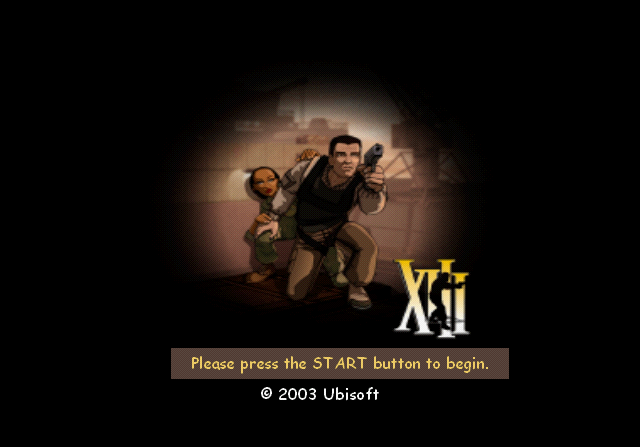
Main Screen
Main Screen Options
•
Continue: Continue your current game.
•
New Game: Create a new game.
•
Load Game: Load a particular saved game.
•
Multiplayer: Access Multiplayer mode.
•
Options: Access the game options.
Continue Screen
Continue Screen Options
•
Play: Select Play to restart the latest saved game. You'll begin again at the start of the last map played.
•
Story: This option displays a summary of the missions already accomplished, as well as the key points of the adventure. •
Skills: Select this option to see the skills acquired by XIII in the course of his adventures.
•
Documents: Select this option to view all the important documents that XIII has found.
•
Conspiracy: This screen shows the members of the Conspiracy that you've already unmasked.
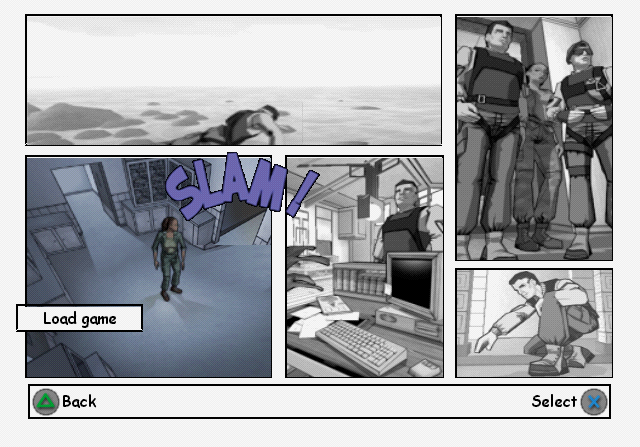
Load Game Screen
Select the saved game you want, and press the button to load the game.
Options Menu
Options Menu Details
•
Parental Lock: Activate this option to remove the violent graphics in the game.
•
Sound: Choose this option to adjust the audio settings for XIII.
•
Music Menu: Activate or deactivate the music.
•
Mode: Activate or deactivate Stereo mode.
•
Controls: Select this option to choose between the different configurations for your DUALSHOCK 2 analog controller.
•
Advanced Options: Access the following advanced controller functions.
•
Vibration: Choose Yes/No to activate or deactivate vibration on the DUALSHOCK 2 analog controller.
•
Auto-aim: Activate or deactivate Auto-aim in the game.
•
Invert Look: Choose Yes to invert the view vertically.
•
Sensitivity: Choose the view sensitivity of your controller.
•
Difficulty: Set the difficulty level of the game.
•
Normal: Normal game mode.
•
Realistic: Difficult game mode.
Playing the Game
You are now ready to begin playing XIII.
HUD (Heads-Up Display)
The HUD provides the player with essential information about health level, armor, and ammunition points for the currently used weapon.
•
Ammunition for alternating fire
•
Ammunition in the magazine
When XIII's health level reaches zero, he dies. Throughout the game, you can pick up Medkits to regain life. You'll also find bulletproof jackets and helmets to increase your armor.
Enemy Indicators
In the course of





.png)

.png)



.png)
