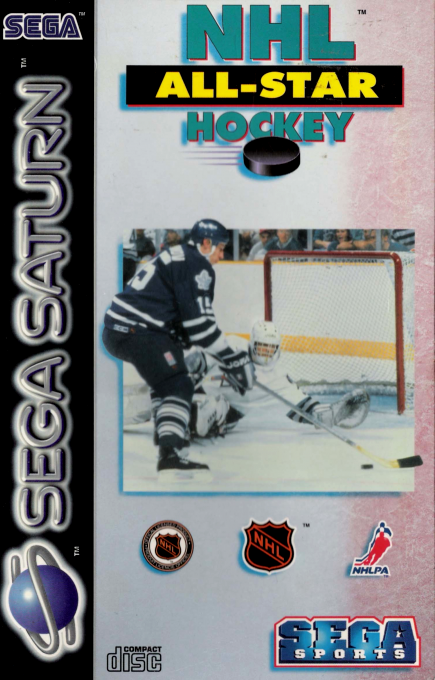
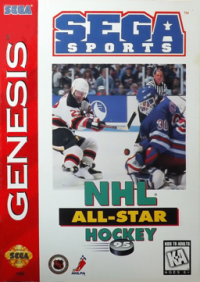
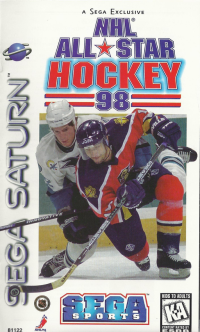
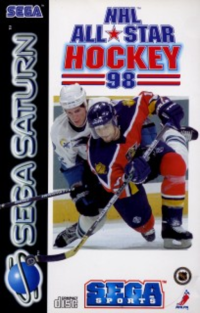
Welcome to NHL® All-Star Hockey
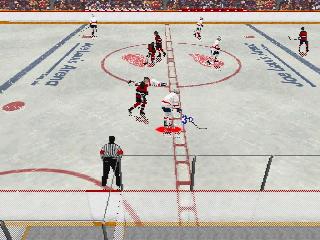
Sega Saturn presents NHL® All-Star Hockey, the most comprehensive and realistic hockey game for any CD-ROM system. The game includes all NHL teams and players with their stats, allowing you to set up entire league seasons and playoff schedules. Due to the extensive options, features, and statistical databases, the game occupies most of the Saturn's internal memory. We recommend purchasing an external RAM cartridge to store more than one or two seasons. If you have two 6Player adapters, up to twelve users can compete on the ice simultaneously.
Main Menu Navigation
To return to the Main Menu at any time during the intro, press Start. All menus in the game operate using the same controls as the Main Menu.
•
Move Highlight: Press the D-Pad up/down/left/right to move the highlight to the desired selection.
•
Select Item: Press A or Start to select the highlighted item.
•
Advance Screen: Press Start to advance to the next screen.
Help
The On-Line Help accesses a help diagram showing the basic button controls of the game.
Sega Hall of Fame
The Sega Hall of Fame Menu offers statistical records for all users. Users who have won the Stanley Cup® are shown a video tour of the Hockey Hall of Fame in Toronto, Canada. They are also taken to the Great Hall, which lists all users who have won the Stanley Cup.
•
User Records: Ranks saved users in seven categories. The list updates to reflect the best scores in the selected category, shown in red.
•
Video Tour: Narrated by Mary Albert, this tour is available to users who have won the Stanley Cup.
•
The Great Hall: Lists the last ten users to win the Stanley Cup and the teams they used.
Quick Game
The Saturn stores setup information for your last contest. Quick Game takes you directly to that last contest, bypassing menu screens. When you select Quick Game, you see the two teams that played in the last game. Select the team you want to control and press A or Start.
NHL Stats
The NHL Stats Menu offers access to all NHL Player Cards, Team Rosters, and League Leaders.
•
Use the D-Pad to highlight an option and A to select.
Player Cards
The Player Cards screen contains Fleer Ultra™ trading cards for all players in the game, listed by team.
New Roster
The New Roster Base screen allows you to choose between Default Roster or Load Roster.
•
Default Roster: Creates a copy of the real NHL Rosters for you to edit.
•
Load Roster: Creates a duplicate of any previously saved roster.
After selecting the base, name the new roster using the on-screen keyboard.
•
Select Character: D-Pad the highlight box to the desired character and press A.
•
Delete Character: Press B or highlight DEL and press A.
•
Finish: Highlight END and press A or press Start.
•
Cancel: Highlight CANCEL and press A.
When finished naming, you are taken to the Save Roster Screen. Choose to save to Saturn RAM or a separate RAM cartridge. A separate RAM cartridge is recommended for saving multiple seasons. Team Roster
Make sure you load a set of rosters before selecting this option. The screen displays physical characteristics and vital stats for each player.
•
Cycle Teams: Use the flipper buttons.
•
Scroll Roster: D-Pad up/down.
•
View Stats: D-Pad left/right.
Player Trades
The Player Trades screen is divided into two windows, each showing a logo of a currently selected team. The trade takes place between the two selected teams.
•
Switch Windows: Press B.
•
Cycle Teams: Use the flipper buttons in the selected window.
•
Show Players: Press A to display available players.
•
Scroll Players: D-Pad up/down.
•
View Stats: D-Pad left/right.
•
Initiate Trade: With a player highlighted on both teams, press C.
A Trade Summary window appears for the final decision.
•
Execute/Cancel: Highlight Execute Trade or Cancel and press A.
Note: If you attempt to trade a weaker player for an NHL All-Star, the trade may be rejected.
Construct Player
On the Player Construction screen, name the player starting with the first name, then the surname.
Enter attributes such as position, jersey number, stick hand, height, and weight. All skill levels start at 60 (out of 100), and you are given 225 extra points to distribute among different abilities.
•
Select Category: Use the D-Pad.
•
Adjust Points: Press A to increase, B to decrease.
Construct Team
Team Construction allows you to create custom All-Star teams for Pre-Season games: The Sega Sports All-Stars and the Gray Matter All Stars. •
Select Team: Use the D-Pad and press A or Start.
The screen is partitioned into three windows: Player, Team, and Uniform.
•
Switch Windows: Press B.
•
Assign Player: Highlight the Team window, cycle teams, press A to access roster.
•
Add Player: Highlight player on roster and press A.
•
Remove Player: Highlight player on