Starting Up
Set up your Sega Saturn system as described in its instruction manual. Plug in Control Pad 1. Place the Olympic Soccer disc, label side up, in the well of the CD tray and close the lid. Turn on the TV or monitor and the Sega Saturn™. The Sega Saturn™ logo appears on screen. If nothing happens, turn the system off and make sure it is set up correctly before turning it on again.
If you wish to stop the game in progress or the game ends, press the Reset Button on the Sega Saturn console to display the on-screen Control Panel. •
Important: Your Sega Saturn™ CD contains a security code that allows the disc to be read. Be sure to keep the disc clean and handle it carefully. •
If your Sega Saturn™ system has trouble reading the disc, remove the disc and wipe it carefully, starting from the center of the disc and wiping straight out toward the edge. Bicycle Kick
Perform a bicycle kick by pressing Y* when the ball is above head height.
•
Hold Y to increase power.
You can use the Directional Pad to direct headers and bicycle kicks, subject to simulated natural body movement.
•
If you do not press one of the Directional pad directions, you will head or kick the ball in the direction you are facing.
Receiving a Long Pass
When a player has been assigned to receive a long pass, button A assumes a new 'chest control' function.
1. Tap A to trap the ball.
2. Press A (hold to increase power) and move the Directional Pad to play a lay-off.
3. Press A (hold to increase power) without moving the Directional Pad to chest the ball into the air. This sets you up for a header or bicycle kick.
Set-Pieces
Corner Kick, Goal Kick, and Free Kick
Position the crosshair using the Directional Pad to nominate your target and then all controls remain the same as in open play.
Penalty Kick
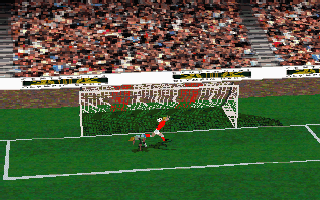
A target ball sweeps across the goal mouth from side to side. When it reaches the point you wish to aim at, press B to strike the ball.
•
Your goalkeeper is computer-controlled except when you receive a back pass and he assumes the control of an outfield player.
•
When you defend a penalty, you must move the Directional Pad LEFT/RIGHT to dive for the ball.
Throw-in
Position the crosshair and tap B to throw the ball to your teammate's feet.
•
Press and hold B to throw the ball at head height.
Language Selection
Move the Directional buttons LEFT/RIGHT and press C, B or A to select English, German, French, Spanish or Italian on-screen text.
Main Menu
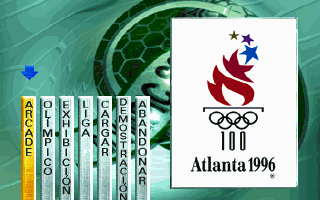
The main menu options include ARCADE, OLYMPIC, EXHIBITION, LEAGUE, DEMO, LOAD, and SAVE.
ARCADE
This is an arcade-style 64-team knockout contest, played over six rounds (including the Final).
•
Scroll through the list of available teams, highlight the team you wish to control and press C, B or A to select (your choice will be flagged on-screen).
•
When you have finished, highlight Start and press C, B or A to continue.
•
Note: You can only enter one team into the Arcade competition, although 2 players can join forces against the computer.
OLYMPIC
The Olympic tournament is an accurate simulation of the 1996 competition in Atlanta.
•
Scroll through the group tables, highlight the team you wish to control and press C, B or A to select (your choice will be flagged on-screen).
•
Using this method you can allocate team control to Players 1-2 (1-4 with a compatible multi-tap adapter) or the computer.
If you wish to customize the tournament line-up, highlight Countries and press C, B or A.
COUNTRIES
Follow the on-screen prompts, move the Directional Pad UP/DOWN through the list of 33 available nations and press B to allocate four teams to each group.
When you have finished, highlight Start and press C, B or A to proceed.
TABLES
Before any Olympic match, the current status of each group in the tournament will be displayed, followed by the forthcoming round of fixtures.
•
Select TABLES to return to the group status screen.
LEAGUE
Olympic Soccer also gives you the option to play a season in your own custom-built league of 3-16 teams. •
Scroll through the default league of 16 teams, highlight the team(s) you wish to control (subject to the number of connected controllers) and press C, B or A to select (your choice(s) will be flagged on-screen).
•
If you wish to customize the league line-up, highlight Countries and press C, B or A.
•
Move the Directional Pad UP/DOWN through the list of 33 available nations and press C, B or A to choose 3 - 16 teams to compete in your league.
•
Alternatively, select Randomize to allocate 16 teams at random.
When you have finished, highlight Start and press C, B or A to continue.
EXHIBITION
Select two teams to play a friendly match.
•
Scroll through the team entry list, highlight the team you wish to control and press C, B or A to select (your choice will be flagged on-screen).
.png)

.png)

 (En,Fr,De).png)
.png)
.png)


.png)


.png)

.png)
.png)