Initial Setup and Calibration
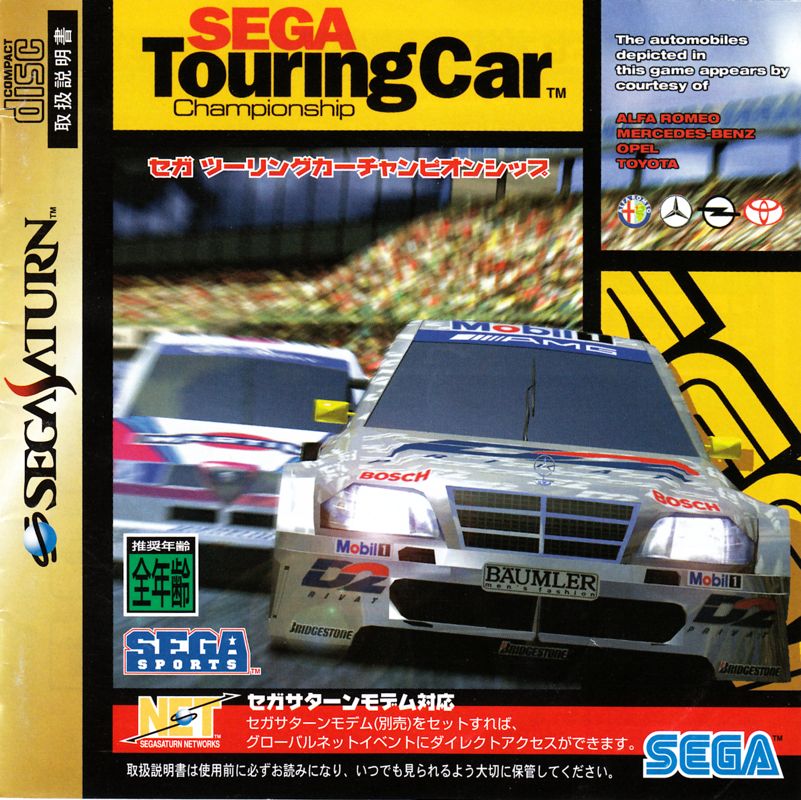
The first time you play Sega Touring Car Championship, you are asked to set the current time and your location so that your Saturn is correctly calibrated for the STC Global Rankings. First, correct the internal clock if necessary, then use the D-Pad to highlight your international time zone on the world map. Press Start to select your location once the initial setup is complete. The Sega Sports Logo appears, and the intro sequence begins. Selecting Game Side
Press Start at any time during the intro to choose which side of the game you wish to play: the Arcade Side or the Saturn Side. •
Arcade Side: Standard racing experience. •
Saturn Side: Enhanced features and multiplayer options. Championship Mode
Championship Mode is where the serious racing takes place. You enter a qualifying heat on the Country Circuit, finishing before the clock runs down to secure a place in the first race. Finishing quicker results in a higher grid placement. You are placed on the starting grid with seven other computer-controlled drivers. You can check your grid position and qualifying time as your car enters the course.
•
Use the LEFT or RIGHT Shift Button to select race music.
•
Finish before time runs out to advance to the next round.
Ghost Car Function
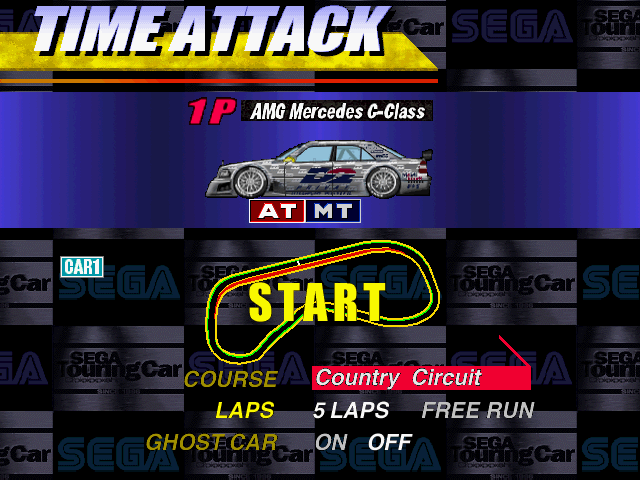
This function is available in a 5-lap Time Attack run. It creates a phantom image of your best lap data racing automatically. You cannot collide with this car. •
A five-lap run must be completed within 250 seconds for the Ghost Car to appear.
•
Press Start to pause and use the PAUSED menu to retire from a FREE RUN. There are no pit stops in this mode.
Time Attack Name Entry
You can enter your name if you achieve a Best Lap in FREE RUN or 5 LAPS mode, or one of the top 5 Total Times in 5 LAPS mode. Rankings are separate based on car type, transmission, and tuning characteristics.
•
Highlight a letter using the D-Pad LEFT or RIGHT.
•
Select letters with Button A or C.
•
Press Button B to erase the last character.
•
Highlight “END” or press Start to confirm the name.
VS Race (Saturn Side)
VS Race allows you to test your skills against another player. The screen is split, with Player 1 taking the top view. Both players' cars are displayed on the Car Select screen.
•
Use the D-Pad LEFT or RIGHT to choose your car.
•
Select Manual (MT) or Automatic (AT) transmission.
•
Choose from previously saved modified versions if available.
Race Parameters
•
COURSE: Select the course to race on.
•
LAPS: Choose 3 or 5 laps.
•
BOOST: Turn ON to give the lagging car a speed/power boost.
•
DELAYED START: Adjust relative starting times using the D-Pad.
The Results screen shows both cars, race details, LAP TIME, and TOTAL TIME for the winner and loser. The winner receives a star, which becomes larger after ten wins.
Pause Options
Press Start while racing to access the following options: •
QUIT: Retire and return to the Select Car screen.
•
RESTART: Start the race again.
•
TOP MENU: Retire and return to the Main Menu.
Arcade Side Options
•
DIFFICULTY: Adjust Lap Time Limits and CPU speeds (EASY, NORMAL, HARD, EXPERT).
•
SELECT LAPS: Race 2, 3, or 5 laps.
•
KEY CONFIG: Refer to page 22.
•
MODE: Choose STEREO or MONO.
•
BGM VOLUME: Set volume from OFF to 8.
•
BGM/S.E.: Play soundtrack or FX using Button A or C.
Saturn Side Options
•
DIFFICULTY: Adjust Lap Time Limits and CPU speeds (EASY, NORMAL, HARD, EXPERT).
•
LAPS: Race 2, 3, or 5 laps.
•
BOOST: Gives the slower player's car extra power/speed.
•
DAMAGE: Select to sustain damage on impact.
•
TIME COMPARE: Displays the difference between the current lap and best lap.
•
KEY CONFIG: Refer to page 22.
•
SOUND: Same options as Arcade Side.
Select Car Screen
Use the D-Pad LEFT or RIGHT to bring your desired car to the front. Select MT or AT transmission, and choose from saved modified versions if available.
•
ALFA ROMEO 155V6Ti (4WD)
•
AMG MERCEDES C-CLASS (FR)
4WD cars offer stable steering for precise cornering. FR cars transmit power to the rear wheels, risking power slides with sudden steering. Refer to page 32 for car details.
STC Global Net
Check the STC homepage for game information. Send your best time password for a 2-Lap Arcade Side Championship race (Normal difficulty) to register your Global Ranking.
Requirements for Global Ranking
•
Correctly set time, date, and
.png)



.png)
.png)


 (Rev A).png)

.png)