Troop Troopers
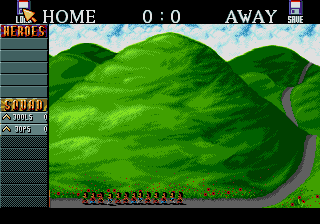
The names of the troopers in the troop are shown along with their ranks, in order of importance, with the leader at the top.
The Pointer
This is the pointer used to determine the behaviour of your troopers and troops. The pointer changes to reflect one of three types of trooper conduct: Trooper (or Troop) Destination Determination Pointer, Weapon Destination Determination Crosshair, and Vehicle In, Out (And Shake It All About) Pointers.
•
Press the Control Pad to move the pointer around the screen.
Moving Troops
Move the pointer around the screen until its tip touches the desired destination. You can view the immediate area surrounding the active troop.
•
Press the A Button to make the troop leader move towards the pointer's tip. The rest of the troop will follow in rank and file.
Using Weapons
Using weapons is simple and direct.
•
Press the B Button to turn the pointer into a crosshair and make the trooper or troop shoot at the centre of the crosshair.
•
Press and hold the B Button then press the A Button to make the troop leader throw a grenade or fire his bazooka at the centre of the crosshair.
Using Vehicles
Five types of vehicle become available in Cannon Fodder. Each vehicle holds up to eight troopers. Boarding Vehicles
Move the pointer around the screen until its tip touches the desired vehicle. The pointer will change to show that the empty vehicle may be boarded.
•
Press the A Button to make the trooper (or troop) board the vehicle.
•
Press and hold the A Button to make the vehicle move towards the trooper destination determination pointer. The longer the A Button is held down, the faster the vehicle will travel.
•
Press the B Button to make the trooper (or troop) shoot the vehicle's weapon (if it has one). Note that grenades and bazookas cannot be used while inside a vehicle.
Leaving Vehicles
Move the pointer until its tip touches the occupied vehicle. The pointer will change to show that the occupied vehicle may be abandoned.
•
Press the A Button to make the trooper (or troop) leave the vehicle.
A Little White Lie
Actually, the pointer has a fourth state. When a trooper (or troop) is in a Choppa flying above the terrain, touching the Choppa with the pointer will change it into a "The Choppa Can Land Symbol". This means the Choppa can land.
•
Press the A Button when the "The Choppa Can Land Symbol" is shown to make the Choppa land. Once the Choppa has landed, select it to make the troop disembark.
Form a New Troop (Or Two)
There are times when the strategy dictates that the troopers split up, perhaps to execute a classic "pincer movement". So long as you have enough troopers you can make a maximum of two new troops from the original Snake Troop: Eagle Troop and Panther Troop. •
Press the Start Button to access the Status Panel.
•
Use the pointer to select the names of the troopers you'd like to form a new troop (the names will be highlighted). Notice that the troop's logo has split in two.
•
Select the troop's logo to form a new troop with the troopers whose names were highlighted.
•
Select a troop logo then press the Start Button to resume play in control of the active troop.
•
Press the L or R Button to take control of another troop without accessing the Status Panel.
Note that new troops may be formed inside a vehicle, but only the highlighted troop will exit the vehicle.
Share and Share Alike
It is up to you to decide who takes the grenades and bazookas when a troop splits. When you split a troop, any grenades and bazookas are outlined. By selecting the grenades or bazookas, the outline changes to reflect the quantity of weapons that the new troop will take.
•
The solid outline represents all the weapons.
•
The dotted outline represents half of the weapons.
•
No outline represents none of the weapons.
Regrouping Troops
To bring separate troops together simply walk them into each other whereupon the troopers will automatically regroup as a single troop.
A Mission Reminder
Select the map at the bottom of the Status Panel for an overview of the area and the active troop's position, which is indicated by a big red cross. Enemy troops are not shown on this map.
•
Press the Y Button to call up the map.
•
Press any Button to return to play.
Mission Complete
At the end of every mission you are returned to Boot Hill to admire the view. You can also save your state of play.
•
Press the Select Button to call up the hidden Options Screen.
•
Use the Control Pad to move the pointer between the options.
•
Press any Button to select the option.
Load Game
At the end of every mission a special five-letter pass code is created, which can be seen by selecting SAVE GAME. The pass code contains information about the state of play so you can return to this exact point at a later date. Having selected LOAD GAME, the Load Game screen is presented. The five boxes are used to hold the letters forming the pass code, while the ENTER box is used to enter the pass code.
Trooper Performance
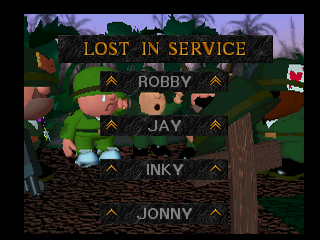
Actions are activated by the troop leader, so he gets all the credit and points. When a trooper dies, his performance is not forgotten, unless he didn't score enough points to register with the High Scoring Heroes Bureau, who manage the High Scoring Heroes Table.
Know Your Mission Profiles
Those seven primary objectives are revealed in full:
.png)


.png)



.png)

.png)
.png)
.png)



 (En,Fr,De,It).png)