Starting the Game
•
Turn OFF the power switch on your Super NES™. NEVER insert or remove a Game Pak when the power is on.
•
Make sure your controller is plugged into port #1 on the left side of the Super NES. If you're playing against or with a friend, plug his controller into port #2 on the right side.
•
Insert the Game Pak into the slot on the Super NES. Press the Game Pak down firmly to lock it in place.
•
Turn ON the power switch.
•
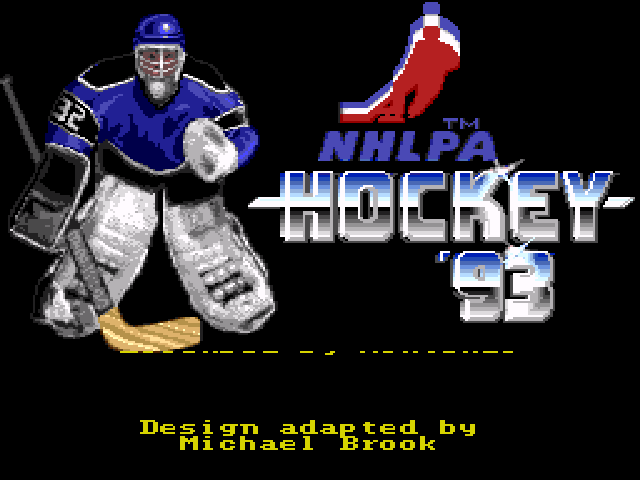
The NHLPA Hockey '93 title screen appears. Once the credits begin scrolling, press Start to see the Game Set-Up screen.
Watching a Demo Game
•
Press Control Pad down to the Players line on the Game Set-Up screen.
•
Press Control Pad left/right until you see Demo.
•
To get out of Demo, press any button except Start. The NHLPA Hockey '93 title screen will reappear.
Unless you change the settings, Pittsburgh will play Chicago at Pittsburgh in a regular season game with three ten minute periods, no penalties except fighting, and no line changes.
Playing for Real
You'll need to use the Game Set-Up screen every time you play. If you just watched the Demo, make sure to change the Players setting to another mode.
If you want to jump right in and wait until later to explore the other options, just press Start to use the game's default settings. You will be Pittsburgh at home in white, going up against Chicago in red in a game with three 10 minute periods. There will be no penalties except for fighting and no line changes. There is no way to turn off fighting.
When you're ready to set up your own game, Control Pad down through the options. A gray rectangle appears around the selected option. Control Pad left or right to change the setting for that option. Press Start to begin the game.
Play Mode Options
•
Regular Season: Play a regular season game.
•
Continue Playoffs: (No two player mode) Return to a playoff series at the point where you left off.
•
New Playoffs: (No two player mode) Begin in the first round of the Playoffs, needing only one win to advance.
•
Best of 7: (No two player mode) Begin in the first round of the Playoffs, needing four victories to advance.
Players Options
•
One - Home: You control Team 1 vs computer-controlled Team 2.
•
One - Visitor: You control Team 2 vs computer-controlled Team 1.
•
Two - Teammates: You and another person play as Team 1 against the computer as Team 2.
•
Two - Head to Head: You play against another person.
•
Demo: Watch an exhibition game.
•
Playoffs One: (No two player mode) You control Team 1.
To change Team 2 in Playoffs, press Control Pad alternately left/right or right/left. Team 1 will remain the same, and one of two or three teams will appear as Team 2. If Team 2 does not change on your first attempt, try again. Remember, there are at least two, and no more than three, first round opponents for each Team 1.
Team Setup Rules
•
The Home team is on the right side at the top of the Game Set-Up screen, and the Visitor is on the left.
•
The Home team always wears the light-colored jerseys, and the Visitor wears dark colors.
•
The Home team faces up-screen in the first period and third periods, down-screen in the second period.
•
Team 1 is the Home team in regular season play.
•
Team 2 is the Visitor in regular season play.
•
In both Playoffs modes, the player with Controller 1 is Team 1, not necessarily the Home team.
Period Length
Each game consists of three periods, and one or more overtime periods if necessary. You can set the period length at 5 minutes, 10 minutes, or 20 minutes.
A Regular Season game allows only one overtime period. The overtime period lasts for ten minutes, or until one team scores ("sudden death"). If neither team scores, the game ends in a tie.
Playoff games cannot end in a tie. Players will play as many sudden death overtime periods as necessary to establish a winner. The overtime periods last as long as the period length selected for that game, or until one team scores.
Penalties Settings
•
On: The referees call all the penalties and infractions they see.
•
On, No Offside: The referees call penalties and infractions, except offside.
•
Only Fighting: The game will not be interrupted by penalties or offside, except when a fight breaks out. ICING IS ALWAYS CALLED.
Line Changes Settings
•
On: The game player/players control their team's line changes.
•
Off: The players do not tire and stay in for the entire game.
Team and Player Strengths
All the NHLPA teams are represented in NHLPA Hockey '93. Every player in the game has certain strengths and weaknesses, based on the actual strengths and weaknesses of the real teams from the 1991/1992 season.
In general, the center is the best scorer, and the wingers are also good with the puck. Defensemen are not particularly fast or good with the puck, but they check harder and defend more aggressively than the front line players.
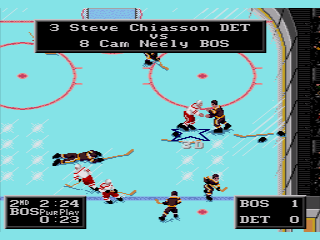
The Face Off
In the opening period, the home team's center
 (Rev 1).png)


.png)



 (En,Fr,De,It).png)
.png)






.png)

.png)

_1.jpg)




_1.png)



