Game Modes
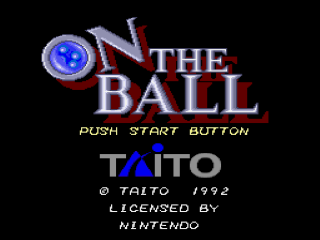
When the title screen is displayed, press the Start button to see the Game Mode screen. There are several options to choose from:
•
1-Player: One player only.
•
2-Players: Two people compete by taking turns trying to get the best score for each Round.
•
Password: By keying in the password for each Plane, the game can be re-started from a previously awarded level.
How to Key in a Password
•
Press the L or R buttons to move through the row of letters.
•
Select the correct letters by pressing the B Button.
Starting the Game
After deciding the game mode, select a Course. With 2-Players, player 1 controls this function. Choosing a course begins the game.
Screen Displays
•
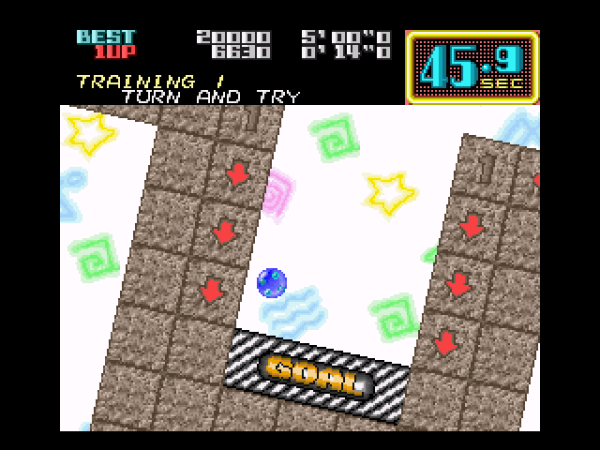
High Score: Shows the highest number of points for all Courses combined.
•
1P Score: Shows Player 1's score.
•
2P Score: Shows Player 2's score. (No display in Player 1 mode.)
•
Best Lap: The best recorded lap for that Round.
•
1P Lap: Shows the Lap Time for Player 1.
•
2P Lap: Shows the Lap Time for Player 2. (No display in Player 1 mode.)
•
Course Display: Shows the name of the Course that is currently being played.
•
Rounding Display: Shows the number of the Round that is currently being played.
•
Map Title: Shows the title of the Round that is currently being played.
•
Timer: Shows the amount of time remaining.
Clearing Rounds
If you reach the Goal within the time limit, you clear the Round and move on to the next one.
If you clear the Round within 10 seconds of the time limit, a Slot Machine appears. The reels of the Lucky Chance Slot automatically begin to spin; press the B Button to stop them. The total of the values shown after the reels stop is added to your timer in the form of bonus seconds. There is no Lucky Chance Slot in the Special Course or Master Course.
Each time a Round is cleared in the 2-Player Mode, the player who had the fastest lap time is given a time bonus of 5 seconds. There is no Lap Time Match when either of the players have finished the game. No bonus time is added in the Special Course or Master Course.
Time Up
When the timer reaches zero during the game, time is up and you move on to the Number Match. In the Number Match, a cursor moves randomly across 10 digits at the top of the screen. Stop the cursor by using the B Button.
If the number you stop at coincides with the number at the bottom of the screen, an additional 20 seconds will be added to the level you were just in. The Number Match appears only once per Round.
Game Over
If you lose at the Number Match, or reach Time Up a second time after winning the Number Match, the game is over.
When the game is over a Continue screen appears, giving you the option to select Yes or No. If you choose Yes, you start from the beginning of the Round in which the previous game finished.
Traps and Bonuses
Various devices are set up in the maps which form each Round. They will either help you make it through the maze, or hinder your actions.
•
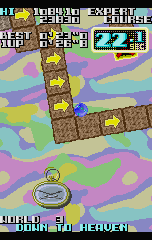
Arrow Blocks: These point in the direction you should move in.
•
Distance Blocks: These are pointers for the distance left to the Goal. The smaller the number, the closer you are to the Goal.
•
Timer Down: If the ball hits one of these "X's", the timer is reduced (yellow: minus 2 seconds, red: minus 5 seconds).
•
Bumpers: If the ball hits one of these, it is flipped away.
•
Bricks: Build up speed to break through these obstacles.
•
Time Bricks: Smash one of these to increase your time! There are two types: plus 3 and plus 5.
•
Timer Down Bricks: Breaking one of these reduces your amount of time for that Round. There are two types: minus 3 and minus 5.
•
Score Flag: Touch this with the ball to earn 1,000 points!
•
Mystery Bricks: Breaking one of these produces various results.
Mystery Brick Effects
•
Timer Stops for 5 seconds
•
Hard Luck! (Nothing happens)