How to Start Play
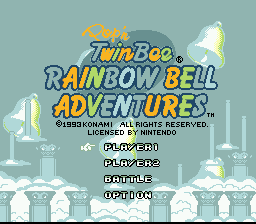
Press SELECT at the title screen or move the cursor using the up/down keys. Press the START button to enter the various modes. Pressing the START button during the demo returns you to the title screen.
•
Player 1: 1P play action game. During play, with the use of a 2P controller, a second player can join play in the middle of the game.
•
Player 2: A 2P simultaneous action game.
•
Battle: A fight between the two players.
•
Option: Change the button settings and sound settings on the controller.
Player 1/2 Start Options
Move the cursor with the up/down keys and press the START button.
•
NEW GAME: Play the game from the beginning. Next, you go to the player select screen.
•
CONTINUE: When you want to continue playing after game over, choose this mode and you can begin again where you left off.
•
PASSWORD: Next you go to the player select screen. By entering the 5-letter password that appears at game over, you can continue playing from the stage after the last one cleared.
Map Screen
This game is divided into map screens and action screens (stages). The map screen features Dr. Shinamon and the Player.
At the map screen, press the START button and the player on the map screen will enter the stage. Move by using the + key.
If you reach the GOAL set by Dr. Shinamon somewhere in the stage, you will clear the stage. When you clear a stage, a new stage appears and the area of movement on the map expands.
Once a stage has been cleared, you can use the SELECT button during pause in a stage to return to the map screen.
Stage Gameplay
A boss enemy is lurking somewhere in the stage. Defeat the boss to get back a rainbow bell. Get all seven rainbow bells back!
When you hit an enemy a rainbow bell flies out. If you catch the bell you can power up.
When you collect 100 small bells that appear in the stages, you get an extra life, and if you get them all, you get something even better...
There is a door somewhere in the stage. If you find a key the same colour as the door, you can open the door.
If you get hit by an enemy or fall into a trap, you lose one life. When you lose all your lives, your player is out and the countdown starts. If you press the START button before the countdown ends, the game will continue.
2P Simultaneous Play
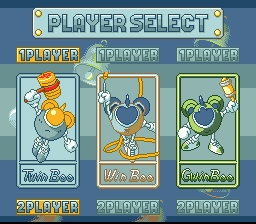
Play with your favorite character--Twinbee, Winbee or Gwinbee.
•
When you want to move the screen over to a player who has gone off the screen, use the SELECT button.
•
When you want to get a player back onto the screen, use the Y button.
•
For a second player to join in a game in the middle, press the START button on the 2P controller and the name of the 2P player appears in the upper right of the screen. Use SELECT or the up/down keys to choose the player character and press the START button again to join play.
Battle Mode Setup
•
① At the player select screen, players select their fighting characters. Both players can also use the same character.
•
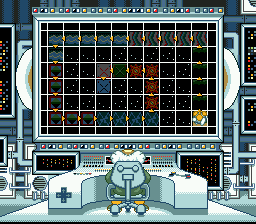
② At the select screen, choose the select category with the up/down keys and choose the level and stage with the left/right keys. Press the START button to begin play.
Battle Screen Elements
•
Position of opponent (radar)
Battle Rules
If you are able to attack and defeat the opponent within the time limit, you win, and a win star mark appears on the screen. The first person to get two stars is the winner.
If neither player is defeated within the time limit, the one with more life units wins. If life is equal, it is a tie.
Fight using weapon attacks, item attacks and punch attacks. In the stages there are hearts and various capsule items.
Battle Items
•
Homing Missile: Throw it and it seeks out the enemy.
•
Thorn: Throw it and a thorn comes out and flies straight.
•
Freeze: Found by hitting clouds at the top of the screen. If you get this, you can freeze the opponent for a limited period of time.
•
Cloak: Found by hitting clouds at the top of the screen. If you get this, your image disappears from your opponent's window for a limited time.
Battle Advice
•
If you touch flying items, you will suffer damage.
•
After doing a power punch, you cannot move for a few moments.
•
You can recover more quickly from being frozen by tapping the button.
•
You can give the opponent two damages only with the punch attack.
.png)

.png)
 (Switch Online).png)
 (Switch Online).png)



.png)

.png)
.png)
.png)









_1.png)