Game Modes
This mode lets you choose the players and the court for your match. It features real and special courts that let you enjoy playing tennis all around the world. You can compete against a friend or against the computer. Between 1 and 4 people can play.
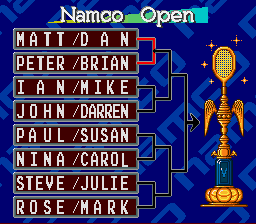
In this mode, you advance by winning games to win the tournament. Your goal is to win 5 major events and achieve the Grand Slam. Use the "Password" option to continue your tournament at a later date.
Multi-Player Option
•
Playing against the computer is great, but it is most fun to play with a lot of people. You can play against another person or play doubles with up to four people.
•
When playing with three or more people, you will need the "Super Multi-Tap" or "Multi-Adapter" for use with the Super Nintendo Entertainment System. Always be sure to use Connector 2 when making connections. Starting the Game
•
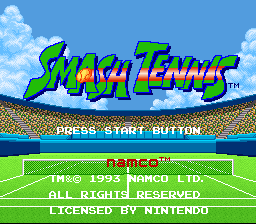
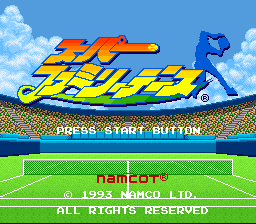
Push the START button on the title screen to bring up the MODE SELECTION screen. Select your mode and then set the match format to begin.
•
Use the Direction Pad to select, the (A) button to make a decision/confirm, and the (B) button to cancel (except during mode selection).
Match Setup Options
Choose whether you want the ball to leave a mark where it strikes. Select ON to play with this visual aid, or select OFF to disable it.
You can choose to have the game sounds in Stereo or Mono.
Any number of people, from 1 to 4, can play in any combination you want. For multiple players, you need up to 4 controllers.
Select your character out of 20 different players. When playing with multiple players, each one picks in order using their own controller, starting with P1. If you pair up with the computer, pick a player for your teammate. Male players are displayed in white and female players are displayed in red.
There are nine different kinds of courts (including grass, hard, clay, and special fun/gag courts), each with its own different backdrops and playability characteristics.
Select the number of sets. In a 3-set match, the game is over when the first person takes two sets. In a 5-set match, the match is over when the first person takes three sets. The game begins immediately after selecting the number of sets.
Basic Controls
•
Direction Pad / Directional Button
Controls the movement of the player and the course/trajectory of the ball.
Lob; toss up.
Hits a powerful ball; toss up.
Functions the same as the (A) button (strong shot; toss up).
Hits a weaker/softer ball; toss up.
Starts the game and displays the score at the time of service.
Screen Displays
•
Score Table / Scoreboard
Displays the Server's Point / Receiver's Point.
Displays the game/match time elapsed since the start of the game. It does not include time when the score is being displayed.
•
Points Scored / Games Won
Tracks current game progress.
Tracks overall match progress.
How to Play: Service
•
1. Determine the position: Move the Direction Pad left or right to move the player to the serving position. Push the Direction Pad down to bounce the ball.
•
2. Toss-up: Push any of the (A), (B), (X), or (Y) buttons to toss the ball into the air.
•
3. Determine the course: Move the Direction Pad left or right during the toss-up to direct the ball. The targeted direction changes gradually depending on how long the Direction Pad is held down.
•
4. Hit the ball: While the ball is in the air, press the Direction Pad left or right to target a side of the opponent's court. Press (A) for a powerful serve or (B) for a weaker serve. The higher the ball is when hit, the further it goes; the lower it is hit, the closer it lands.
How to Play: Strokes & Footwork
Use the Direction Pad to move your player. Different players move at different speeds. Aggressive types move back and forth quickly to volley, while defensive types run left and right to recover the ball. Some players will even dive to hit the ball depending on timing and distance, though they take time to get back up.
Use the (A) button (or (Y) button) for a strong ball, or the (B) button for a soft ball. The (X) button will lob the ball high in the air.
A forehand stroke is hit on the side of your stronger arm, and a backhand stroke is hit on the opposite side. The player's position relative to the ball is determined automatically. The specific techniques and best shots vary depending on whether the player is hitting forehand or backhand.
.png)

.png)




_1.png)

.png)


_1.png)


 (En,Fr,De,It).png)
.png)