Starting the Game
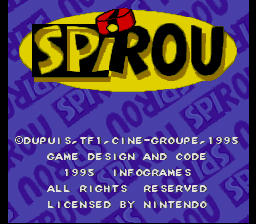
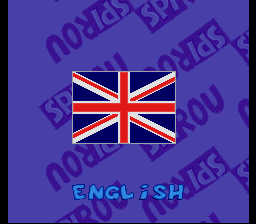
To begin your adventure with Spirou to rescue the Count and defeat Cyanide, insert the cartridge into the console and turn the power switch to ON. The copyright, language selection, and selection menu screens will appear in succession.
Press the Start Button to advance through the screens. If you do not press any buttons, gameplay clips will play automatically.
When you are ready to begin, press the Start Button to bring up the selection menu. Navigate this menu using the D-Pad and confirm your choices with the B Button.
From the main menu, you can choose from the following options:
•
JEU (GAME) / START: Begin a new game.
•
OPTIONS: Access the configuration menu.
•
PASSWORD: Enter a code to resume a previous game.
Options
This menu allows you to adjust the following game settings:
•
Difficulty Level: Choose between Facile (Easy), Moyen (Medium), and Difficile (Hard).
•
Music: Turn the game music MARCHE (ON) or ARRET (OFF).
•
Tests: Listen to individual music tracks from the game.
•
Exit: Select EXIT and press the B Button to return to the main menu.
Password
This screen allows you to input a password obtained during a previous play session to resume your progress.
•
Press Left or Right on the D-Pad to move the cursor to a character slot.
•
Press Up or Down on the D-Pad to cycle through the available characters.
•
Press the Start Button to confirm your completed password.
Scoreboard and Bonus Points
•
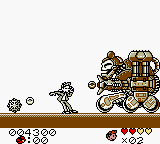
Spirou's Head: Displayed at the top left of the screen, this shows your current health. Each injury removes one of your five energy bars; on the sixth injury, you lose a life. The number below the head shows your remaining lives. •
The Heart: Restores one point of energy to Spirou's health bar. •
The Oxygen Bottle: Allows Spirou to stay underwater for a longer period. The bottle fully refills automatically once he steps out of the water. •
Spirou's Hat: Located at the bottom left of the screen. Collecting 50 of these hats awards you an extra life.  (En,Fr,De,Es).png)

 (En,Fr,De,Es).png)
 (En,Fr,De,Es).png)
 (En,Fr,De,Es).png)
