Starting the Game
•
Install your PlayStation game Console according to the instructions given in the Instruction manual. •
Check that the Console is switched off before you insert or take out a disc.
•
Insert the Lucky Luke Disc, and close the Disc cover. •
Plug a game Controller into Controller port 1 and switch on the PlayStation Console. •
When you have switched your Console on, you'll see the COPYRIGHT screen displayed, then the animated PRESENTATION SEQUENCE, and finally the MAIN MENU.
You are advised not to plug in or unplug peripherals or memory cards while the console is switched on.
Controller Layout
Game Icons
The B (Bonus) icon: 4 Bonus icons are cleverly hidden in each level of the game. If you find all the B icons hidden in a level, you will gain access to one of the three bonus levels of the game, at the end of the level.
Rintincan "checkpoints": Rintincan will appear in some levels. When this happens, if you pass in front of him, your position in the current level will be saved.
How to Buy a Life or a Password
When you have collected a certain number of dollars, you automatically gain access to the following level "Flatshoe The Hawker's wagon". You can then choose to buy an extra life (30 dollars) or a password (100 dollars).
To make your choice, use the left and right Directional buttons, then confirm by pressing the X button.
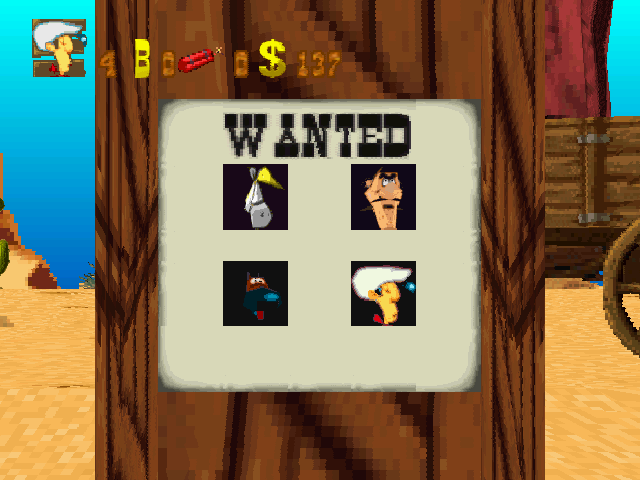
If you have bought a password, the box to the left opens to show a password made up of four faces. Note it carefully, because you won't be able to see it again once you've left Flatshoe's level.
Possible Actions
Here are the actions that Lucky Luke can perform and the corresponding commands. Note that these are the default commands corresponding to configuration A of the Controller. •
WALK: use the right and left Directional buttons.
•
RUN: use the right and left Directional buttons while holding the button.
•
JUMP: press the button to make a small jump. To make a bigger jump, press the button and the X button at the same time.
•
DUCK/PICK UP AN OBJECT: use the down Directional button.
•
SHOOT: press the button. To choose the direction of the shot, use the Directional button while you are shooting.
•
DETONATE DYNAMITE: press the A button. Warning: get out of the way fast if you don't want to be blasted!
•
PUSH: when you can push an object, Lucky Luke automatically takes up the right position. Just use the right or left Directional buttons to move the object. •
SCORE BAR: press L2 to display the entire score bar. Press L2 again to hide the score bar.
Lumberjacks Level
For the first two trials in this level, you must use the following actions:
•
INCREASE THE LEVEL OF YOUR FORCE GAUGE: press the O button and the button alternately. The faster your rhythm, the faster the gauge will move up.
•
DISH OUT AN AXE OR CLUB BLOW: when you have reached the maximum energy level for the action, the gauge blinks. Press the A button to confirm the action. Bonus Levels
Bottle Shooting
You have to prove that you really are the best shot in the West. Each bottle you hit earns you dollars! What's more, if you hit the watch that Rintincan is holding in his mouth, you'll have more time to shoot the bottles. Careful, don't shoot at everything that moves, because if you hit the bartender your time will be reduced...
Arm Wrestling
In this trial of strength and endurance, you can gain a life if you beat your opponent. To increase the level of the gauge, press the O button and the button rapidly one after the other. When the gauge has reached the maximum level, press the A button.
The Card Game
Pat Poker has more than one trick up his sleeve! Now is the time to test your luck...
The rules of the game are simple. 8 cards are laid face-down on the table. Whenever you turn over a card showing Lucky Luke, Jolly Jumper, or Rintincan, you win dollars. But if you turn over the card showing Joe Dalton, you lose all the dollars you have won previously! You can leave this level at any time (by selecting the Exit icon), but remember that the higher the risk you take, the more you might win!
Here are the commands to use when playing with Pat Poker:
•
to move the blinking cursor: use the Directional buttons.
•
to turn a card over: press the X button.
.png)



.png)


 (En,Fr,De,Es,It) (No EDC).png)

 (En,Fr,De,Es,It) (v1.1).png)






.png)




 (En,Fr,Es).png)