How to Start
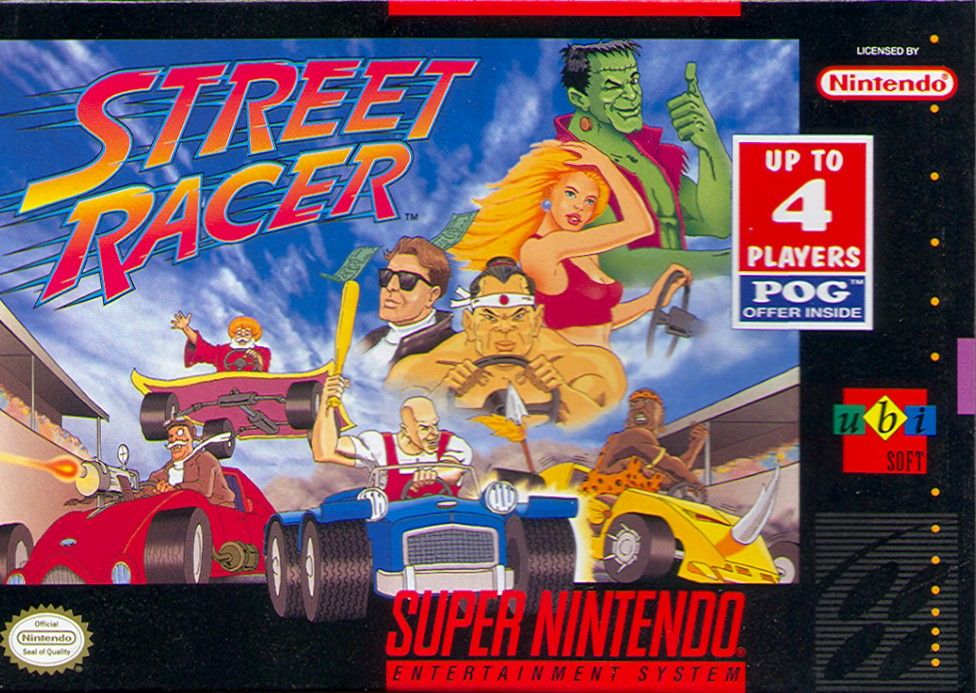
Insert your Street Racer™ cartridge in your Super NES console and turn it on. The Player Select Screen appears allowing you to choose 1 to 4 players or set up your Options. Players 3 and 4 will only appear if a 4-player adapter is connected. Player Select Options
Options Menu
Activate or deactivate the following to change the difficulty level of the game. For instance, if you are playing against players with less skill, you can turn on all of their options and turn off yours in order to make it more fair to your opponents.
•
WEAPONS: Front and side attack weapons are affected.
•
FIGHTING: Punch Attacks are affected.
•
DAMAGES: Damage sustained from other players is affected.
•
COLLISIONS: Damage sustained from running into barriers or other players is affected.
Game Settings
•
Difficulty level: Easy, Medium, Hard, Crazy
•
Number of Cars in Practice Mode: 1-8
•
Sound Mode: Stereo or Mono
•
Music Test: Hear Tunes from the Different Tracks
•
Sound Test: Hear all 99 sound effects
Soccer Options
•
Goals Match: Match ends when set number of goals have been made by one player. Range is from 1-14 goals.
•
Time Match: Match will end when the time runs out. 1 to 29 minutes.
Custom Cup Setup
Choose from 1-24 tracks to customize your own race. Track numbers and names appear on the top of the screen. Use the Control Pad to scroll up and down the list.
To choose a track, press the B Button. The track selected will appear under the track order. Continue to select all of your tracks until all 24 have been determined.
To exit the OPTIONS menu, go to LEAVE OPTIONS and press the B Button.
Choosing Players
You can play Street Racer with 1, 2, 3 or 4 people simultaneously. A 4-player adapter must be used if 3 or more players are selected. Plug the 4-player adapter into the second port of your Super NES and plug the controllers of players 2-4 into the adapter. •
1 or 2 PLAYERS: All 8 cars compete. Cars not chosen by players are controlled by the computer.
•
3 PLAYERS: Only 4 cars compete, three controlled by players, one by computer.
•
4 PLAYERS: 4 cars compete, all controlled by players.
Press the START Button to exit. Strengths and weaknesses are shown on each character.
Game Select
After determining your options and selecting the number of players, choose the type of game mode you want to play:
Practice Mode
Use this mode to get used to all of the tracks and determine the strengths and weaknesses of the characters. You can practice on the tracks, the soccer field, or the rumble arena against the computer or any other human player. Determine the number of players to practice against in the Options Menu.
At the end of each race, you can choose:
•
RETRY TRACK: Race again on the same track.
•
CHANGE TRACK: Try a new track.
•
CHANGE CAR: Choose a new car.
•
EXIT: Quit practice mode.
Track Select
Choose the track you want to practice on by scrolling through the various tracks. Press B to view a particular track and START to select one. You can also zoom in and out of the track view by using the L/R buttons.
Head to Head
This is a challenge between two players. Players choose the track to race on. Points are awarded for each race and the player with the highest number of points wins. The players decide how many races to compete in. To quit, choose END.
Championship Mode
You race on all 24 tracks. Results are indicated at the end of each race, showing finishing times, bonus points for fastest lap, lapping other cars, number of stars accumulated, punches executed, perfect bonuses (finishing without sustaining damage), and total points awarded.
In order to qualify for a race, you must place at least 4th. If you do not place 1st-4th, you have 3 tries to qualify.
Cup Select
Choose the level of difficulty for the entire season of races:
•
BRONZE CUP: Easiest. Six tracks, all unique.
•
SILVER CUP: Medium. 10 tracks, 6 unique.
•
GOLD CUP: Hard. 14 tracks, 8 unique, plus 4 hidden tracks which can be accessed only if the Bronze and Silver Cups have been won.
•
CUSTOM CUP: Mix up the tracks and have different levels of difficulty (select tracks in the Option menu).
At the end of each cup, the top three finishers appear on a championship screen.
Post-Race Options
•
CONTINUE: Go on to the next track.
•
PLAYBACK: See an instant replay of the last race you ran or match you played.
Repair Kits
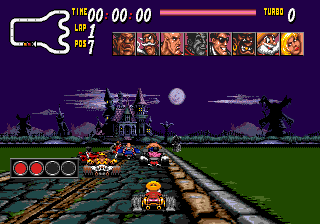
Every time you sustain damage it affects your car's acceleration, handling, and speed. When your energy bar goes down, look for yellow squares with a picture of a wrench on the
.png)

.png)
