STARTING UP
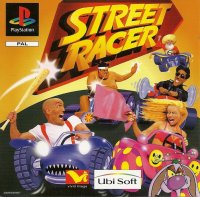
Set up your PlayStation™ game console according to its Instruction Manual. Make sure the power is off before inserting or removing a compact disc. Insert the Street Racer™ disc and close the CD door. Insert game controllers and turn on the PlayStation™ game console. Follow on-screen instructions to start a game. Console Top View
Front View
INTRO/MULTIPLAYER
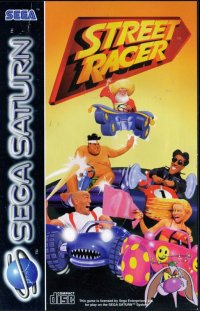
It's more than a road race, it's a whacked-out fight to the finish! Get ready to rev up and go ballistic in this action-packed, animated road race that's twisted, intense and out of this world!
As you whirl around the tracks, be sure to keep your eyes peeled, and your mind sharp, because there are tons of intricacies and hidden extras waiting to be discovered. Keep on driving, you'll find out! MULTIPLAYER
Using two multitaps, up to 8 players can simultaneously play Street Racer™. Multiplayer mode can be either played in Split Screen Mode or Micro Mode. In Split Screen Mode, each player has their own independent window, whereas in Micro Mode, all the players play in one single window. You can choose the Game Mode in the Main Menu.
Up to 8 players can choose the same driver / car as well as the color of their car.
THE GAME MODES
PRACTICE:
Practice against computer driven cars or a human player with the option of using different cars and different tracks. You only have access to the tracks from the CUPS while you are in the Practice Mode.
In order to practice on the tracks in the Silver Cup, you must first successfully complete the Bronze Cup.
HEAD TO HEAD:
This is a challenge mode against a computer or human player where the player will choose their own track to race on. The choice of tracks are limited by the CUPS in which you have access.
Points will be awarded for each race and the player with the most points wins. The players can also decide the number of races in which they compete (Up to 99 rounds).
CHAMPIONSHIP:
All tracks in BRONZE, SILVER, and GOLD CUPS are automatically selected by the computer. Each CUP has a different difficulty level which reflects the intelligence and performance level of the computer driven cars.
Difficulty level is Easy for BRONZE CUP, Medium for SILVER CUP, and Hard for GOLD CUP. In order to play the higher level CUPS, the earlier CUPS have to be successfully completed.
For example, the SILVER CUP can only be played if the BRONZE CUP was completed in First Position. After which, the player is given a password for each completed CUP, which can be entered in the options screen.
BACKUP:
If you have a Memory Card in a Memory Card Slot, then the game will be saved for you automatically. You can also load and save the game yourself.
CUSTOM CUP:
Here the player(s) are able to set up a season of races by choosing a number of tracks from a list. This list will only contain the tracks from the accessible CUPS.
For example, if the player has successfully completed the BRONZE CUPS, then the list will include all of the tracks from the BRONZE and SILVER CUPS. The difficulty level and the number of laps will be determined by the settings in the Options Menu.
MICRO MODE:
In multiplayer Micro mode, if one player fails to keep up with the leader, then he/she will receive a fault which will be deducted from the finishing time. The less faults the better. You can get all the usual bonus points as in the Normal mode.
RUMBLE:
This is a special challenge mode where all the cars battle it out in an arena. The objective is to knock all of the other opponents out of the arena. The last remaining driver in the arena wins.
The difficulty level is determined by the settings in the Options Menu.
•
Easy Mode: There are walls all around the arena (these walls must first be knocked down.)
•
Medium Mode: There are some gaps in the walls.
•
Hard Level: There are more gaps in the walls.
•
Crazy: There are no walls at all.
Please note that in Easy, Medium and Hard Levels, after a certain period of play, any remaining walls will automatically be knocked down!
GENERAL NOTE:
The difficulty level of the game for all modes except for Championship (Bronze, Silver and Gold Cups) will be set by the player in the Options Menu.
All of the weapons are available to the player in all game types, and all game types are available in 1-8 player modes.
PLAYBACK:
This feature allows you to playback the last game you have just played. Note: there is a limited amount of space to record the game, so if you choose a high number of laps, the entire game may not be able to be recorded.
There are two playback modes: Follow Car Mode and Fixed Camera Mode. You can change the modes during playback. In the Follow Car Mode, you can also change which car the camera should follow, as well as the View Modes (VR Mode.)
Please note that in Micro Mode there is no player interaction during playback - you can only watch the playback.
OPTIONS:
There are various options that the player can set: number of laps; difficulty level; speed of play for Rumble Mode; and so on
.png)










.png)
.png)


.png)

 (En,Fr,De).png)
 (Beta).png)