INTRODUCTION
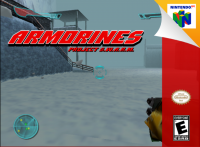
For centuries, humanity has wondered if we are alone in the universe. Would our interstellar neighbors be wise and peaceful, or savage and predatory? Would they bring wisdom or destruction? These profound questions remained unanswered as the human race entered the third millennium.
Our past has been tainted with war. Many hoped that extraterrestrial life would bring advanced philosophies and technologies, helping humanity embrace a new era of multi-cultural cooperation. Our planet is the only home we have.
When the extraterrestrial life came, it brought bloody chaos, ransacking and pillaging our beautiful world. The Bugs did not seek coexistence; they sought extinction. Nobody understood the motives behind their unholy agenda.
They swiftly overwhelmed all military opposition. Defenses were infiltrated and used against us. Poisonous clouds issued from their hives. Those who could not flee, perished or were trapped in whatever shelter they could find.
We had to match their awesome power to have a chance of defeating them. The ARMORINES were the miracle we needed. A highly advanced, highly classified, virtually indestructible fighting force, equipped to survive the terrifying might of a nuclear conflict. They were created to cheat death and stare it in the face.
They stand between us and the darkness. They are our last hope for survival.
ARMORINES MENUS
•
Use the DIRECTIONAL BUTTONS to highlight an item.
•
Press the BUTTON to confirm a choice/go to the next screen.
•
Press the BUTTON to return to the previous screen (Go Back).
MAIN MENU
At the Main Menu, you have these choices:
Start a new single player game.
Before you start a game, it is wise to set your options.
OPTIONS
To set options, highlight the desired option with UP and DOWN on the DIRECTIONAL BUTTONS. Then toggle between settings with LEFT and RIGHT on the DIRECTIONAL BUTTONS. Press the BUTTON to choose settings.
Gameplay
Select the Normal or Hard skill setting.
Controller 1/Controller 2
As Player 1 or Player 2, you can select the following options for your controller here:
When ON, your view will "spring" back to a centered position when you release the look control and move your character. If OFF, the view will remain where it is after the control is released.
Set to ON for automatic targeting help.
You can retain the "Normal" look configuration or select "Invert" to switch the location of "Look Up" and "Look Down" on your controller.
If you have the DUALSHOCK™ analog controller, set the vibration ON for some bug blasting you can feel!
.png)


.png)
.png)
.png)
.png)
.png)

.png)

.png)


.png)







_1.png)
.png)
.png)
.png)
.png)
.png)