Setting Up
Set up your PlayStation® according to its Instruction Manual. Insert the BOMBERMAN WORLD™ disc and close the Disc cover. Turn the PlayStation® ON at the POWER button. It is advised that you do not insert or remove peripherals or Memory Cards once the power is turned on. Make sure there are enough free blocks on your Memory Card before commencing play. BOMBERMAN WORLD™ supports Memory Cards in Memory Card slot 1 only.
Getting Started
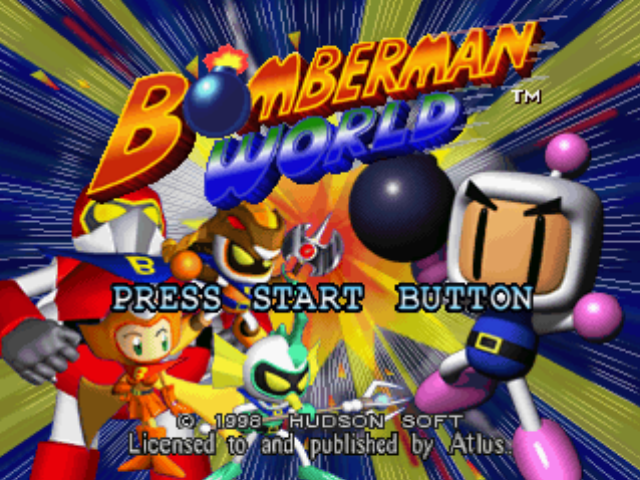
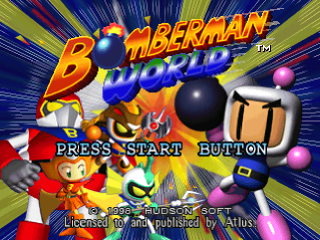
After the Introductory sequence, you'll come to the Title Screen. Press the START button to reach the Main menu.
Menu Selection
Make a selection from the menu by moving Bomberman's head up or down with the Directional buttons and then press the X button. Return to the previous screen by pressing the Δ button.
Main Menu
•
GAME MODE: Choose from NORMAL, BATTLE or CHALLENGE games.
•
OPTION: Change the settings to your personal preference.
•
LANGUAGE: Use the LEFT/RIGHT Directional buttons to change the in-game text to ENGLISH, DEUTSCH, FRANCAIS, ITALIANO or ESPANOL.
Playing a Normal Game
Once you've chosen to play a NORMAL GAME, you will come to a screen which offers the following options:
•
NEW GAME: Select this to begin a game from the beginning.
•
PASSWORD: Enter a password that you have been given at the end of a previous game. Use the UP & DOWN Directional buttons to change the number and the LEFT & RIGHT Directional buttons to move to the next digit. Press the X button to confirm. Return to the GAME MODE screen without entering a password by pressing the Δ button.
•
LOAD GAME: Load in a previously saved game from a Memory card.
•
WORLD MAP: Use the LEFT/RIGHT Directional buttons to select a World. If you are starting from the very beginning, you will only be able to enter World 1. You begin at the start of Area 1; press the X button to commence the first level.
Game Screen
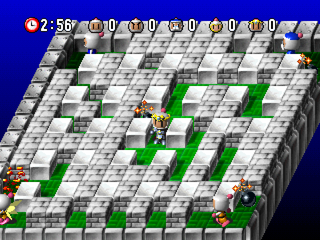
Game Screen Elements
•
1. Lives Remaining: Number of Bombermen remaining. When you lose a life at 0, the game ends.
•
2. Score: The score increases as the player defeats the enemies.
•
3. Time remaining: Indicates the time remaining before the area must be cleared.
•
4. Crystals remaining: Indicates the number of crystals remaining in the area.
Wage Battle in Five Worlds!
BOMBERMAN WORLD™ features five worlds: Earth, Wind, Fire, Water, and Darkness. Awaiting Bomberman are complicated maps, and various enemies and traps. Advance by destroying 'soft blocks"* with your bombs. Use items to enhance Bomberman's power and clear all the worlds!
*These are blocks you can destroy with a bomb; indestructible ones are called 'hard blocks'.
Collect All the Crystals
In the normal areas in each world, a certain number of Crystals are scattered in each area. If a player collects all the Crystals in the area, the exit door opens, allowing the player to proceed to the next area.
Defeat Your Rival
In each world, there is one Rival Area, where a Dark Force Bomber waits. If you defeat the Dark Force Bomber in this area, you can get his strong armour for later use.
Beat the Giant Bosses!
Giant boss characters, manipulated by the rival, wait in the final area of each world. The player clears the world by defeating this boss. Increase your power by obtaining armour before you face the boss characters, since they're all formidable.
Losing a Life
When Bomberman makes a mistake, e.g. is hit by his own bomb, suffers damage from his enemies or is trapped, the 'Bombermen remaining' decreases by one. Another way to lose a life is to let the time expire. When all of Bomberman's lives are lost, the game ends.
Game Over
Select CONTINUE to carry on playing after all lives have been lost. To use the Memory card, select SAVE. To end the game, select END. To continue the game at any time, memorise or write down the password on the screen.
Battle Game
Battle mode consists of normal BATTLE ROYAL MODE and MANIAC MODE, in which you can customise the rules. Select the battling mode you prefer.
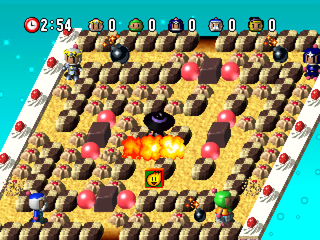
Battle Screen
•
Time remaining: Indicates the time remaining.
•
Score: Indicates each character's score.
Battle Royal Mode
In this mode, a maximum of five Bombermen can be operated by the player or the computer. Start by selecting one-on-one SINGLE MATCH or a TAG MATCH.
Decide the number of Bomber characters and whether Bomberman will be played by the players or the computer. If two people wish to play, you will need one Controller inserted into each Controller port.
NOTE: If there are more than two players, a Multi tap plus a separate Controller for each player is necessary.
Battle Royal Mode Rules
Use the LEFT/RIGHT Directional buttons to set the rules:
•
COM LEVEL: Select the difficulty of your game - EASY, NORMAL, or HARD.
•
BATTLE: Choose from 1-5 battles.
•
TIME: Set the time-length from between 1-5 minutes or infinite rounds.
•
SUDDEN DEATH: Blocks will fill the entire screen. It's do or die!
.png)

.png)


.png)

.png)

.png)

.png)

.png)