Top View
Front View
Console Instructions
Set up your PlayStation game console according to its Instruction Manual. Make sure the power is off before inserting or removing a compact disc. Insert the BOWLING disc and close the disc cover. Insert game controllers and turn on the PlayStation game console. Follow on-screen instructions to start a game. Starting the Game
Title Screen
•
PUBLISHED BY AGETEC INC.
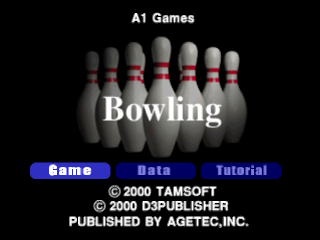
There are three options available from the TITLE screen: Game, Data, and Tutorial.
Before Play
Game Mode Selection
Choose from three game modes: Standard, Quest and Special. High scores can be viewed by selecting Scoreboard.
Game
Select from three game modes: Standard, Quest and Special. The scoreboard lets you check the top ten scores for all three modes.
Data
Players can save and load score data. If a memory card is not detected in MEMORY CARD slot 1 or MEMORY CARD slot 2, you cannot save data for this game.
Tutorial
This mode explains the buttons and their functions. Press the START button to cancel the Tutorial.
Note
The amount of curve a ball has depends on the material selected. A plastic ball curves less while a reactive ball curves more.
Player Settings
This game can be played with up to four people. Select the bowling order and include CPU players as desired.
•
Confirm each player's position in the bowling order.
•
Select the controls for each player (Controller 1 or 2, CPU Level 1-3, None).
•
The CPU level determines the skill of the CPU player. A four-person game requires two controllers and that the players trade off.
•
Enter player name/initials.
Game Settings
From here the player can select the type of ball to be used, the weight of the ball and turn the gutter guards On/Off.
•
Select a Plastic, Urethane or Reactive ball type.
•
Adjust the weight of the ball between 8 lbs and 16 lbs.
•
Turn the gutter guard On/Off.
Quest Mode
Different 3-pin combinations are set up on the lane. The player is then given a limited number of chances (balls) to knock down the 3-pin set up.
Successfully completing a 3-pin set up moves the player onto the next 3-pin set up and provides them with an extra ball. Quest mode has 5 levels, consisting of 10 frames each, and supports up to four players. CPU opponents cannot be used in this mode.
Special Mode
45 pins are set up on the lane. The player is given three chances (balls) per frame to knock down all the pins. Each game is seven frames long and supports up to four players.
Scoreboard
The scoreboard lists the top 10 scores for each mode. If you get a high score, your name will be added to the list. This data can be saved to a memory card.
The player is awarded an extra ball for each frame cleared on the first try.
Indicates the number of pins remaining.
How to Enjoy Bowling
The most important thing in this game is to aim well. If you get the highest score, you will receive a special ball.
Rules of Bowling
Each player has two shots per frame. The player who knocks down the most pins wins the game. If all pins are knocked down on the first shot, it's a strike.
Scoring
Gutter
If the ball is thrown into either the left or right hand gutters, the player scores zero points. If this occurs twice in the same frame the following icon (-) will be displayed on the scorecard for that frame.
Strike
Occurs when all ten pins are knocked down on the first shot. Points (10) from the strike carry over to the next frame, where they will be added to the total of both shots taken in that frame.
Spare
Occurs when all pins are knocked down on the second shot of a frame. Points (10) will carry over to the next frame, where they will be added to the first shot in that frame.
Split
Name given to pins left after the first shot has been taken that are arranged in a way that makes them difficult to knock down (for example, far back left pin and far back right pin).
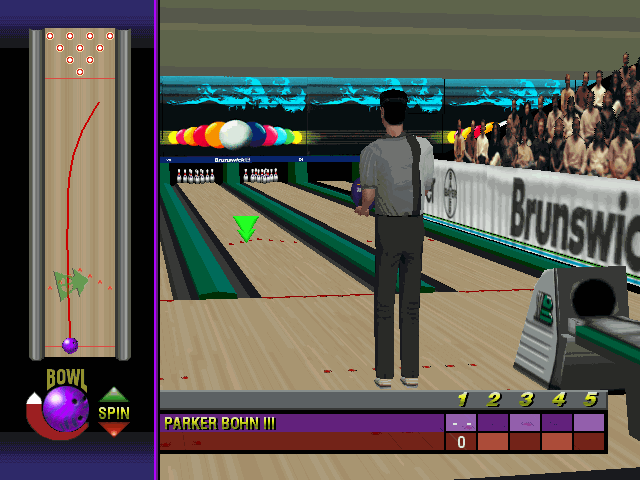
The Lane
Foul Line
If the player releases the ball with their foot over the foul line they will not score. If the player does not release the ball (by pressing the button) when they reach the foul line, the CPU will automatically do so.
Spot
Use these markers to line up your shot.
Gutter
Two depressions on either side of the lane
.png)










.png)


.png)

.png)

.png)
_1.png)
.png)


.png)




_1.png)




_1.png)