Getting Started
Set up your PlayStation® game console according to its Instruction Manual. Ensure the power is off before inserting or removing a compact disc. Insert the Brigandine disc and close the disc cover. Insert the game controllers and a Memory Card into the Memory card Slot on the PlayStation game console. Turn on the system, and the opening movie will start. Pressing the Start Button will take you to the title Screen. Warning
The game can be played without a Memory Card but cannot be saved without it.
Brigandine Main Menu
•
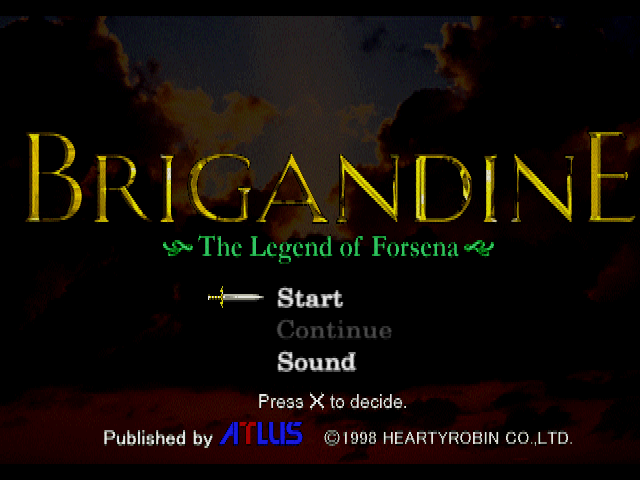
START: To start a new game.
•
CONTINUE: To continue a game from saved data.
•
SOUND: To switch between Stereo and Mono.
Save and Continue
SAVE
You can display the System Command on either the Battle Map or the Continent Map (Strategy Map). It takes 3 blocks to save a file of this game on a Memory Card, and up to 3 files can be saved on one Memory Card. CONTINUE
You can start the game from where it was last saved.
Save/Continue Screen Information
•
Shows if the data is of "Map" (Strategy/Continent Map) or "Battle" (Battle Map). •
Shows the phase of the saved data: "Map" either "Organize" or "Attack", "Battle" Name of the Battle and either "Attack" or "Defend" phase.
How to Play the Game
The goal of Brigandine is to occupy enemy bases by winning battles, expand your territory, and finally unite the continent under your rule. The time limit is 15 years, before month 2 of the Sacred King Calendar, Year 250.
1. First, select the lord and then the difficulty level.
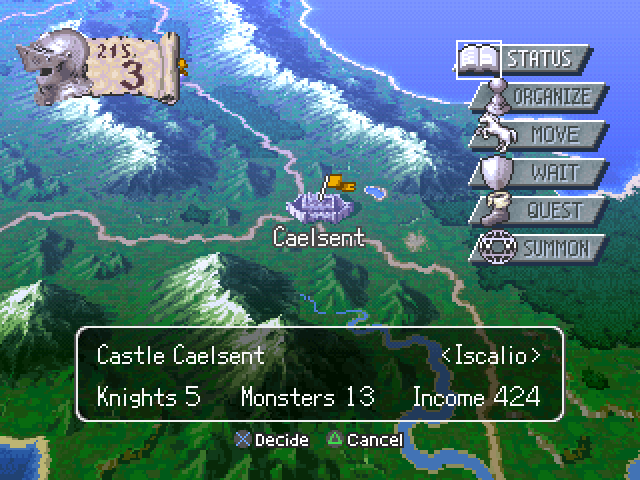
2. Decide which country you are going to attack first. Information on your army and other armies on the Strategy Map may help you decide. 3. "ORGANIZE PHASE": Create your party with "SUMMON" and the "ORGANIZE" Command. The "MOVE" Command is used to designate the base where you want to move a certain party. Use the "EXECUTE" Command to activate your selections.
4. "ATTACK PHASE": The "ATTACK" Command is used to designate the base you want to attack. When you select the "EXECUTE" Command, all groups will start the attack at the same time.
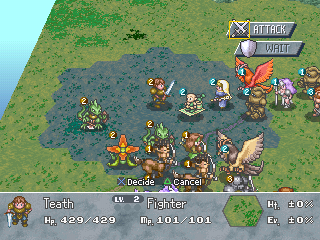
5. When your party confronts the enemy, you will go into the Battle Map. More than one battle may occur in different bases depending on the situation. If the battle is Computer vs Computer, the screen will display information as seen on the picture on the right.
6. If you win the battle, you can occupy that base, or if the base is yours, you have defended it.
7. If you occupy all the bases of the enemy country, you have defeated that country.
The information about the enemy country which you can see on the "MAP" (Strategy Map) is of the status after the previous phase. As the player makes changes in the strategy (reorganize, move, etc.), the enemy is making changes as well. Therefore, the status of an enemy country may be different before and after the "EXECUTE" command. •
The game is over when the player loses all of their bases.
•
The game can be cleared even with an allied country remaining undefeated.
•
You have cleared the game when you defeat all the enemy countries!
Basic Control on the Strategy Map
1.
Display Command
•
Place the cursor on the base and press the BUTTON to display the "Base Commands".
•
Press the SELECT BUTTON anywhere on the map to display the "System Commands".
2.
Collect Information
•
Press the BUTTON to display an information window on the player's country.
•
Collect information on your bases and enemies' bases, allocation of parties, etc.
3.
Organize Phase
•
Make changes to your party using SUMMON, ORGANIZE (ORDER, CLASS) Command.
•
Designate the destination of a party with the MOVE Command.
•
Activate or confirm the changes with the EXECUTE Command.
4.
Attack Phase
•
Choose a target for attack with the ATTACK Command and use the EXECUTE Command to carry it out.
Rune Power
The power to control and tame the essentially atrocious monsters. The bigger the number is, the more and stronger monsters a character can have in the party. Rune Power increases as the level of the Rune Knight goes up.
Rune Area
The range where the character can control the monsters. Monsters will still follow orders even when they are outside of that range; however, their attack power, defense power, power of magic, and resistance to magic will all decrease.
The Rune Area is displayed in the flashing blue hexes. Be careful not to have your monster move beyond this range.
Rune Cost
The amount of Rune Power needed to summon a certain monster is called Rune Cost. When organizing a party, the total Rune Cost can't exceed the Rune Power of the leader of the party (Rune Knight). A Rune Knight with higher Rune Power can have more and stronger Units in the party. Therefore, it is possible for a weak knight to have a strong party as a whole. Rune Cost is different for each monster class.
How to use the Commands on the Strategy Map (Basics I)
**Basic Commands (Essential Commands to proceed with
.png)

.png)