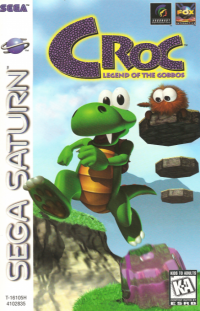
Setting Game Options
From the Title Screen, press the X button on Controller 1 to open the Main Menu.
Use the directional pad to highlight "OPTIONS" and press the X button to open the Options Menu.
To configure your controller, highlight "CONTROLLER SET-UP" and press the X button. In the Controller Set-Up Menu, highlight "CHANGE CONFIGURATION" and select your preferred settings. Then, highlight "RETURN TO OPTIONS MENU" and press the X button.
Use the directional pad and X button to make selections for Audio and Miscellaneous Options. When finished, highlight "RETURN TO MAIN MENU" and press the X button.
To Begin Playing
If you are starting a new game, use the directional pad to highlight "START GAME" and press the X button.
If you are resuming a previous game, use the directional pad to highlight "LOAD GAME" or "ENTER PASSWORD". Then, use the directional pad and X button to make your remaining selections and resume gameplay.
Using the Controller
•
L1 BUTTON - Step to the left, Paddle to the left in water
Gameplay Mechanics
You will find Beany Gongs at various junctures in the game. Strike the gong with Croc's tail to clear the level.
If Croc comes into contact with any harmful object, he will either be injured (dropping all his White Crystals) or he will perish.
When all your lives are gone, you may continue from the beginning of the last level attempted.
Passwords
If you obtain a password from the Map Screen, you may use it to resume the game from the last point attained.
When entering a password, U, D, L, and R refer to the UP, DOWN, LEFT, and RIGHT positions on the directional pad.
Legal Information
(c) 1997 Playcare. Playing Cards are a product of Playcare, 2525 Southport Way, Suite 'C', National City, California 91950.
Croc: Legend of The Gobbos is a trademark and Copyright 1997 Sony. Sony and Sony Playstation are trademarks of Sony Computer Entertainment, Inc. .png)

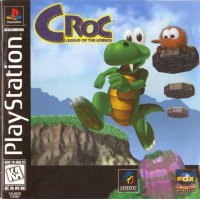
![Croc [Greatest Hits] box art for Playstation](https://media.retro.gold/moby_img/Sony_-_PlayStation/Named_Boxarts/Croc [Greatest Hits]_Front_Cover.jpg)
![Croc [Greatest Hits] screenshot 3 for Playstation](https://media.retro.gold/moby_img/Sony_-_PlayStation/Named_Snaps/Croc [Greatest Hits]_screenshot_0.jpg)
![Croc [Greatest Hits] screenshot 4 for Playstation](https://media.retro.gold/moby_img/Sony_-_PlayStation/Named_Snaps/Croc [Greatest Hits]_screenshot_1.jpg)
![Croc [Greatest Hits] screenshot 5 for Playstation](https://media.retro.gold/moby_img/Sony_-_PlayStation/Named_Snaps/Croc [Greatest Hits]_screenshot_2.jpg)
![Croc [Greatest Hits] title screen for Playstation](https://media.retro.gold/Sony_-_PlayStation/Named_Titles/Croc - Legend of the Gobbos [NTSC-U] [SLUS-00530].png)

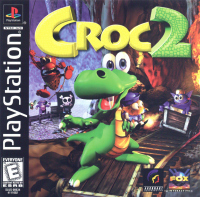


.png)



 (En,Fr,De,Es,It) (No EDC).png)
 (En,Fr,De,Es,It) (v1.1).png)