Controller Configuration
Use the Left/Right D-Pad to select the default configuration closest to your desired setup. For each function you want to change, use the D-Pad arrows to highlight the item and press "X". The next button you press will be that setting.
To change a setting back, press the originally set button. If the selected button was already used for another command, its former place will become blank and may need replacement. To clear an item, move to it with the D-Pad and press "0".
While this method offers flexibility, it's not always ideal. If you lack a memory card, you'll re-enter your configuration every time you start Descent. Default configurations are saved with password-saved games.
Press "Start" to exit when done defining your layout. This configuration will be saved the next time you save a game using a memory card. If you use a password save without a memory card, only the default configuration you started from will be saved. Playing Descent
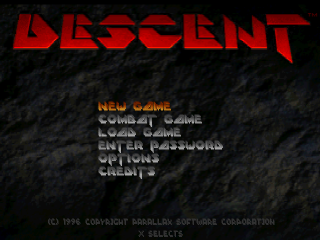
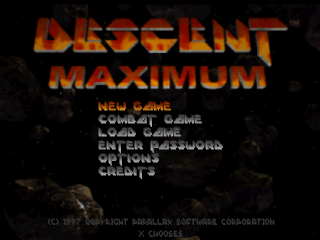
After introductory screens, you'll see the Main Menu. Use the up/down arrows on the D-Pad and press "X" to select a highlighted option.
Main Menu Options
•
New Game: Allows you to start a new game.
•
Combat Game: Opens a menu to start or join a two-player game via Link Cable.
•
Load Game: Lets you resume from a saved game if you have a memory card.
•
Enter Password: Move around the screen with the D-Pad to make choices. To select the next digit, use the square or circle on the right keypad. Press "Start" to escape or "X" to confirm a completed password.
•
Options: Activates the Options screen.
•
Credits: Displays the list of credits for the game. Press any button to exit. Up/Down on the D-Pad controls credit scroll speed.
Options Screen
A red check mark indicates an activated option. Press "X" to toggle a highlighted option on or off, or use Left/Right on the D-Pad. Press "Start" to exit to the previous menu.
•
Music: Scales music volume up or down.
•
Sound Effects: Scales sound effects volume up or down.
•
Stereo: Toggles between stereo and mono sound and music.
•
Full Screen: Adjusts the size of your viewing field.
•
Calibrate JOYSTICK: Fine-tunes your game control. This option is only available if a PSX-compatible analog joystick is plugged into port 1.
•
Auto-Leveling: Turns Auto-Leveling feature on and off.
•
Control Pad: Takes you to the Controls menu. This option becomes "Analog Joystick..." when an analog joystick is present.
Starting a New Game
Select "New Game," then choose your Skill level based on desired action. Each new game offers a mission briefing from the Post Terran Mining Corporation. Press "Start" or "X" to bypass the movie if you know your mission. Calibrating Your Joystick
1. Make sure the joystick is plugged into controller port 1.
2. Go into the "Options" menu.
3. Select "Calibrate Joystick." If not visible, ensure the joystick is installed correctly and its mode switch is set to "Analog."
4. Move the sticks to all extremes (each corner). Release the joystick to return to its center position. While it's centered, press "X" to finish calibration.
This calibration information will be saved when you save a game to the memory card.
In The Mines
Rear View
(Only available if assigned a button in your controls configuration.) Hold the assigned button to temporarily look out the rear of your ship. Release it to return to the front view. Quickly tap the button to switch indefinitely to the rear view.
Recharging
Energy centers in every mine boost your ship's energy up to 100. You can reach a maximum of 200 by collecting "energy packets" scattered throughout the mines. These centers have distinct gold walls with a sparkling energy field. See the "Mine Centers" section for more details.
Exhausting A Weapon
If you exhaust a weapon, your ship auto-selects the next best one.
Your Ship As A Weapon
Objects in Descent are "physical." Ramming into something can cause a response. Most doors can be rammed or shot open, while hostage doors must be fired upon until destroyed. You can conceivably ram something repeatedly.
Password Entry
Use the D-Pad to select each letter. Press "Triangle" to move to the next character. Press "Square" to back up. When your password is complete, press "X" to accept. If you get an "Invalid" message, correct and re-enter.
Memory Card Save Feature
While in the game, ensure a memory card is inserted into either slot. Select "Save Game" from the Pause menu. You can then choose one of five slots to save your game.
If no space is available, overwrite an existing saved game or use the "Erase Files" menu. Be careful when erasing files to avoid deleting data from other games. A better solution is to use the memory card manager by turning on your PlayStation with no CD in the tray. To restore a game, select "Load Game" from the main menu. Select Memory Card 1 or 2, then move to the desired saved game and press "X".
Link Cable Operation
To play against or with another player, install a Link Cable between the two machines. Start Descent on each
.png)