Starting the Game
•
directional button (D-Button)
•
left analog stick/L3 button
1. Set up your PlayStation game console according to its Instruction Manual. Ensure power is OFF before inserting or removing a compact disc. 2. Insert the FIFA 2001 Major League Soccer disc and close the disc cover.
3. Insert game controllers and turn ON the PlayStation game console. MultiTap Note
When using the MultiTap™, a controller must be connected to controller port 1-A.
Game Start Sequence
The video introduction sequence begins, followed by the FIFA 2001 Major League Soccer title screen. Press the START button to proceed to the Main menu.
Command Reference FIFA DUALSHOCK™ Analog Controller
•
right analog stick/R3 button
Analog Stick Control Note
You can use the left analog stick to control player movement by pressing the ANALOG mode switch (LED: RED).
Menu Controls
•
Highlight menu items: D-Button/left analog stick
•
Cycle choices/Move sliders: D-Button →
•
Select highlighted option: *
•
Return to previous screen: SELECT
•
Move to/from Icon Menu Bar: •
Tactic Indicator Control Highlight
•
Any player affected by an IGT has a control highlight beneath him for the duration the tactic is active.
•
IGTs can only be activated when the opposing team has the ball.
In-Game Management (IGM)
Change a team's formation and strategy during play to one of three settings you've created (IGM #1-IGM #3). Once you press SELECT to activate a formation and strategy, that setting remains until another is activated or a new game is started.
Changing IGM During a Match
Press SELECT to activate the next In Game Management setting. For instance, if IGM #1 is active, press SELECT once to run IGM #2 or twice to run IGM #3. Pressing the SELECT button a third time returns you to IGM #1.
Programming Custom IGM Settings
1. Select TEAM MANAGEMENT from the Pause menu, then select IGM.
2. You can adjust Formation and/or Strategy for each In-Game Management setting (IGM 1, 2 and 3).
3. Modify the settings to suit your preferences.
IGM Start Note
Your team starts the game with IGM #1 active.
Pause Menu
•
RESUME GAME: Returns to the match.
•
TEAM MANAGEMENT: > p. 15
•
SIDE SELECT: Take control of either side, or neither side for a computer generated match!
•
OPTIONS: Similar to the options available under the Main menu screen (> p. 12)
•
GAME STATS: Displays the statistics of the match in progress.
•
SCORE SUMMARY: Shows which goals have been scored by whom and when.
•
CARDING SUMMARY: A record of who has been issued warnings by the referee, and when the offense occurred.
•
RESTART GAME: Restarts the match.
•
QUIT GAME: Returns to the FIFA 2001 Major League Soccer pre-game menu.
Setting Up the Game
Icon Menu Bar
Each menu screen in FIFA 2001 Major League Soccer features an Icon Menu bar, which runs along the bottom of the screen and gives you a variety of additional options. To move between the Icon bar options and the primary menu options, press •.
Main Menu
From the Main menu, you can access a number of different FIFA 2001 Major League Soccer game modes.
•
Pick your team and head for the pitch in an Exhibition game. (> p. 13)
•
Access the Game Modes screen (> below)
•
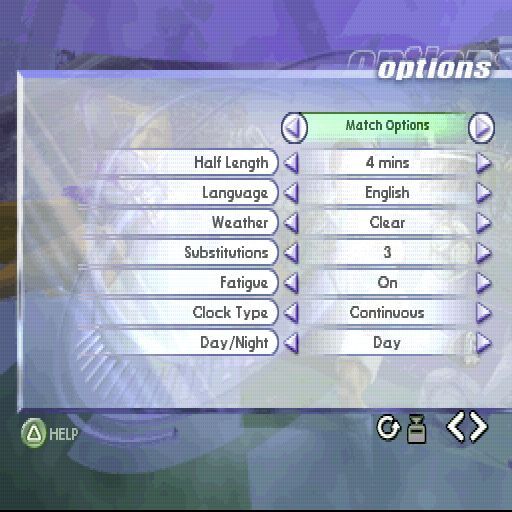
Access the Options screen to adjust a variety of settings (> Options on p. 18)
•
View the game's credits and watch a preview of other forthcoming titles from EA SPORTS™ •
Customize teams and players, and to instigate player transfers (p. 14)
•
Access the Team Management screens to make adjustments to a team's starting lineup, formations and strategy, and to assign kick takers (p. 15)
•
Load a previously saved game (> p. 19)
•
Set various game options (> p. 18)
Game Modes
Select your game mode of play, set your match options, customize teams or load a saved game.
•
Set up an Exhibition match (> p.13)
•
Guide the team of your choice through a full Season (> p. 13)
•
Take part in one of three Tournaments, including the World Cup (p. 13)
•
Access Custom Cup Mode to formulate your own Cup Tournament (> p. 13)
•
Fine tune your skills with a Training session (> p. 13)
Exhibition
 (En,De,Es,Nl,Sv).png)

.png)
 (En,De,Es,Nl,Sv).png)









.png)
.png)