Setting Up Your PlayStation
Set up your PlayStation game console according to its Instruction Manual. Make sure the power is off before inserting or removing a compact disc. Insert the GOAL STORM™ disc and close the CD door. Insert game controllers and turn on the PlayStation game console. Follow on-screen instructions to start a game. Welcome
Thank you very much for purchasing Konami's GOAL STORM™. Before playing, please read this manual carefully to ensure correct use. PlayStation Console - Top View
PlayStation Console - Front View
Basic Moves
Utilizing Tactics
Press the R1 and R2 buttons at the same time when you are ready to utilize your tactics. To cancel, press the L1 and L2 buttons immediately after pressing R1 and R2.
Throw-Ins and Corner Kicks
Press the Directional button in the desired direction. Press the X or O button to execute.
Free Kicks
Press the Directional button in the direction you want the ball to go. Run towards the ball and kick it. The controls are the same as those for a normal kick.
Instant Replay
Press any button except the Start button during a replay to pause. You can then execute the following commands:
•
Directional button held ⬅: Rewind
•
Directional button held ➡: Fast forward
•
○ button: Advance one frame each time button is pressed
•
□ button: Rewind one frame each time button is pressed
•
X button: Switch viewing angle
•
Directional button down: Pause
Match Settings
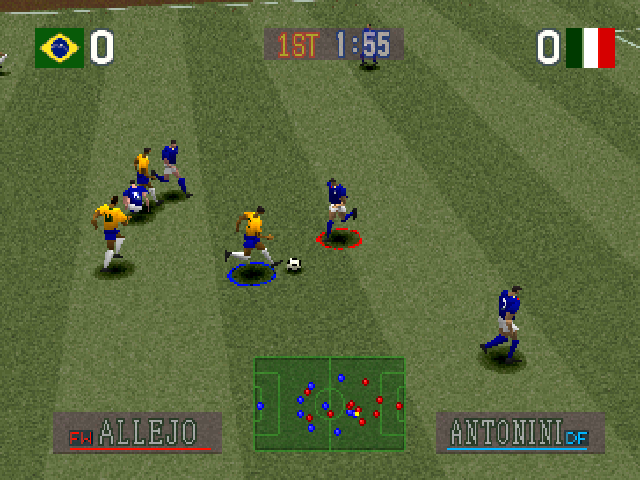
Match Settings lets you set match formation, players, and tactics settings, and turn the radar screen on or off. Follow the instructions on screen, and press the Start button to start the game after all settings are made.
•
Formation (Use the L1 & R1 buttons)
•
Tactics settings (Use the L2 & R2 buttons)
•
Radar screen on/off (Use Δ button)
Switching Players
Select the player you wish to switch with the Directional button, and press the X button. Select the replacement player in the same way. The switch is then complete.
You can switch most players freely, except for goal keepers. A goal keeper can only be replaced by another goal keeper.
Tactics Settings
•
Offside trap: Your team quickly forms a defense line.
•
Counter-attack: All members of your team except the defenders move together into the opposing team's area to attack.
•
All defense: All members of your team take up defensive positions in your team's area.
•
All attack: All members of your team move offensively into the opposing team's area.
Formations
•
4-4-2 A: A defensive formation with two kinds of zone defense. The A type has a double-sided defense which is effective against an attack coming from both sides.
•
4-4-2 B: A defensive formation with two kinds of zone defense. The B type is most effective against center attacks.
•
4-3-3: An offensive formation which gives you opportunities to execute a variety of different attacks.
•
4-5-1: A balanced formation that lets you take advantage of chances to attack while keeping your defenses firm.
•
4-2-4: A fast-moving attack formation.
•
5-3-2: A defensive formation which emphasizes strong defenders.
•
3-5-2: An offensive formation which allows you to attack strongly.
Mode Select
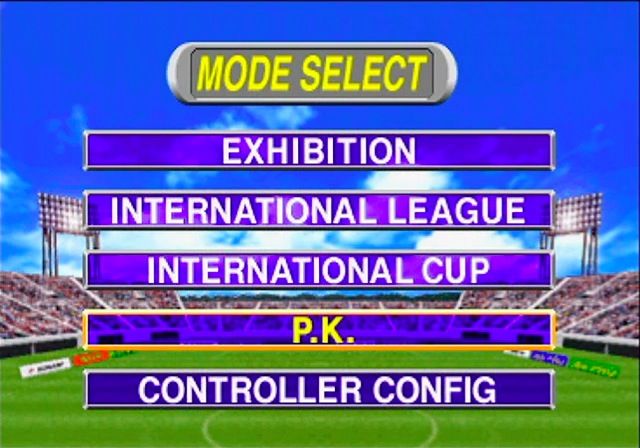
Press the Start button at the Title screen to go to the Mode Select screen. Use the Directional button to select a mode, and press the X, or Start button to move to the Select screen for that mode. Press the or Select button to cancel.
Exhibition (1 or 2 Players)
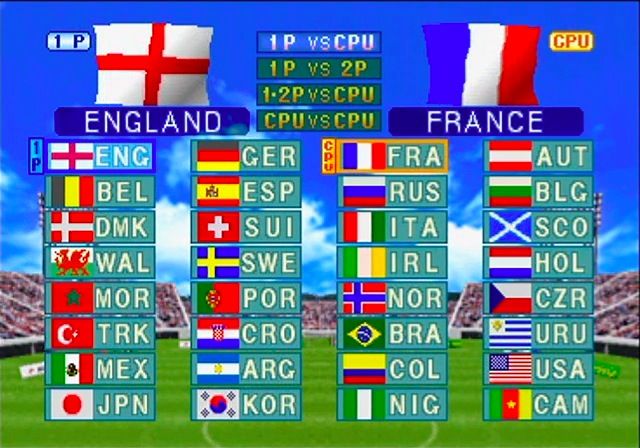
Choose whether to play against a friend (1P VS 2P) or the computer (1P VS CPU), then select your team. To play against a friend, you need an extra controller (sold separately).
Hyper Cup (1 Player)
Select your team, and test your skills in a series of matches. If you have a Memory Card you can save match results.
Key Configurations
Lets you change the button settings of your controller. Select the button whose function you wish to change with the Directional button, and press the X button. Then select the button with the function you wish to transfer in the same way. The functions of the two buttons will then be switched. Press the button or Start button to exit.
Options
Lets you change time, ground condition, computer difficulty level, and sound settings. Use the Directional button to make changes and the Start or button to exit.
Starting the Game
Select a mode to enter it. Use the Directional button to select an item, the X, or Start button to set, and the O or Select button to cancel.
Exhibition
1. Choose to play against the computer or against a friend.
2. Select your team.
3. Set the game settings.
4. When everything is set, the game begins.
Hyper Cup
1. The Memory Card screen will be displayed. To start a new game,
.png)

.png)