Starting the Game
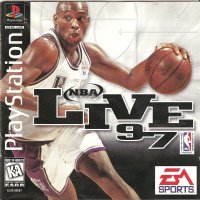
1. Set up your PlayStation™ game console according to its Instruction Manual. Ensure power is OFF before inserting or removing a compact disc. 2. Insert the NBA Live 97 disc and close the Disc Cover. 3. Insert game controllers and turn on the PlayStation™ game console. 4. To skip introductory screens and video, press START at each screen. The Game Setup menu appears.
PlayStation Console Controls
About This Manual
This manual focuses on the "why" and "what" of game features, rather than specific button presses. If you need help with button functions on a menu screen, press the Help button.
Setting Up the Game
Game Setup Menu
Use the Game Setup menu to choose your desired game mode, style, and difficulty. Default options are listed in bold type in this manual.
•
D-Button to highlight menu items
•
Press / to change highlighted item
•
Press to activate command buttons
•
Press to get Help on how the buttons work
Quarter
The length of a quarter can be set to 3, 5, 8, or 12 MIN.
Mode
•
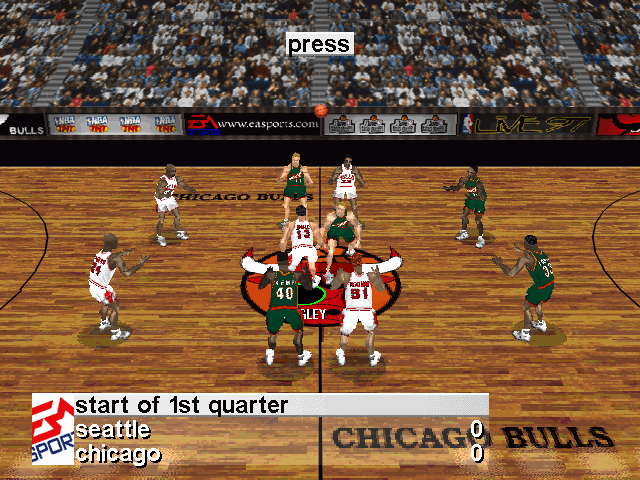
EXHIBITION: Play a single game with any NBA or All-Star teams.
•
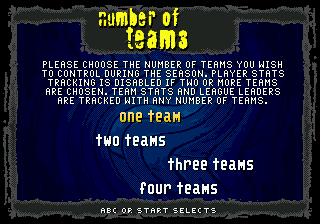
SEASON: Start a new Season where you control one or more NBA team(s). See Season Play on p. 28.
•
PLAYOFF: Start a new Playoff tournament with any NBA teams. See The NBA Playoffs on p. 32.
Style
•
ARCADE: Up-tempo basketball where players never tire, get injured, or foul out.
•
SIMULATION: Absolute realism. Players tire, get injured, and foul out; you must substitute accordingly.
•
CUSTOM: Use last Rules menu settings for rules and simulation options.
Level
•
ROOKIE: The easiest difficulty level. It's easy to score, and the computer team isn't too hard on you.
•
STARTER: Average difficulty. The computer plays tougher D.
•
ALL-STAR: Showtime! It's difficult to make steals or block shots, and the computer offense and defense are cranked up.
Rules
Go to the Rules menu. See Rules Menu on p. 8.
Options
Go to the Options menu to set sound and display options. See Options Menu on p. 9.
Rosters
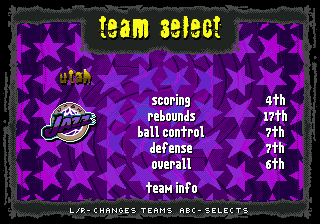
Go to the Rosters menu to view/change rosters, make trades, create players, and more. See Rosters Menu on p. 24.
Users
Go to the User Stats screen to view records for saved user names.
Card
Go to the Memory Card screen to save or load game settings and rosters or load saved games from your memory card. See Memory Card Screen on p. 10.
Rules Menu
3 IN THE KEY
Toggle three second calls ON/OFF. When ON, it's a violation when offensive players stay in the key for longer than three seconds.
ILLEGAL DEFENSE
Toggle illegal defense calls ON/OFF. When ON in NBA Live, you can't guard an area of the court; you must guard a man. INBOUND CLOCK
Toggle 5 second inbound clock ON/OFF. When ON, you must inbound the ball within 5 seconds.
HALF COURT CLOCK
Toggle 10 second half court clock ON/OFF. When ON, you have 10 seconds to advance the ball over the half court line after inbounding in the backcourt.
SHOT CLOCK
Toggle 24-second shot clock ON/OFF. When ON, you have 24 seconds per offensive possession to get off a shot. Every time a shot hits the rim or a change of possession occurs, the clock is reset.
FATIGUE
Toggle player fatigue ON/OFF. When ON, players tire, and you must substitute accordingly.
INJURIES
Turn player injuries ON/OFF. When Injuries are ON, every time a player gets knocked down there is a small chance he will be injured.
Options Menu
Set sound, display, and competition options.
Sound
Toggle sound between STEREO or MONO.
Music Volume
Move the slider left/right to set the volume of the music that plays during menu screens.
Speech Volume
Set announcer volume.
SF/X Volume
Set the volume of game sound effects.
Crowd Volume
Set the volume of crowd sound effects.
Automatic Replay
Set the frequency that highlight replays are shown.
Keep Scores Close
Toggle ON/OFF. If ON, the abilities of the team that's behind are increased.
Slow Motion Dunks
Turn automatic slow motion for spectacular slams ON/OFF.
Player Indicator
Cycle the text that appears below human-controlled players-NAME, NONE, POSITION (PG, SG, etc.), player JERSEY #, or POSITION #.
Display Indicator
Select player indicators for the ACTIVE PLAYER, ALL PLAYERS, or all players on the ACTIVE TEAM.
Score Overlay
Toggle continuous score display during gameplay ON/OFF.
Memory Card Screen
Load or save settings or game files from the memory card in slot 1 (1A if you're using a Multi Tap)
.png)

.png)






.png)

.png)

.png)






.png)


_1.png)
.png)
.png)
_1.png)



_1.jpg)
