Home team score
Away team score
Game Modes
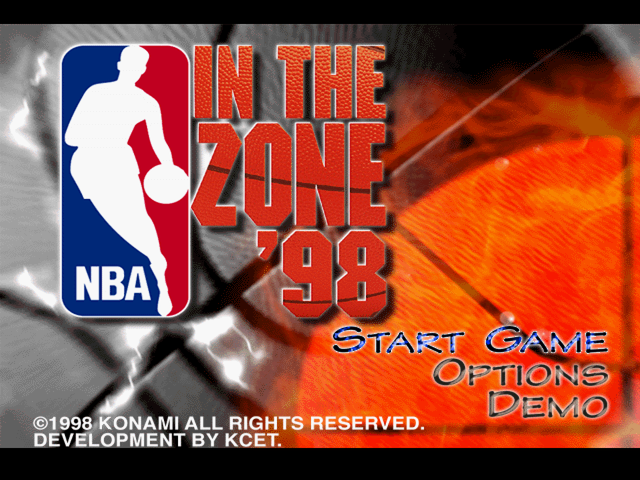
Press the Start button at the Title screen to go to the Game Mode screen. Press the Directional button up/down to select a mode, and press any one of the [], /\, or () buttons to set.
Playoffs and Finals
(1-5 players vs. the computer)
A tournament style mode. Choose your favourite team, and try to make it through the finals.
If you use another controller, you and a friend can join forces against the computer. If you use a Multi-Tap and extra controllers, up to 5 people can play together as a team against the computer.
Continue Playoffs
Enter this mode to continue playing from a saved game data.
Exhibition
(1-5 players vs. 1-5 players, or 1-5 players vs. the computer)
A one-game exhibition mode.
If you use extra controllers and the Multi-Tap, a group of players can play in this mode. You can play either against the computer (up to 5 players in total) or against one another as two teams (up to 8 players in total).
Options
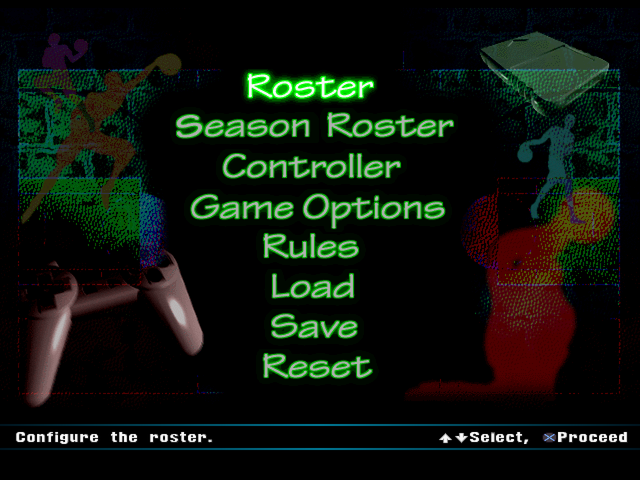
Enter this mode to change game settings.
Team Introductions
Enter this mode to view a team's player statistics.
Records
Enter this mode to restore up to three saved games (NBA In The Zone uses one memory block) from a memory card.
Options
•
Controller assignment: At the Button Settings screen you can change the function of each button on your controller. (You can also do this during game play.)
•
Quarter length: Set the length of time each quarter lasts, from 1 to 12 minutes. (You can also do this during game play.)
•
Camera mode: Set the camera view. Choose from sideline view, normal view, and quarter view. (You can also do this during game play.)
•
Game level: Set the difficulty level of game, from 1 (easiest) to 5 (hardest).
•
Home advantage: Turn home advantage on or off.
•
Set number: Set the number of games that have to be won in the Playoff series. Choose 1, 1, 1, 1 or 5, 7, 7, 7.
•
Sound: Select either stereo or mono sound.
•
BGM mode: select background sound to either MUSIC or AUDIENCE.
•
Voice: Turn voice on or off.
•
Volume: Adjust the volume of BGM and SE (sound effects).
•
Screen adjust: Move game displays on screen up or down. (You can also do this during game play.)
•
Load options: Load previously saved options.
•
Exit: Return to game start.
You can save changed Options settings if you wish.
Starting Up
Once you've chosen a game mode, you enter the mode and get ready to play.
•
Directional button: Select item
•
X button: Set/Move to next screen
•
() button: Cancel/Go back to previous screen
Playoffs and Finals
1. Move the ball to select "Home Team" or "Away Team" from the Team Select screen. Press the Start button on each controller that the players are using. Press the X button on one of the controllers to set.
2. The computer automatically selects the opposing team.
3. The jump ball takes place and the game begins.
4. At the end of each game the results are displayed.
5. You can save your game results if you have a Memory Card.
Continue Playoffs
1. Press the Start button on each controller. Each player is represented on screen by a ball.
2. Move the ball to select "Home Team" or "Away Team" from the Team Select screen. Press the X button on one of the controllers to set.
3. The computer automatically selects the opposing team.
4. The jump ball takes place and the game begins.
5. At the end of each game the results are displayed.
6. You can save your game results if you have a Memory Card.
Exhibition
1. Press the Start button on each controller. Each player is represented on screen by a ball.
2. Select the memory card where your records are located.
3. Select the saved game you want to restore.
4. The jump ball takes place and the game begins.
5. At the end of each game the results are displayed.
NBA In The Zone Rules
This game is based on real NBA rules.
Game Length
There are four quarters in the game, and the team with the highest overall score at the end of the game wins. The game goes into overtime if there is no winner at the end of four quarters. Overtime periods continue until there is a winner.
Shooting
There are two basic kinds of shots: 3 point shots and 2 point shots.
•
3 point shots: Shots from behind the 3 point line (score 3 points).
•
2 point shots: Shots from inside the 3 point line (score 2 points).
Out of Bounds
Out of bounds occurs when the ball goes outside the end line or side line. The opposing team is then granted a throw in, and the game continues from where the ball is thrown in.
Violations
If the offensive team doesn't shoot within 24 seconds after gaining possession of the ball, it is counted as a shot clock violation. The defensive team then gains possession of the ball.
Shots
.png)

.png)
.png)







.png)
.png)