Getting Started
Set up your PlayStation™ and insert the Porsche Challenge™ CD as described in your PlayStation™ manual. It is advised that you do not insert or remove peripherals or Memory cards once the power is turned on.
Game Overview
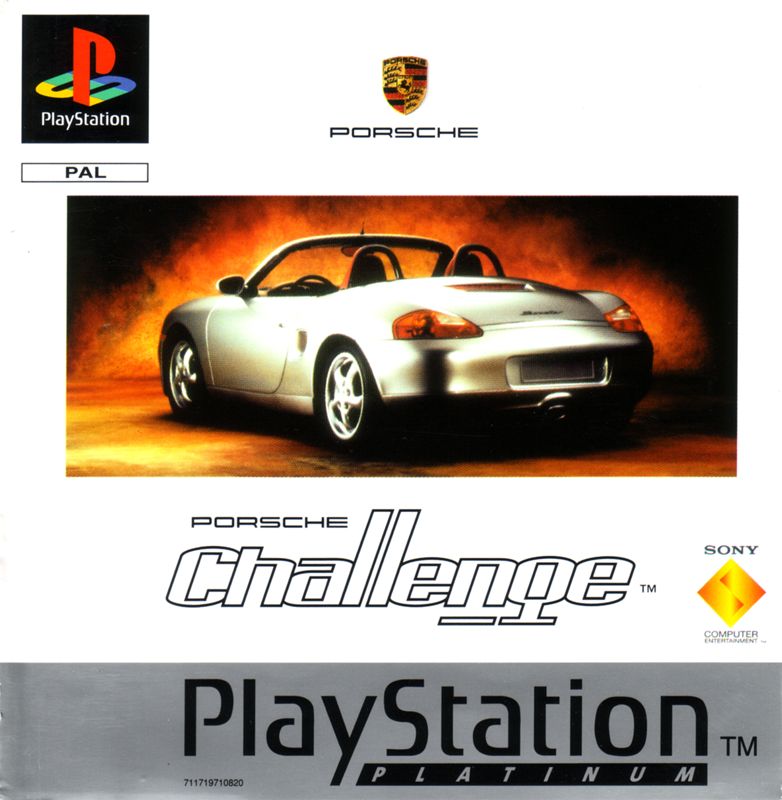
You're the best, right? So you deserve the best. Prepare to drive the Porsche Boxster in a challenge against six of the world's most accomplished drivers.
And not forgetting the mysterious Test Driver who makes an appearance from time to time if you make the grade... Three types of race await:
•
Classic Arcade action at its finest and most intense.
•
Long - Barriers, shortcuts and numerous other features to watch out for.
•
Interactive Think you know the tracks? Think again as each interactive course gets extended and remixed. For Boxster champions only...
There's no Interactive mode in two-player mode, that way you can't blame the ever changing tracks when your friend beats you!
Quick Start
Select either the 1 PLAYER or 2 PLAYER mode from the MAIN MENU. All selections are made by highlighting the relevant box and pressing the X button to confirm.
To cycle through the available options, highlight the relevant box and use the LEFT and RIGHT Directional buttons.
One Player
Select either CHAMPIONSHIP, PRACTICE or TIME TRIAL mode.
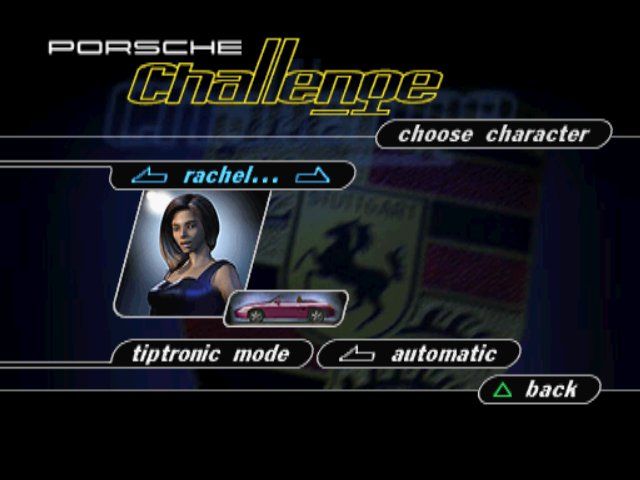
Choose Character
There are six different characters to choose between. Each character has an individual driving style, personality and Boxster colour and will be hated, loved or ignored by each of the other drivers. On this menu it is also possible to choose a Transmission type.
Game Type
Choose Arcade or Simulation mode, and a Difficulty Level from Easy, Regular or Evil!
Once all selections are correct, highlight the Let's Go! box and press X button to confirm. In Championship mode the game will now commence.
For Practice and Time Trial modes there is an additional menu:
Practice or Time Trial
•
Track Select an available track on which to compete.
•
Number of Laps (PRACTICE only) Alter the number of laps from 1 to 15.
Two-Player Mode
Note - Apart from Choose Character and Transmission type, all two-player menu selections are selected and confirmed by the Controller in Controller Port 1.
Choose Player 1 and Choose Character 2
Each player can now choose a character and their preferred transmission. Once both players are happy with their selection, they can progress to the next screen by pressing the X button.
Game Type
On the GAME TYPE menu choose either ARCADE or SIMULATION DRIVING MODE. On this screen it is also possible to select SINGLE RACE or CHAMPIONSHIP modes and switch the CATCH UP on or off. Catch up means the trailing driver will be given a slight speed boost to enable them to catch the leader. From this menu it's also possible to delay the start of either the 1st or 2nd player by a variable number of seconds, so the less experienced driver will have as much chance as the seasoned pro.
To alter either of the player delay times highlight the relevant box and use the LEFT and RIGHT Directional buttons until the desired delay time is found.
In Championship mode the game will now commence. For Single Race Mode there is an additional menu:
Single Race
•
Track Select a track on which to compete.
Menus Breakdown
From the MAIN MENU the following options are available:
One Player
•
Championship Begin a championship.
•
Retry N The number of tries the player has to continue a Championship. This varies according to difficulty level and to how far the player has progressed in the game. Once all retries have been used, this option disappears and the player must start a new Championship.
•
Practice Practice a track, with opposition.
•
Time Trial As above, but without opposition.
Choose Character
There are six different characters to choose between. Each character has an individual driving style, personality and Boxster colour and will be hated, loved or ignored by each of the other drivers. Pick your favourite and then choose a TRANSMISSION type. Game Type
•
Let's Go! Confirm GAME TYPE selections by highlighting and pressing the X button when ready.
•
Driving Mode Arcade or Simulation. Arcade mode plays more like an arcade style racing game and is ideal for learner drivers. Simulation mode faithfully portrays the Boxster driving experience and is best suited for gamers more familiar with the game. •
Difficulty Level Easy, Regular, Evil! Increased difficulty means less time to start with and less time rewarded at check points, plus increased slow down when the kerb is hit.
In Championship mode the game will now commence. For Practice and Time Trial modes there is an additional menu:
Practice or Time Trial
•
Track Select an available track on which to compete.
•
Number of Laps (PRACTICE only) Alter the number of laps to compete on from 1 to 15.
2 Players
Choose Player 1 and Choose Character 2
Each player can choose a character from the six available. Each character has an individual driving style, personality and Boxster colour and will be hated, loved or ignored by each of the other drivers. Pick your favourite. Then select a TRANSMISSION type. Game Type
•
Let's Go! Confirm Game Type selections by highlighting and pressing the X button when ready.
•
Driving Mode Arcade or Simulation. Arcade mode plays like an arcade style racing game and is ideal for learner drivers. Simulation mode faithfully portrays the Boxster driving experience and  (En,Fr,Es).png)

 (En,Fr,Es).png)

.png)
.png)
_1.png)
.png)
.png)
.png)