Mission: Raccoon Forest
Force
S.T.A.R.S. / UNIT: ALPHA TEAM / LOCATION RACCOON FOREST
Alpha Team
•
Joseph Frost, vehicle specialist
Bravo Team
Situation
New members of Alpha Team arrive in Raccoon City late in the day. Earlier, strange reports came in from locals about missing people and unusual sightings of dog-like monsters. The mangled remains of a woman hiker were fished out of the river.
The police report notes that something powerful had gotten a hold of her, judging by the depth of teeth marks. Most likely a grizzly or wolf attack. Public demands police action.
Police Actions
•
Entrance to mountain road barricaded
•
S.T.A.R.S. informed that hiker was part of tourist group that had gone into the mountains a few days earlier
•
S.T.A.R.S. Bravo Team Joins mountainside search for more hikers
Bravo Team helicopter discovers a mansion. Engine fails. Helicopter goes down. Contact lost with Bravo Team over mountains.
Alpha Team Mission Objectives
•
Investigate Raccoon Forest
•
Locate Bravo Team helicopter
•
Locate and rescue Bravo Team members
•
Bring situation under control
Starting a Mission
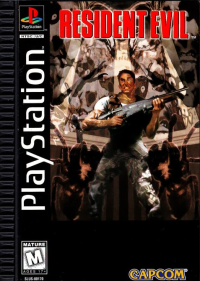
To bypass the opening sequence, press any button on the controller in controller port 1. You will be presented with the RESIDENT EVIL: DIRECTOR'S CUT title screen.
There are 2 options: NEW GAME or LOAD GAME. Use the Directional button to highlight an option, then press the Start button or the X button to select it.
New Game
Select this option when you want to start a new mission, beginning with the intro. Press the X button to select it, then choose a mode from: STANDARD (original version), TRAINING (easy) and ADVANCED (new enhanced version).
Press the X button to select the mode. Then choose your character in any mode by pressing the Directional button until the character you want appears and press the X button to choose the character.
You take command of either Chris Redfield or Jill Valentine, two top members of S.T.A.R.S. Alpha Team. Load Game
Select LOAD GAME if you have a previous game saved on a Memory card. See the following section on page 9 for more information.
Reset Game
To return to the RESIDENT EVIL: DIRECTOR'S CUT title screen during game play, press START to open the STATUS SCREEN. Then press and hold the SELECT and START Buttons simultaneously for 2 seconds. Your game will reset automatically. Be sure to press the buttons together to avoid exiting the STATUS SCREEN.
Saving
To save a game you must place an ink ribbon into a typewriter. Ink ribbons can be found in various places throughout the game.
Once you find a ribbon, stand in front of the typewriter and press the Action button (X Button). You will be asked if you want to save your progress. Choose YES or NO.
Note: You'll need to find an ink ribbon each time you want to save, so use your ink ribbons wisely.
Saving/Loading
If you attempt to save, and the message "Too Many Files" appears, you will be unable to save the current data on that Memory card. You must use a different Memory card with enough free memory or create space on the current Memory Card.
To ensure your Memory card has enough space available to save, follow the instructions outlined in the manual packaged with your PlayStation™ Console. Up to 5 different files can be saved, and 1 file consumes 1 block of memory on a Memory card. Loading
If you have previously saved a game, make sure the Memory card with the file(s) is inserted into Memory card slot 1. Then highlight LOAD GAME from the title screen and press the X button.
Your file(s) will appear. Use the Directional button to highlight the file you want to re-start, then press the A button. Select "DO NOT LOAD" if you want to return to the title screen without loading a file.
Status Screen
When you press the Start button during game play the STATUS screen appears. This screen shows your character's condition and the items you are carrying. Use the Directional button to highlight an item or function, then press the X button to activate the options.
Items
After highlighting the item you want to use, press the X button. You then have 3 options in the command window: USE/EQUIP, CHECK or COMBINE.
Use/Equip
To use the item, highlight USE and press the X button. For weapons, EQUIP will appear instead of USE. If you select EQUIP, you'll be equipped with that weapon. You cannot use a weapon until you have equipped it. You can only use 1 weapon at a time.
Check
This option allows you to examine an item or weapon you have acquired. By using the Directional button after selecting the item or weapon, you can rotate it and examine it in 3-D. If you want to increase or decrease the magnification of the item, press the L1 or the L2 button, respectively.
**Combine

.png)
_2.png)
_3.png)
.png)
.png)
.png)

.png)
.png)
_1.png)



.png)




.png)