Startup Information
Set up your PlayStation® game console according to its Instruction Manual. Make sure the power is off before inserting or removing a compact disc. Insert the Running Wild™ disc and close the CD door. Insert game controller(s) and turn on the PlayStation® game console. Follow the on-screen instructions to start a game. Console Top View
Console Front View
Starting the Game
Place the Running Wild CD in the disc holder, close the disc cover and turn the PlayStation® game console ON. Title Screen
•
If you choose Start, you go to the Character Selection Screen.
•
If you choose Options, here are your selections:
Records
This screen features all the records for a given track including Race Mode and Race Length (regulation races or time trials).
•
Press Up or Down to toggle through the track selections.
•
Press Left or Right to change the length or race type of the records being shown.
•
Select "Continue" to return to the Options Screen.
Sound Settings
Offers Sound Mode (Mono or Stereo), Sounds and Music volume settings, and Announcer (On or Off).
Note on Saving Records
Prior to play you must insert a memory card (with at least one free block) into memory card slot 1 to save records.
Credits
Shows game credits.
Secret Options
This menu is where you enter secret codes or access special features. Select "Continue" to return to the Options Screen.
Character Select Screen
This is where players select their character for the game. When this screen appears, Player 1 is automatically entered into the game.
Players 2, 3, and 4 may join the game by pressing their Start buttons. If Player 4 presses his Start button, Players 2 and 3 are automatically entered into the game.
Multi-Tap Requirement
A Multi Tap is required for a 3 or 4-Player game. See page 11 for more information.
Character Selection
Players view the available characters for the game by pressing Up or Down on the D-pad. Characters are chosen by pressing the Start or X button. A selection can be cancelled by pressing the button.
Once all players have selected their characters, the game moves on to the Race Options screen.
Hints Screen
After the Character Select screen, you will see hints every time you start a new race in a 1-Player game.
Character Stats
•
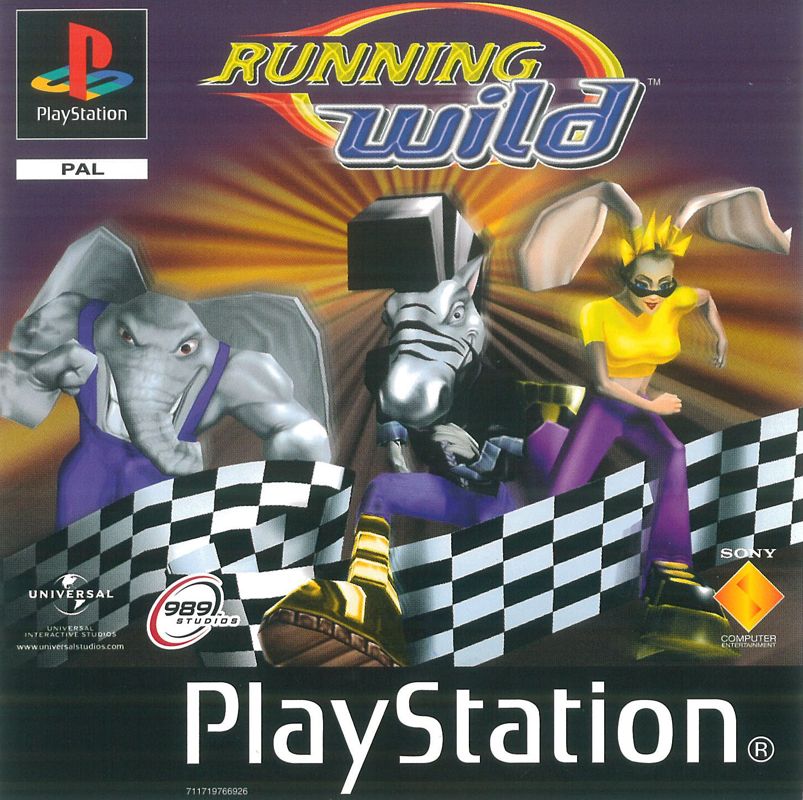
BORIS: SPEED, POWER, JUMPING, AGILITY, TURNING
•
GENERAL ASREGKAMRY CHARACTE
Race Options Screen
Player 1 has control in the menu screens and chooses the options for these menu items: Race Mode, Difficulty (when applicable), Laps (when applicable), Slow Racer Boost (in all multi-player games), Split Screen Type (2-Player game only) and Controls. Player 1 selects Start Race to begin racing. Race Options Menu
Race Modes - Availability
Listed below are the race modes and their available configurations:
•
1-Player Games: Challenge, Practice Race, Time Trials and Circuit.
•
2-Player Games: Practice Race, VS. and Circuit.
•
3- or 4-Player Games: VS. and Circuit.
Race Modes
Challenge Mode
This is the default mode for 1-Player games. You compete against 5 computer-controlled runners (including Boss characters in Medium and Hard difficulty modes), in a series of races where the goal is to finish in first place.
The player needs to win first in a race to advance to the next race. A second place finish does not count as either a win or a loss; it's a push (except in Expert where it's counted as a loss).
Come in 3rd through 6th in any difficulty mode and you lose a chance. Lose three chances and it's Game Over. Winning in Challenge Mode opens up new difficulty levels and secret options.
Practice Race
This mode allows you to practice against the computer-controlled characters to improve. No enabling of new features is possible in this mode.
Time Trials
This mode enables you to race solo with no competition so you can hone racing skills and techniques. It is also a good way to explore the various features of each track so you can find hidden paths or secret trails. A "phantom" likeness of your character is shown running the best race of the session (to give you a direct comparison of your improvement).
Circuit Mode
Runners compete on all of the tracks and tally their scores at the end of the circuit to see who scored the highest. A first place win counts for 10 points with other positions naturally scoring less.
In the event of a first place tie, all eligible racers compete in an extra race to determine the winner of the circuit. Winning the Circuit Mode has no benefit toward enabling new options for gameplay.
VS. Mode
This mode lets you and up to three of your friends compete head-to-head to see who's best. There are no computer controlled
.png)

.png)
.png)



_1.png)

.png)
.png)
.png)