SETTING-UP
To play Sentinel Returns on your PlayStation™ game console: •
Set up your PlayStation game console in accordance with the instruction manual supplied with the system. •
Follow your system directions to open the Disc cover and place the Disc onto the bed of the drive, ensuring the printed side faces upwards.
•
Close the Disc cover. If the console is switched off, press the POWER button to begin play. If the Console is already on, press the RESET button.
•
Now follow on-screen instructions to start the game.
WARNING
It is advised that you do not insert or remove peripherals or Memory cards once the power has been turned on. Make sure you have enough free blocks on your Memory card before starting play.
Console Top View
Front View
In-game Cursor
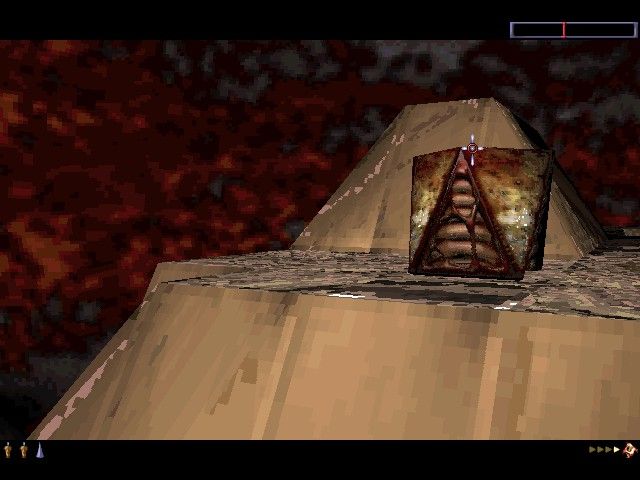
The In-game Cursor is cross-shaped and can be directed around the game screen using the Directional buttons or the Mouse.
To lock the screen, press and hold the L2 button or the Right Mouse button and then use the Directional buttons or Mouse to look around the landscape. The In-game Cursor, now illuminated, will remain in the same position on the screen.
Time will be saved by not waiting for the In-game Cursor to reach the edge of the screen whenever you want to look around the landscape. During a game, the In-game Cursor will illuminate when positioned on a square upon which an object can be planted. The center of the In-game Cursor will pulsate when it locates an object on the landscape that can be absorbed.
HAVE ENERGY, WILL TRAVEL
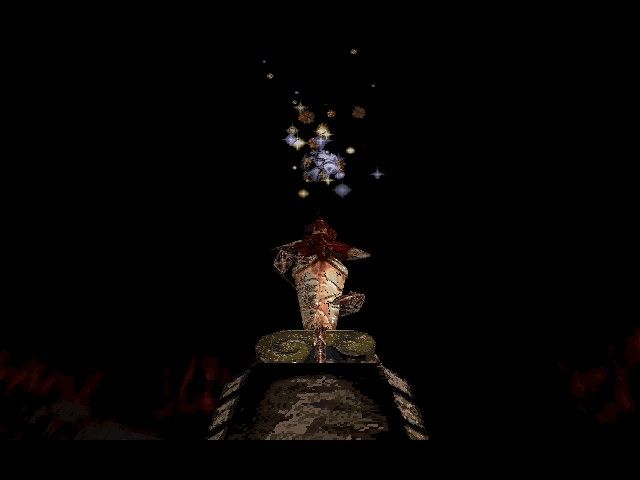
Scanning and rotating at the summit of the landscape, the Sentinel absorbs the energy of any unit on the landscape which has an energy value of more than 1. Then the Sentinel redistributes the energy as Trees. Without obtaining energy, it would be impossible to defeat the Sentinel.
Energy can be obtained by absorbing objects within the landscape, either on the same plain, in the valleys below or on squares that are visible from the Robot Host. Ultimately, ascend to the highest point of the landscape, absorb the Sentinel and take his place upon his pinnacle. Should the Energy Pool reach zero, the Level must be restarted. Should the Energy Pool fall below zero, the game will be over.
•
Advance 4 Levels by absorbing 90%-100% of the energy within a Level.
•
Advance 3 Levels by absorbing 70%-89% of the energy within a Level.
•
Advance 2 Levels by absorbing 50%-69% of the energy within a Level.
•
Advance 1 Level by absorbing under 50% of the energy within a Level.
Hyper-space
If the old Robot Host is visible from the newly-cloned Robot Host, it can be absorbed and the three units of energy can be regained. NOTE
This is a random facility and could relocate the Robot Host directly within the Sentinel's field of vision or to a valley where, without enough energy, it is impossible to escape. PLOTTING AN ATTACK
Study the Sentinel's direction of rotation and move accordingly. The direction of rotation will vary between Levels. The Sentinel's field of vision is 28º wide. Build as high and as fast as possible. Providing height is not an issue, it is still possible to absorb Sentries, even while they are scanning Robot Hosts. In a deadlocked situation, jumping to hyper-space may be the answer. The Robot Host will be relocated to a square at the same height or below. If all the available squares are occupied, then the Robot Host will relocate to a square on the plain above. The valley walls provide some protection from the Sentinel's watchful gaze. Try creating a Tree between the Robot Host and the Sentinel to counter the full glare of his scrutiny. With dexterity of thought and judicious use of the Energy Pool, a final assault on the Sentinel can be satisfactorily executed. There is no substitute for experience. CONCLUDING THE LOOP
Finish Levels by absorbing all the Sentries and finally the Sentinel - then create a Robot Host on the Sentinel's pinnacle and hyper-space from it. Don't forget to admire the view first! MENUS
Using Menu Screens
Use the Directional buttons to highlight required options. Press the ☑ button or the Left Mouse button to confirm. Press the Ⓧ button to return to the previous menu.
Main Menu
Main Menu Options
•
CURSOR: Go to Using the Cursor
•
LEVEL MAP: Go to Level Map Display
•
GAUGE: Go to Using the Gauge
•
OPTIONS: Go to Options Menu
Within the Main Menu press the SELECT button to access the Options Menu, or press the START button to launch directly into a new game.
USING THE CURSOR
The Cursor functions within the Main Menu and the Options Menu. Use the Directional buttons or the Mouse to guide the Cursor across the screen. The Cursor will illuminate when it is positioned on an item that can be selected.
Position the Cursor on a chosen destination and press the ☑ button or the Left Mouse button to confirm. If nothing happens, reposition the Cursor on the chosen destination and try again. It may simply
.png)




.png)
.png)



.png)











.png)
