Menus
•
To highlight a button, D-Button /.
•
To select a highlighted button, press , , or X.
•
To view onscreen Controller and Menu descriptions, highlight the appropriate button and hold , , or X.
•
To go to the game at any time, press START.
Main Menu
•
Play the current mission.
•
Go to the Player Status screen.
•
View an onscreen description of the Controller buttons.
•
View an onscreen description of each button on the Main menu.
New Player Screen
To enter a new player name:
•
To highlight a letter, D-Button ◄/►/▲/▼.
•
To select the highlighted letter, press ■, ●, or X.
After you have entered a name, choose a difficulty level.
•
Choose the Cadet level of difficulty.
•
Choose the Wingman level of difficulty.
•
Choose the Ace level of difficulty.
•
Return to the previous screen.
•
View an onscreen description of each button on the New Player screen.
Player Roster Screen
•
Unerase a previously erased player.
Note: You must recover an erased player before you leave the Player Roster screen. If you leave the Player Roster screen after you have erased a player, the player is permanently erased.
•
Return to the previous screen.
•
View an onscreen description of each button on the Player Roster screen.
Targeting and Firing
•
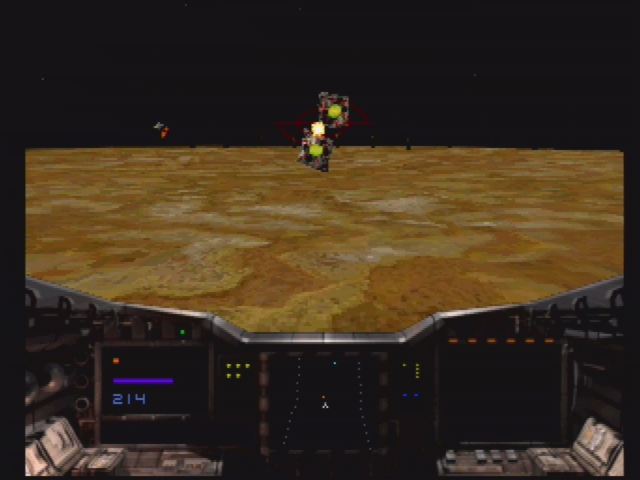
To target, use D-Pad to position the target sight over an enemy. The target sight will turn red, indicating it has locked onto the enemy.
•
To fire lasers, press X. Hold X to fire continually.
•
To fire missiles, press .
Refueling
Inevitably you'll run low on fuel, ammunition and shields. To replenish the F177's fuel and armament, fly directly under one of the refueling drones located throughout each mission.
Moving Through Missions
To save the human race you must successfully complete all missions. To successfully complete a mission you must accomplish the objectives outlined by the commanding officer at the beginning of each mission.
The on-line computer, Intelligent Combat Engine (ICE), provides useful information just before takeoff and outlines mission objectives throughout each mission. Each mission is made up of several objectives. If you don't successfully complete an objective, you are given additional chances and automatically restart at the beginning of that objective.
 (Disc 1) (Shockwave - Invasion Earth).png)

 (Disc 1) (Shockwave - Invasion Earth).png)


.png)