SET UP
1. Set up your Console in accordance with its instruction manual.
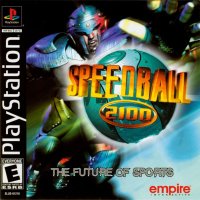
2. Following your system's directions, insert your Speedball 2100 disc (printed side up) in the drive.
3. Close the disc cover and press the POWER button to begin loading the game.
NOTE
We advise that you do not insert or remove peripherals (controllers, etc.) from your Console while it is switched on.
Console Top View
After the introduction sequence, you are presented with the Language Selection screen. Use the Up and Down Directional buttons to move through the text and the X button to confirm your selection.
Front View
MAIN MENU
SINGLE PLAYER
This option will take you to the Single Player GAME MODES screen.
TWO PLAYER
Takes you straight into a set of games against a human opponent. Choose from one round, best of three, best of five or a MEMORY CARD competition against a friend.
In the MEMORY CARD competition both players can load their customized team data from a MEMORY CARD and pit their teams against each other. Within the two player mode, if DUALSHOCK™ is turned off on one controller then DUALSHOCK™ will also be turned off on the other player's controller. MEMORY CARD
Make sure there is one free block on your MEMORY CARD before commencing play. When the game is loading it will automatically check for Speedball 2100 saves on the MEMORY CARD in MEMORY CARD slot 1 and load the data found.
If you have saved your customized team or its position within a knockout, cup or league competition, you may restore the data using this option and continue where you left off by following the on screen instructions.
EXHIBITION
This mode allows you play a 'friendly' match outside of the competition modes against other teams in the Speedball divisions.
CUSTOMIZE TEAM
This option allows you to 'personalise' your team.
GAME OPTIONS
Customize screen positioning, audio settings and view the credits.
MEMORY CARD
Access MEMORY CARD to Load, View or Save data.
NEW GAME
Resets the current game state and starts a brand new game.
GAME MODES
KNOCKOUT
This takes you into a match against the computer, via the KNOCKOUT options screen. If you want to skip the options, just select the GO key. In a KNOCKOUT game you face a series of ever-tougher teams.
LEAGUES
There are two League game modes available. Player Manager mode gives you control of all aspects of the team including player control during a match.
Team Manager mode only allows you to control the management aspects of your team (upgrading players in the Gym, substitutions and transfers), whilst the artificial intelligence controls the team during a match. Success is based upon your skill while as a manager.
You are able to watch the match in full or run the game at a higher speed to get the result quicker. To enable Fast View, select the FV icon in the Options screen (OPT icon in the Management screens). To return the action to normal speed, select the FV icon again to turn Fast View off. In the League competition you control a team which is initially the weakest. Each league season lasts for 14 weeks. If you finish in first place you are promoted and if you finish second you enter a playoff against the team second from bottom in the first division. 10 points are awarded for a win and 5 for a draw, plus 1 for every 10 you score. Points difference (for and against) is significant if you tie on points with another team.
CUP
This is a knockout, which consists of 4 rounds. In each round you play a match over two legs. If you draw over the two legs you play a decider to determine which team goes through to the next round.
On winning the KNOCKOUT, the LEAGUE or CUP you are awarded a trophy and if you attempt to play again you will find the opponents this time round are a little bit tougher than before.
TRAINING
This is like an instant game, except there's no opposition: it's just you, the ball, and 90 seconds each end to perfect those trick shots and passes.
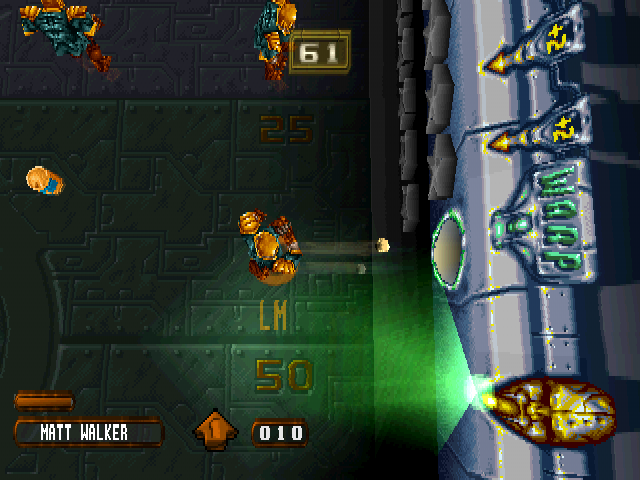
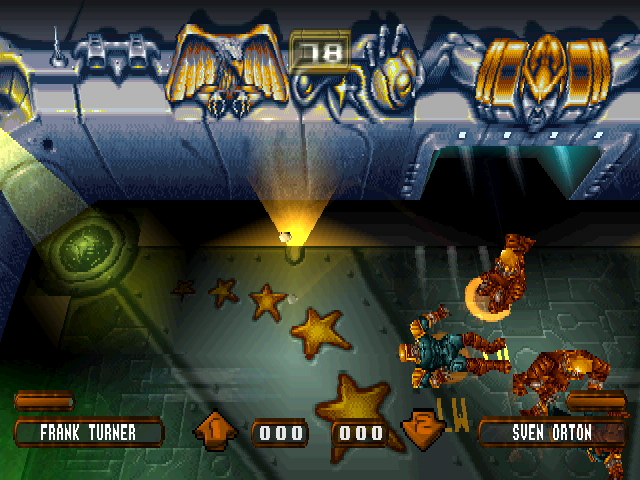
MATCH SCREEN
•
Player identifier - active player, position (GK, LD, RD etc.)
•
Player info - Name, Health
To pause the match in progress, press the START button. The pause menu includes a variety of options; Continue Match, Options (DUALSHOCK, sound options and screen adjust), Statistics on all of the players updated constantly throughout the match and Quit which takes you out of the current match.
CUSTOMIZE TEAM
NAME TEAM:
Allows you to rename your team using the onscreen keyboard.
NAME PLAYER:
Using the onscreen keyboard, you can change the name of your 'chosen' player. CHOOSE PLAYER:
Use the LEFT/RIGHT Directional buttons to select which head you wish to customize by moving it to the central position.
CHANGE HAIR COLOR:
Use the LEFT/RIGHT Directional buttons to cycle through various hair colors for your 'chosen' player.
CHANGE SKIN TYPE:
You are able to change the skin type of your chosen player in
.png)

.png)

.png)

.png)

.png)










.png)


