GETTING STARTED
Set up your PlayStation game console according to its Instruction Manual. Make sure the power is off before inserting or removing a compact disc. Insert the Super Bubble Pop disc and close the Disc Cover. Insert game controllers and turn on the PlayStation game console. Follow on-screen instructions to start a game. Console Top View
Console Front View
Super Bubble Pop lets you save your game data onto a memory card. An auto-save feature is supported to save game data without user action.
Before starting play, insert a memory card with at least 1 free block into MEMORY CARD slot 1.
•
It is recommended that you do not insert or remove peripherals or memory cards once the power is turned on.
•
Make sure you have enough free memory card blocks on your memory card before commencing play.
•
This game can save only to a memory card inserted in MEMORY CARD slot 1.
GAME OVERVIEW
Super Bubble Pop is a bubble-based action puzzler game. The idea is to quickly and efficiently clear the grid of bubbles to advance to the next stage while gaining as many points as possible.
You are given a sequence of bubbles, which can be fired down the grid to make lines of three or more bubbles of the same color that will then pop. Matching lines of colored bubbles is an all-important factor.
How to Pop Bubbles
Bubbles can be burst along the horizontal or vertical by creating any lines of three or more adjacent bubbles of the same color.
As the bubbles are popped, the height of the bubble columns is lowered, and with it any Special Bubbles. When Special bubbles hit the grid they roll towards the popper to be collected.
The more bubbles popped at once, the greater the points gained. Setting off a chain-reaction of bubbles popping will earn you additional bonus points.
Special Bubbles
Special bubbles can be collected when they drop from the top of bubble stacks. They are clear colored plasma balls that can be fired to create devastating blows to the bubbles advancing on the grid.
Game Over
The game ends when the Bubble Wall reaches your chosen popper. If you have managed to achieve a High Score, you are taken to the High Score Table where you can record and save your best results.
MAIN MENU
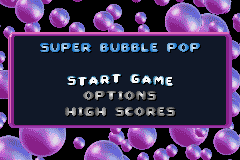
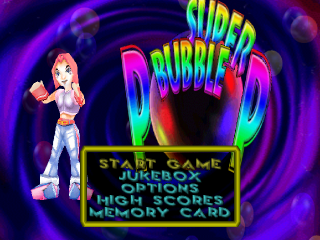
Start Game
To start a game, select the "Start Game" option in the Main menu screen. Next, select which DJ Popper you want to use on the bubble grid, then finally which difficulty setting to start playing at.
Jukebox
Use the directional buttons to navigate the play-list. Press the button to toggle whether a track will be played in the game. The music tracks will be selected at random from those that are enabled.
Options
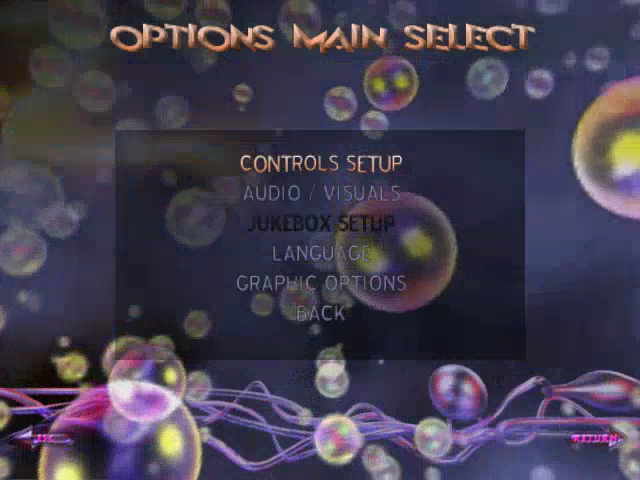
This allows you to adjust your game settings, music, and sound effect levels. You may also manually load and save your game data from here.
High Scores
This is your chance to view the names and scores of the top Bubble Poppers for the Chilled, Groovin', and HardCore difficulty settings!
Torus
The Torus displays the current Special Attack level that you have gained so far. Each time a Special Bubble is collected, the icon within the Torus rotates and the new Special Attack is highlighted. Each Special Bubble collected raises the highlighted Special Attack by one step.
Timer Bonus
If you manage to complete a level quickly you will get a timer bonus for any remaining seconds on the clock. If the timer runs out you will receive no bonus. On certain levels under the Hardcore setting, the game will be over if the timer runs out.
Graphic Equalizer
A graphic equalizer plays at the back of the grid. When a new attack wave is required, the columns selected by the pattern will be filled with bubbles based on the height of the equalizer bar for that column. Every few seconds, a new wall is generated with a new bubble pattern.
Special Jar
Each character has their own favorite bubble color. When your character pops their favorite bubble, color energy is transferred into the special jar. When the jar is full it will glow, letting you know that you can launch a powerful Super Special Attack.
DIFFICULTY SETTINGS
Training
This mode is aimed at beginners. It allows you to pick up the basics of Super Bubble Pop. Using simple bubble attack patterns, with only two bubble colors and slower bubble wall advancement, this should be a breeze.
A help aid is included called "easy aiming," which highlights the bubbles that will form a three or more bubble sequence with the current bubble color.
Chilled
This mode uses more complex bubble patterns and includes another color, so there are three colors to pop.
Groovin'
This mode adds another color, making four different colors to match and pop. Bubbles move forward from the equalizer quicker and play becomes more frantic. The easy aiming help aid is now turned off.
HardCore
Another color is added, making a total of five. Bubble wall movement and spawning will be quicker than anything seen in the previous levels! Other features such as concrete blocks will appear much sooner, making play more difficult. As the title implies - this is for hardcore gamers only!
BUBBLE TYPES
Play Bubbles
These are the normal play bubbles, which will be popped when three or more are lined up together. At
.png)