Thank You
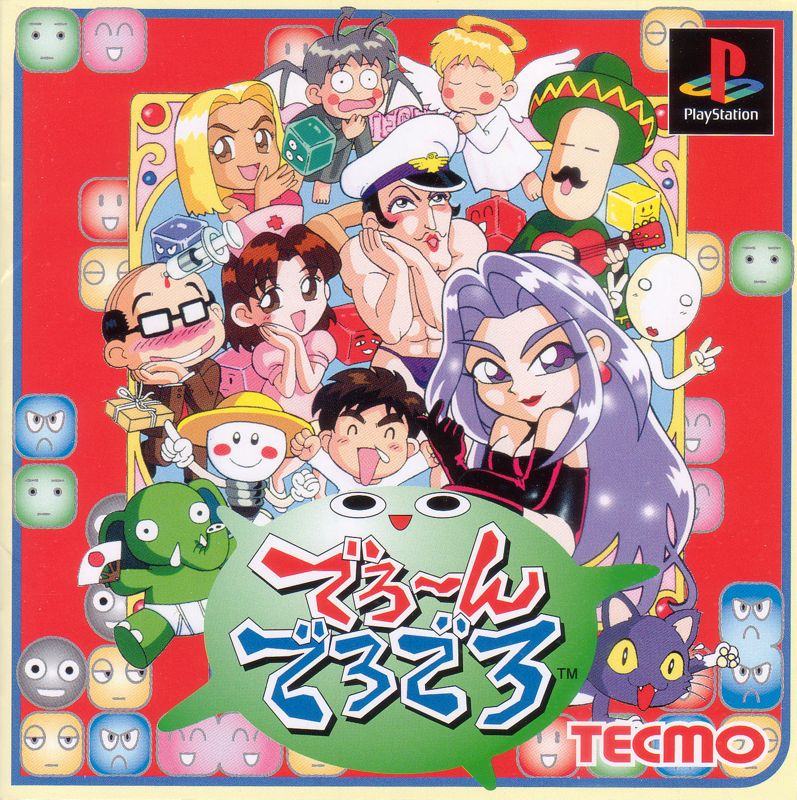
Thank you for your purchase of this unique puzzle game. Hi! I'm your friendly nurse, Rena, bringing you a prescription for puzzle game fun. This Tecmo Stackers puzzle game is just what you need if you want to experience puzzle gaming unlike any other. How to Play
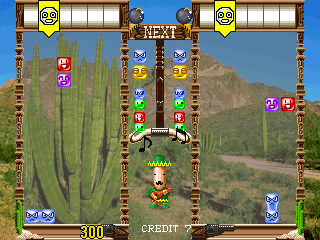
You take and join similar colored pieces (called "quads") together into groups to clear areas. When you join 4 of the same colors together, those pieces disappear.
Each of your colored pieces is also an elastic, lovable creature who likes to just reach out and make a new friend. Join 4 colored pieces together, and surrounding pieces "stretch" to unite with other similar colored pieces.
If you can group your colors wisely, you can clear chain after chain of colors for big fun. Just connect 4 of the same colors together to see why Tecmo Stackers is a game of chain reactions. Please join all my friends. Be careful though, since Tecmo Stackers may lead to an extreme overdose of fun. In fact, there have been common cases where this game has taken hold of many puzzle game players. But, before Tecmo Stackers takes a hold of you, you gotta get a hold of yourself! So, get to it! Getting Started
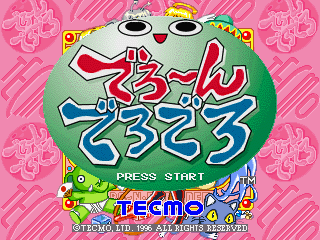
Set up your PlayStation™ game console according to the instructions in its Instruction Manual. Make sure the power is off before inserting or removing a compact disc. Insert the TECMO STACKERS™ disc and close the disc cover. Insert game controllers and turn on the PlayStation™ game console. Press START during opening sequence to get the title screen. Press START again to select from various modes of gameplay.
Gameplay Basics
Characteristics of Your Pieces/Quads
•
They all have two colored blocks to them.
•
When parts of one piece touch others of similar color, then the two pieces will unite (i.e. stick together).
•
When 4 or more of the same colors are stuck together, they will vanish. This in turn can allow other pieces to fall, unite, and possibly vanish as well.
"Elastic" Pieces & Chain Reactions
When you clear 4 or more blocks of similar color, surrounding pieces will "stretch" themselves in an effort to unite with other pieces.
For example: Should you clear 4 RED blocks from the middle of your screen at a time when you have 2 BLUE blocks already joined at the left and right side of your screen, then, (after you've cleared the 4 RED blocks) the 2 BLUE blocks on each side may stretch enough to join. Should the 4 BLUE blocks (2 + 2) join, they will vanish as well. This is called a "Chain Reaction". You can develop multiple chain reactions as you play.
It is always good to try and get chain reactions since you will drop obstacle blocks onto your opponent. These obstacle blocks have no color and can be eliminated when you unite (and eliminate) 4 or more similarly colored blocks around them. Otherwise, obstacle blocks can be broken by any "stretching" pieces/quads which may strike them.
•
Two blocks drop at once.
•
Surprised blocks stretch.
•
Blocks of a different color won't unite.
•
Obstacle blocks create barriers.
•
Stretching blocks will pop obstacle blocks.
Game Mode Select Screen
By pressing START at the Title Screen, you may select from FOUR different modes of gameplay:
•
Endless Wipe Out Mode (P1 Only)
Difficulty Levels
NOTE: The game will begin when you have selected the mode and difficulty level you wish to play.
Game Modes
Arcade Mode
Select 1 or 2 players. Use your up/down directional button to move the cursor. You may execute/confirm your choice by pressing either the START or the Button. Also, you may select the number of matches with the left/right directional button.
1 Player Mode
You play in a tournament of computer-based opponents. When you win, you advance to the next stage of the tournament and play the next opponent.
•
There are 3 different tournaments.
•
Player 2 can press START on the other controller at anytime to interrupt 1 Player Mode for some Player 1 vs. Player 2 match play action.
2 Player Mode (You vs. a Friend)
Make sure that BOTH controllers are properly connected to your system before you begin. When you play in the 2 Player Mode, you must win the majority of matches against your opponent. You will also be allowed to use "Bombs" (in two player mode only).
Level Select: 1 and 2 Player Modes
After selecting either 1 Player Mode or 2 Player Mode, choose the level you will begin at.
In the 2 Player Mode, Player 1 and Player 2 can each handicap different levels. Also, by using the left/right directional button on this screen, you may select the number of "Bombs" that each player can use.
Bomb
You can drop a Bomb during the match by pressing the Button. The bomb's explosion will allow your pieces to "stretch-out" to other pieces. This can be a useful maneuver.
**Roulette
.png)

.png)
