STARTING THE GAME
1. Set up your PlayStation game console according to the instructions in its Instruction Manual. Make sure the power is OFF before inserting or removing a compact disc. 2. Insert the Triple Play Baseball disc and close the Disc Cover. 3. Insert game controllers and turn ON the PlayStation game console. 4. Press or START during or after the opening movie to access the Main menu.
For more info about this and other titles, check out EA SPORTS™ on the web at www.easports.com. Also check out www.majorleaguebaseball.com, the official web site of Major League Baseball. Baserunning Controls
•
Decrease a baserunner's lead (Manual baserunning only): D-Button toward the current base
•
Advance a baserunner after a hit: D-Button toward the next base
•
Return to previous base after a hit: + D-Button toward the current base
When running or throwing, the D-Button corresponds to the diamond.
For example, if you want to steal second, press + D-Button.
To make an aggressive throw to first base, press + D-Button.
SETTING UP THE GAME
Put down that hotdog and pick up that bat-it's time to take the field for another season of Triple Play Baseball. MAIN MENU
Use the Main menu to select your game mode and set up your game options.
•
Press to Quick Start a game (Rookie level) between randomly selected teams
•
Press to select the highlighted game menu item
•
Press the D-Button to cycle through game mode icons
•
Highlight and press to access Game Credits
•
Access the Team Management screen to make roster moves, trade or create players, and sign free agents
•
Access the Preferences screen to set music, crowd, announcer, and sound effects volume levels
GAME MODES
•
SINGLE GAME: Play a single game between any two MLB or All-Star teams.
•
SEASON: Take your team through a complete baseball season.
•
PLAYOFFS: Skip the regular season and head right for the high drama of the playoffs.
•
BIG LEAGUE CHALLENGE: Prove your longball prowess in a One-on-One, Extreme or Tournament competition. In Extreme mode, swing for both distance and accuracy.
•
TEAM MANAGEMENT: Make trades, create players, sign free agents or reorder your starting lineup.
SINGLE GAME
Play a single game between two Major League clubs or All-Star teams.
To begin a game, select SINGLE GAME from the Main menu and press ✖. The Difficulty screen appears.
NOTE: Default options are listed in bold in this manual.
DIFFICULTY SCREEN
Set your difficulty level at ROOKIE, PRO, ALL-STAR or CUSTOM. ROOKIE is the best place to start for beginners. Hitting is much easier in this mode, and the CPU plays loose defense. In CUSTOM you can set the skill levels of individual game aspects such as fielding, pitching, and base running.
To set the game length, press the D-Button ↔ to select the number of innings, then press ✖ to accept.
CONTROLLERS SCREEN
Select a controller assignment setup. In a 1 PLAYER HOME game, you get final at-bats against the CPU. Also choose from 1 PLAYER AWAY, 2 PLAYERS, or CPU vs. CPU.
TEAM SELECT SCREEN
Choose the two teams for your big league match-up. The yellow bars indicate the team's strength in each of the six categories.
OPTIONS SCREEN
•
PLAY BALL: Press to start your game.
•
GAME OPTIONS: Set game details such as wind and batting and fielding perspectives.
•
SELECT STADIUM: Select any Major League Baseball park.
•
TEAM MANAGEMENT: Trade players, create players, set your pitching rotation, and more.
•
STATISTICS: View the stats of any player in the league.
•
REWARDS: Receive rewards during gameplay for outstanding offensive or defensive achievements. Access the Rewards screen from the Options screen to activate rewards that you have unlocked.
NOTE: You must save a Preferences file to save your unlocked rewards.
•
DRAFT: Conduct your own version of the draft.
NOTE: The Draft option does not appear if you choose to play with an All-Star team.
PLAY BALL
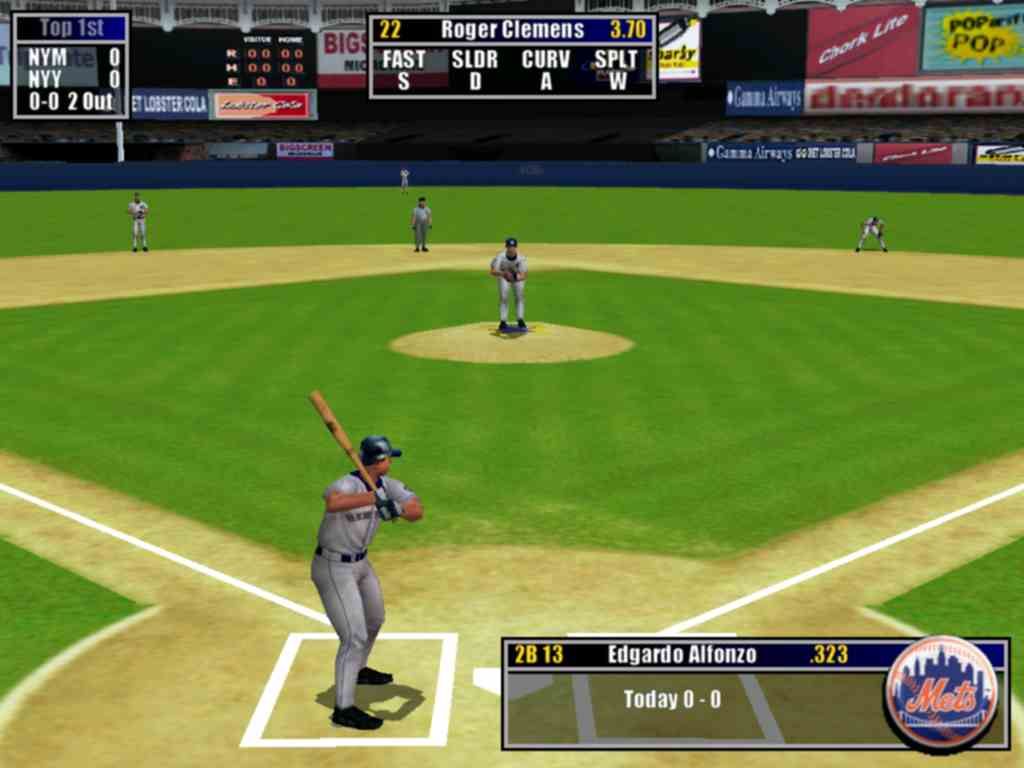
Announcers Buck Martinez and Jim Hughson provide pre-game analysis and introductions as well as play-by-play and color commentary. Get ready for some Major League action!
Press or at any time to skip the commentary and get to the first pitch.
To learn all you need to know about hitting, fielding, pitching and more in Triple Play Baseball, see Complete Controls on p. 5. Game Options
•
Widescreen: Choose ON if you have a widescreen television.
•
DUALSHOCK™ ANALOG CONTROLLER: Toggle ON if you are using a DUALSHOCK controller (ON is default only when a DUALSHOCK controller is plugged in).
•
ROSTER: Go to the Current Lineup screen to check stats and substitute players.
To make a substitution:
1. Cycle through the roster in the Current Lineup screen, then select a player by pressing ✖. The Bench menu appears.
2. Highlight a bench player in the Substitute
.png)



.png)
.png)









.png)





.png)







_1.png)


_1.png)
.png)


