LOADING
Turn your console OFF and insert the Tunnel B1 disk. Turn the PlayStation™ ON and wait a few moments. The game will load automatically and the intro sequences will begin to play. Once the title screen appears, press START to bring up the Main Menu.
BUTTONS
GETTING STARTED
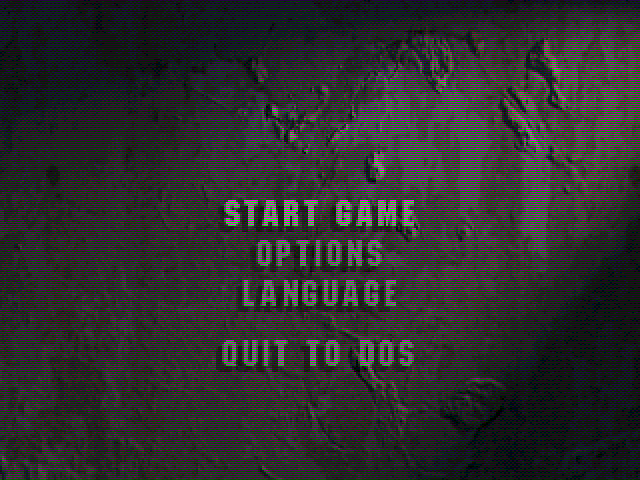
After pressing START at the title screen, the Main Menu will appear. The Options Menu can be accessed from here or at the end of each level.
•
Use the Up and Down Directional buttons to highlight an option.
•
Press to select the highlighted option.
•
Press to return to the previous screen.
THE MAIN MENU
Select this option to begin playing Tunnel B1.
Select this option to enter the Options Menu.
THE OPTIONS MENU
A Memory Card must be inserted. Warning: DO NOT insert or remove the Memory Card when the game is loading or saving a file.
The following two options can be accessed from here:
Use the Up or Down Directional buttons to highlight a game title and press to load.
Press the Up or Down Directional buttons to highlight a slot on the Memory Card.
Press the button to select the slot and use Up and Down to cycle through the letters.
☑ accepts a letter. A quits the process and returns to the previous screen.
NOTE: A GAME CAN BE SAVED VIA THE OPTIONS OFFERED AT THE END OF LEVEL. THE SAVE CONFIG OPTION CANNOT BE USED TO EMPLOY A DIFFERENT CONFIGURATION AFTER LOADING IN A SAVED GAME.
To change the configuration setup for the in-game controls use the Directional buttons to highlight a task and to select it.
Exchange this with another task by repeating the process.
cancels any changes and returns to the default pad configuration. Once changes have been made and accepted, use to reset to the default settings.
The button cancels any subsequent changes (including the use of the).
This screen allows you to adjust the audio levels for every aspect of the game.
Highlight a sound element using the Up and Down Directional buttons and press to play.
Adjust the volume by moving the slider Left or Right using the Directional buttons.
Change the number of lives allotted (to a maximum of 6) by cycling Left or Right using the Directional buttons.
View the high scores, who scored them and at which stage of the game.
THE PAUSE MENU
Accessed by pressing START during the game.
Select this option to instruct the onboard computer to display the Mission Brief again.
Re-play Tunnel B1 from the start of the level in progress.
Confirm your decision (select YES or NO) to quit the game and return to the Title Screen.
GAME OVER
When the last life has been lost, the game ends and offers the following options:
•
CONTINUE (number of continues remaining)...
Select this option to continue from the level last played (assuming any Continues are left).
You begin the game with two continues. Selecting Continue will clear the previous game's score, resulting in no high score entry.
Restart from the first level. Selecting Restart will also clear the previous game's score, resulting in no high score entry.
Quit the game and return to the Title Screen.
PLAYING TUNNEL B1
The object of the game is to carry out each of the compulsory Mission Objectives and progress to the next stage.
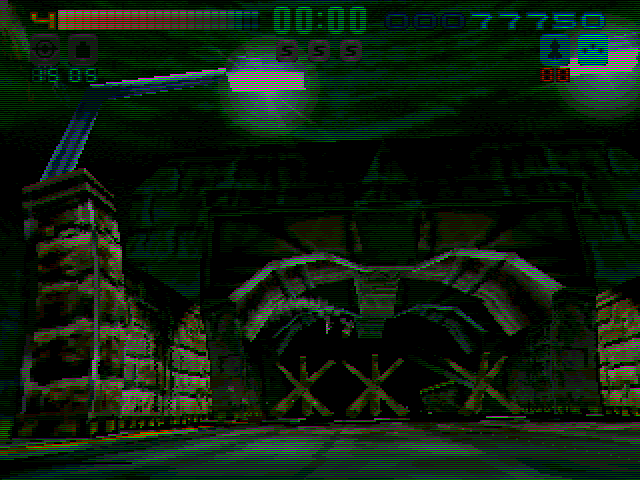
To start with, the player is armed with the basic Machine Gun. Any hits sustained by the craft will result in loss of energy (indicated on the ENERGY BAR). When the energy is fully depleted, one life will be lost. This energy may be replenished as may certain kinds of ammunition. MISSION OBJECTIVES...
The mission objectives are provided in two ways: firstly as a Mission Brief and then as Map Symbols.
The On-board CPU outlines which phase of the main computer defences are being initiated and what primary and secondary objectives are involved. Negotiate each phase and progress into the Dictator's underworld by overcoming his defenses and fulfilling the mission objectives.
Primary objectives MUST be completed. Secondary objectives are optional, but make progress easier on later levels. The computer will update your mission objectives should the situation call for it. To review the mission brief, select Restate Mission on the Pause Menu.
These are marked out on the MAP which may be called up at any time during the game by pressing SELECT.
Both the type and color of these symbols is significant.
RED symbols indicate Primary Mission Objectives that MUST be completed. YELLOW symbols indicate Secondary Mission Objectives that SHOULD be completed. GREEN symbols show optional objectives that may be carried out for bonuses.
The symbols have the following meaning:
•
TARGET.... Destroy whatever appears at this location
-
.png)

.png)
