Getting Started
Set up your PlayStation®2 computer entertainment system according to its Instruction Manual. Ensure the MAIN POWER switch (on the back of the console) is turned on.
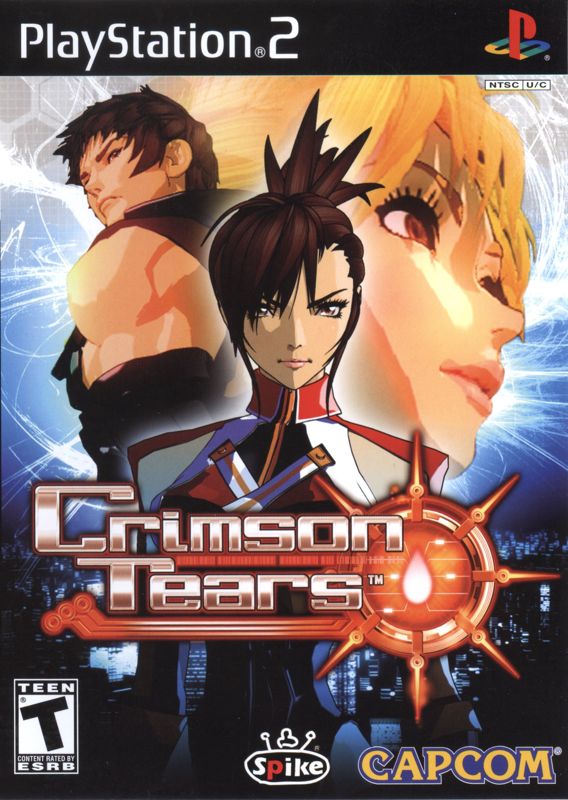
Press the RESET button. When the power indicator lights up, press the OPEN button to open the disc tray. Place the CRIMSON TEARS™ disc on the disc tray with the label side facing up. Press the OPEN button again to close the disc tray.
Attach game controllers and other peripherals as appropriate. Follow on-screen instructions and refer to this manual for information on using the software.
PlayStation®2 Components
Memory Card
To save game settings and progress, insert a memory card (8MB) (for PlayStation®2) into MEMORY CARD slot 1 of your PlayStation®2 system.
You can load saved game data from the same memory card or any memory card (8MB) (for PlayStation®2) containing previously saved games.
Mode Select
When you first turn on the game, a demo movie will play. After the movie, the Title screen will appear. Press the START button to go to the Mode Select screen.
Use the left analog stick or directional buttons to cycle through the Mode Select options, and press the button to confirm your selection.
•
NEW GAME - Start a new game from the beginning after choosing your difficulty from three selections.
•
EASY - Low-difficulty setting for easy enjoyment of the game. Certain items are not available in this mode.
•
NORMAL - Ideal setting to play the game in.
•
HARD - Higher difficulty level that boosts the survival aspect of the game.
•
LOAD GAME - Load save game data to resume your game from the point where you saved it.
•
OPTION - Configure game environment options.
Option Menu
•
SOUND - Choose from Mono, Stereo, and Dolby® Pro Logic® II. (This game is presented in Dolby Pro Logic II. Connect your PlayStation 2 console to a sound system with Dolby Pro Logic, Dolby Pro Logic II, or Dolby Pro Logic IIx decoding to experience the excitement of surround sound.) •
SET BUTTON - Configure the button controls to your own personal settings.
•
BGM VOLUME - Adjust the volume of the game's background music.
•
SE VOLUME - Adjust the volume of the game's SE (sound effects).
•
VIBRATION - Turn the controller's vibration function On/Off. When it's On, the controller will vibrate in response to game events.
•
SCREEN POSITION - Adjust the position of the game screen on your TV.
•
SET COLOR - Adjust the color settings on your TV.
•
MOVIE SUBTITLE - Turn the Subtitle option On/Off.
Moving Around
You control one of three characters: Amber, Tokio, or Kadie. The game begins in the Garage. From there you will move on to the Dungeons or Town.
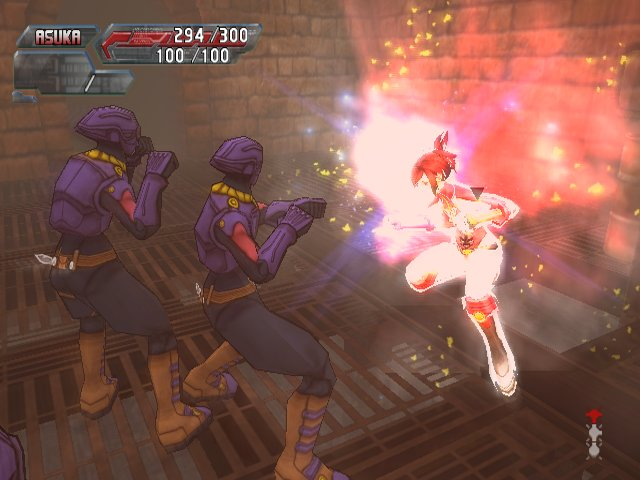
Walking in the Dungeons makes it harder for the enemy to spot you. Try and sneak around behind them without being noticed and attack them to inflict even more damage.
Garage Actions
•
Switch playable characters
•
Bring home items/weapons
Town Actions
•
Buy and sell items in the shop
Dungeon Actions
•
Obtain a wide variety of items
Menu Windows
•
CHARACTER - Displays current status and equipped items.
•
ITEM - Use items here. There may be certain situations when certain items cannot be used. (Sort items with the L2/R2 buttons.)
•
QUEST - Displays sub-quests and rescue information.
•
GOLD - Amount of gold you currently have.
•
HELP - Displays item descriptions.
Garage
The Garage is your home base. Move from here to the Dungeons or to the Town, or climb down the ladder to the basement level.
Main Garage
•
CHARACTER SELECTION - Talk to other characters in the Garage (press the button) to switch to another character.
•
WAREHOUSE - Enter the Warehouse through the door in the back. Get close to the window and press the button to open it. You can store extra items here that you don't have room to carry around.
•
GO TO TOWN - Leave the Garage to go to the Town.
Garage Basement
•
TELEPORTER - Touch the Teleporter to bring up the list of places you can travel to.
•
COMPUTER - Stand close to the computer and press the button to do the following:
•
COMBO/SPM UPGRADE - Use collected items to upgrade the abilities of your characters.
•
MONSTER VIEWER - View information on enemy monsters. Information is added when you defeat monsters in the Dungeons and acquire M Files from them. Press the L1/R1 buttons to toggle pages.
•
MOVIE VIEWER - Go back and review any cutscene you have already watched during the game.
•
SAVE - Save your current progress to a memory card.
•
You must have a memory card with at least 52KB of free space inserted in MEMORY CARD Slot 1 in order to save your game. •
Do not turn off the power
.png)

.png)



.png)
.png)


.png)