Console Ports and Connectors
Console Buttons
Setting Up the Game
Set up your PlayStation®2 computer entertainment system according to the instructions in the Instruction Manual. Make sure the MAIN POWER switch (located on the back of the console) is turned on. Press the RESET button.
When the power indicator lights up, press the open button and the disc tray will open. Place the EOE: EVE OF EXTINCTION™ disc on the disc tray with the label side facing up. Press the open button again and the disc tray will close.
Attach game controllers and other peripherals, as appropriate. Follow on-screen instructions and refer to this manual for information on using the software.
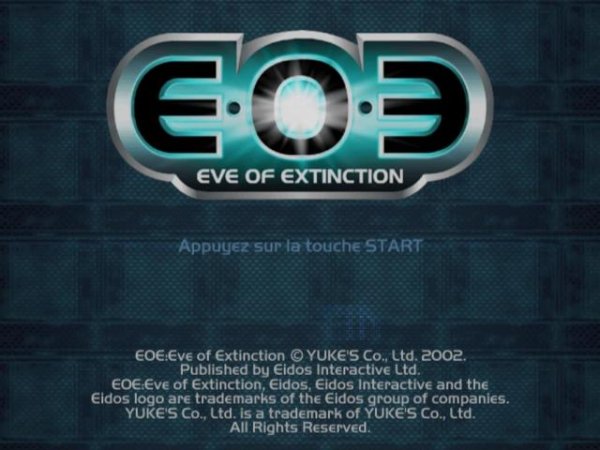
Title Screen
Press the START button at the TITLE SCREEN to display the MAIN MENU. Use the directional buttons to navigate through the menu and press the ✖ or ◯ button to accept your selection.
Main Menu Options
•
NEW GAME – Start game from the beginning.
•
LOAD GAME – Load previously saved game data. (LOAD GAME will not appear if no saved game data exists in the memory card (8MB) (for PlayStation®2) inserted in MEMORY CARD slot 1.)
•
OPTIONS – Set game settings for the game. (The game settings can also be changed within the game from the MENU SCREEN.)
Game Over and Continues
The CONTINUE SCREEN is displayed when Josh’s health meter reaches zero. From the CONTINUE SCREEN, select YES to continue the game at the stage you left off. Select NO if you do not want to continue the game.
Selecting NO will take you to the GAME OVER SCREEN and then back to the TITLE SCREEN. If you do not make your selection on the CONTINUE SCREEN for some time, it will take you to the GAME OVER SCREEN. There is no limit to the number of times you can continue.
PDA Menu
Press the START button while playing the game to access the PDA MENU. Press the directional buttons or to make your selection. Press the or button to accept your selection. Press the or button to cancel a selection and return to the game screen.
Status
Review the weapons currently in your possession and confirm the information on the weapons.
Legacy: Legacy Weapon Revolver
Change the order in which weapons cycle in the Legacy Weapon Revolver. There are two ways to change the weapon order. You can select two weapons and swap their places, or select one weapon and insert it between two other weapons by placing the cursor between them.
Information: Legacy Properties
View the properties of the Legacy weapon selected, including:
•
Agility or speed when using Legacy
•
Display Legacy Drive signature
•
Display Legacy attribute
About the Level of Legacy
The Legacy weapon's level increases as you accumulate experience points by attacking enemies. As the Legacy weapon level increases, the number of attack combos and Legacy Drive power increase as well.
Data
Confirm the contents of the PDA modules you pick up during the game. When the contents are displayed, you can scroll up and down the screen by pressing the directional buttons and.
Save
Save a game in progress. You can save almost anywhere in the game. However, when resuming a saved game, you will be placed at the beginning of the map you last played or at the last Ley Line point.
•
To save game data, insert a memory card (8MB) (for PlayStation 2) into MEMORY CARD slot 1. Note: Game data cannot be saved when the memory card is inserted into MEMORY CARD slot 2. •
This game requires a minimum of 84KB of available memory to save game data. If less than 84KB of free space is available, erase older data before saving. •
A maximum of three game data files can be saved onto a single memory card.
•
While the game data is being saved or loaded, do not turn off or reset the console or pull out the memory card. Doing this may cause data corruption to the saved game.
•
You can load saved game data from the same card, or from any memory card containing previously saved EOE: EVE OF EXTINCTION games.
Pause Menu
Press the SELECT button during gameplay to pause the game and display the PAUSE MENU on the PAUSE SCREEN. Press the directional buttons or to navigate through the menu.
Press the or button to accept your selection. Press the SELECT button again or press the or button to return to the game from the PAUSE SCREEN.
Pause Menu Options
•
MAP – Enlarge the radar map displayed in the upper right corner of the game screen. To return to the PAUSE MENU, press the ,, or button.
•
RADAR ON/OFF – Toggle the radar ON or OFF by pressing the or button.
•
NAVI LOG – View logged Legacy navigation messages that have been displayed in the game. The Navi Log saves the last eight Legacy navigation messages. To view the last message, press the directional button. The log is cleared every time you start a stage.
•
QUIT GAME – End the game and return to the TITLE SCREEN.
Guard
You can reduce the damage inflicted by enemy attacks by pressing the L2 button. However, you will still be susceptible to enemy attacks from behind.
Recovery