Getting Started
*Note: Illustration may not match all PlayStation 2 console types. For owners of SCPH-70000 series PlayStation 2 systems, refer to the setup instructions supplied with your system.* Setting Up Your PlayStation 2 Console
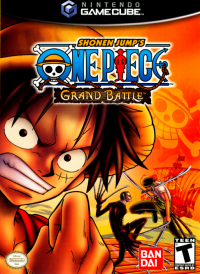
Set up your PlayStation 2 computer entertainment system according to the instructions in the manual. Make sure the MAIN POWER switch (located in the back of the console) is turned ON. Press the RESET button. When the MAIN POWER indicator turns green, press the OPEN button and the disc tray will open. Place the One Piece: Grand Battle disc on the disc tray with the label side facing up. Press the OPEN button again and the disc tray will close. Attach a DUALSHOCK 2 analog controller and other peripherals as appropriate. Follow on-screen instructions and refer to this manual for information on using the software.
Memory Card (8MB) (for PlayStation 2)
To save game settings and progress, insert a memory card (8MB) (for PlayStation 2) into MEMORY CARD slot 1 of your PlayStation 2 console. You can load saved game data from the same card or any memory card (8MB) (for PlayStation 2) containing previously saved games. Starting Up
DUALSHOCK 2 Analog Controller Configurations
•
left analog stick (L3 button when pushed down)
•
right analog stick (R3 button when pushed down)
Starting a New Game and Game Saves
When asked if you would like to create a One Piece: Grand Battle save file, choose Yes and press. One Piece: Grand Battle only uses MEMORY CARD slot 1. You will need 54 KB or more of free space to save the game. Game progress can automatically be saved in between battles. If you want to resume a saved game, select Load at the Options screen and then choose the save file you wish to load.
Game Modes
Story Mode
Watch and learn the stories of your favorite One Piece characters while fighting against a set of powerful foes. Each time you defeat an opponent, a portion of the storyline is revealed. Make sure to use different characters and complete the Story mode in more ways than one to unlock special hidden characters and items. Be careful though, you have only five chances to complete the Story mode before it's game over!
Mini-Games
Unlock valuable pirate treasure items by completing a variety of Mini-Games! You can choose to take the Usopp Pirate's Challenge or play the Mini-Games individually.
Usopp Pirates' Challenge
Fight for pride and friendship against the Usopp Pirates in this three-game battle of randomly chosen Mini-Games where you can lose a teammate or steal your opponent's! Best of the three games wins the challenge.
Every time you win, the winner takes the loser's support character and you can use them as your support in the remaining Mini-Games. Each Mini-Game has its own rules and strategies, so you'll have to use your selected characters' abilities to the fullest in order to obtain victory.
Individual Mini-Games
Choose from the menu of available Mini-Games. More will open up as you complete them!
•
USOPP RACE: Attack the obnoxious enemy pirates and prevent them from firing bombs at your boat. If your boat manages to reach the goal first, you win!
•
BATTLE BOWL: Use Gaimon as your ball and throw him into your opponent's goal to score. The side that scores more points within the set time period wins!
Keep playing to see the wide variety of Mini-Games that the challengers can pick!
Grand Tourney
A multiplayer battle tournament where you are one of four to sixteen participants and must fend off your rivals to claim the title of Grand Champion!
Battle Settings
Before taking on your opponent, first spend some time setting up your battle in the Battle Settings Menu. These include many of the same options as in the Grand Battle Mode, including Time Limit, # of Matches, Food Charge and Item Drop (see Battle Settings on page 5 for more information).
In addition, you can also select Normal and Survival game modes. In Normal, your stamina refills with each new battle. In Survival, how much stamina you regain with each new battle depends on the time you have remaining at the end of the match.
Brackets
Once you've chosen your characters, Handicap and stage, the screen will display the tournament brackets. If you choose "Yes" to the question "Shuffle?" then the match-ups will be changed automatically. If you choose "No," then the tournament will begin the way it is.
Treasure
You can unlock and collect Treasure by meeting various conditions during the game. Try to complete the list by revealing all of its hidden secrets!
Character Data
You can model a character here, turning the camera round and round to look at them from any angle! In addition, you can check the character's various settings: items, voice, profile, and support characters.
Play Data
This reveals the number of battles you have participated in and won at a set difficulty. "All" will show you the rankings of all the characters you've used,
.png)


.png)
_2.png)
_3.png)
.png)
.png)


.png)



.png)

.png)



.png)
.png)
_1.png)
.png)

_1.png)
.png)
_1.png)



.png)


