Starting the Game
PlayStation 2 Setup
Set up your PlayStation 2 computer entertainment system according to the instructions in its Instruction manual. Make sure the MAIN POWER switch (located at the back of the console) is turned ON. Press the RESET button. When the power indicator lights up, press the OPEN button and the disc tray will open. Place the SSX on TOUR disc on the disc tray with the label side facing up. Press the OPEN button again and the disc tray will close.
Attach game controllers and other peripherals, as appropriate. Follow on-screen instructions and refer to this manual for information on using the software.
Playing the Game
The time to become a mountain legend is now. Strap on one plank or step into two and prepare to make a name for yourself.
Quick Play
The fastest way to get on the mountain and start having fun is Quick Play. It's also the only way to challenge your friends to a head-to-head match-up.
Play as any of the unlocked characters or a character you've created for The TOUR. You can then either freeride the entire mountain or choose a location and event. To customize your game, visit the My Rules section.
Game Screens
The information you see on-screen changes depending on the type of event. Slopestyle and Race events are explained below. Check out PG. 7 for details about the shred challenges screen.
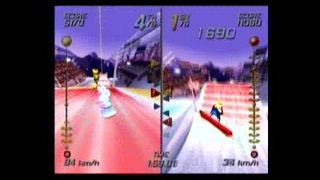
Slopestyle Screen
•
Combo meter: The key to really high scores is chaining your tricks together. Watch this meter and make sure you launch your next trick before time runs out. •
Current place in the competition
•
Percentage of track completed
The Tour
Create a rider or skier and build a career as you progress from a slope-side wannabe to a black-diamond rockstar. Start your career by competing in shred challenges before getting invited to The TOUR, where you can enter Medal events.
Tear up the massive new mountain, but make sure you look good doing it because your reputation is always on the line. You create the hype, the hype creates a legend.
User Profile
The first thing you do on The TOUR is create a User Profile and build a character from scratch. Choose a name, whether your character is male or female, a rider or a skier, and finally how he or she looks.
The Tour Menu
Press the button from the map screen to access The TOUR menu. From there you can customize your music playlists, switch User Profiles, review your rewards, and set options for The TOUR.
Your Rank
To become a black-diamond rockstar, you need to make a name for yourself and move up The Charts. You start as a novice, but with a little time on the hill, you'll be somebody in no time. To see how far you've progressed, check out The Charts from the Rewards section of The TOUR menu.
Hype
To improve your rank, you need to earn Hype. There are a few ways to create Hype and none of them have anything to do with going slow or being nice.
Earn Hype by completing Shred Challenges and Medal events, knocking down or terrifying tourists as you fly by them, and escaping the relentless ski patrol. At the end of every event, you see a tally of your newly earned Hype.
The Map
Use the map to navigate the mountain and enter any of the events available to you. Also visit the map to access the Gear, Clothing, and the Barber/Beauty shops.
After choosing an event on the map, be sure to review the objective as the event loads.
Shred Challenges
Start building your rep by successfully completing Shred challenges. Each Shred challenge has a goal and once you complete it, the challenge is over and you're ready to move on to another one.
Ski Patrol Alert
Causing trouble increases the alert level. When all three icons light up, the ski patrol will be hot on your tracks.
Medal Events
After becoming an Amateur, you are invited to join The TOUR and compete in medal events. The competition is tough, but the rewards are big enough to compensate you for the effort. Use the money you earn to buy better equipment and attributes from the shops.







.png)





 (En,Fr,De,Es,It).png)
.png)



.png)


