Introduction
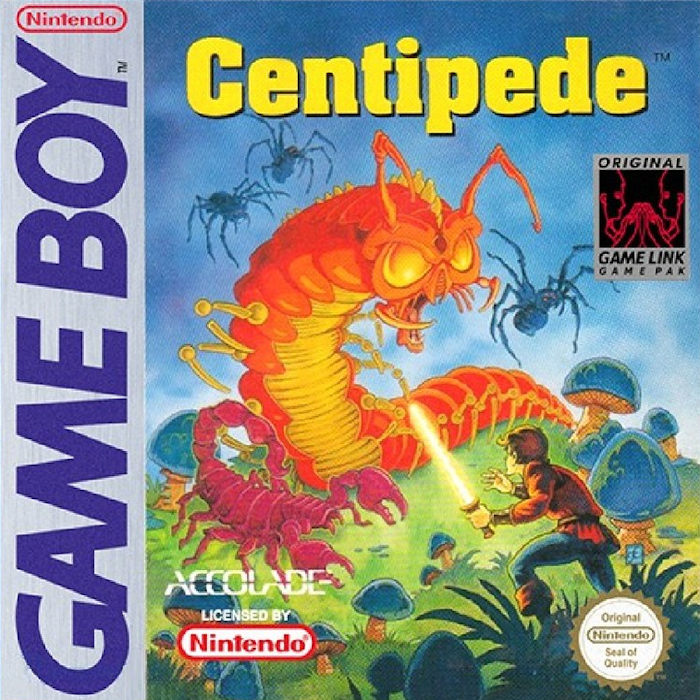
You are trapped in the perilous Enchanted Forest. Dark, dangerous mushrooms push up through the squishy forest floor, surrounding you on every side. Threatening thumps and evil buzzings fill the air.
Something slimy flashes through the mushrooms, closing in on you. Suddenly, glaring eyes and quivering antenna jump right out at you! Sparks fire from your magic wand again and again destroying the Centipede before its diminishing body can grow new heads.
More perils lurk in the forest - fierce Centipedes, deadly Spiders, venomous Fleas and poisonous Scorpions. You pick up two more wands. Armed with these magic wands, you just might make it out alive.
Getting Started
To get started with Centipede, please begin with the following:
•
Making sure your Nintendo® Game Boy® System is turned off, plug the Centipede Game Pak into the Nintendo® Game Boy® System. •
Turn on your Game Boy®. In a few moments the Majesco Sales, Inc. Company Logo Screen should appear. If the screen remains black, adjust the contrast dial on your Game Boy®. Copyright Information
•
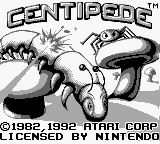
© 1982, © 1995 Atari Corp. The Main Menu
Once the Centipede™ Title Screen has appeared, you may press the Start Button to display the Main Menu Screen.
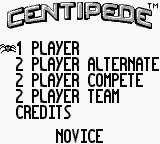
Once the Main Menu Screen appears, you may press the Control Pad Up or Down to select one of the following game modes:
•
One Player - Standard Centipede™.
•
Two-Player Alternating - Choose this mode to start a two-player game using one Game Boy. The two players take turns, and compete for the highest score.
•
Two-Player Competition (Game Link) - In this game, you and your opponent try to shoot the same creatures simultaneously. The one with the highest individual score wins.
•
Two-Player Team (Game Link) - The same idea as the competitive mode, except that you and your partner start with a combined total of 4 wands (lives), and you work together to achieve the highest possible combined score.
Press the Control Pad Right or Left to select the following skill levels:
•
Novice - This is the slowest level. To make it even easier, you won't see any Fleas until the third wave, and there are no Scorpions until the fifth wave.
•
Standard - Slightly faster than the Novice Level, but you begin at Wave 10.
•
Advanced - This level is faster yet, and begins at Wave 19. Both the Fleas and Scorpions are waiting for you the moment you start.
•
Expert - It doesn't get any faster - or harder - than this. The game begins with Wave 28. And the Fleas are everywhere. You have been warned!
When the desired game mode is selected and the game level you desire is displayed, press the Start Button to begin.
Playing Centipede
You start the game with three magic wands, which you use to spark the vicious critters that are constantly descending upon you.
If the fleas, scorpions or centipedes manage to bite you, you become temporarily paralyzed and lose a wand. They all move fast, so you'll have to think and act even faster.
Scoring
During play, you may collect points in the following manner:
•
Centipede Body Segment: 10 Points
•
Centipede Head: 100 Points
•
Spider - from long range: 300 Points
•
Spider from medium range: 600 Points
•
Spider at close range: 900 Points
•
Mushroom - eliminated: 1 Point
•
Mushroom shot 1 to 3 times: 5 Points
•
Poison Mushroom eliminated: 1 Point
•
Poison Mushroom shot 1 to 3 times: 5 Points
•
Poison Mushroom untouched: 5 Points
•
Extra Wand: 12000 Points
High Score
When the game ends, if the current player's score is higher than any score currently on the high score list, the player will be able to enter their name on the high score list by doing the following:
•
Press the Control Pad Up to move forward through the alphabet.
•
Press the Control Pad Down to move backward through the alphabet.
•
Press the Control Pad Right to move to the next available letter position.
•
Press the Control Pad Left to move back one letter position.
•
Press the Start Button to enter the current name and exit the Name Entry Mode.
Note
Once the Game Boy unit is turned off, all of the player's high scores will be erased.
.png)

.png)
.png)
