GETTING STARTED
Turn OFF the power switch on your Nintendo® Game Boy® Advance. Never insert or remove a Game Pak when the power is on.
Insert the Game Pak of Altered Beast™ Guardians of the Realms™ into the slot on the Game Boy Advance. To lock the Game Pak in place, press firmly.
Turn ON the POWER switch. The credit screens will appear (if you don't see them, begin again at step 1).
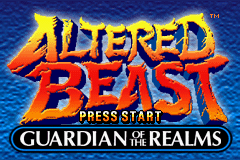
When the title screen appears, press START to proceed to the Main Menu.
CONTROLS
Menu Navigation
•
Control Pad: Highlight menu selections
•
START: Confirm selection
•
A Button: Confirm selection
•
L Button: Return to previous menu
MAIN MENU
The Main Menu includes the following options:
•
Review Progress: View the game credits and unlocked beast forms.
•
Multiplayer Brawl: Enter the two-player co-operative Story Mode, or compete in the four-player free-for-all Brawl Mode.
Review Progress
You can view the unlocked beast forms from the Story Mode by selecting REVIEW PROGRESS from the Main Menu. Use the Control Pad to highlight a beast form in the top two rows. The beast form's name will appear in the middle of the screen, along with an image of each advanced version of the beast form you have been able to unlock. Press the B Button to return to the Main Menu.
Note: Press SELECT to reset the game data only if you want to delete all game data. This will delete your saved game and you will have to start over from the beginning. Choose YES to confirm and erase all game data. Choose NO to cancel the action. PLAYING A GAME
Select New Story from the Main Menu to start from the beginning. Press UP in front of an unlocked gate to enter. After you complete a level, you'll receive a key to that Realm. You can reenter that Realm whenever you want after that to play through to look for a missed talisman.
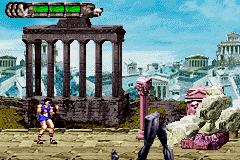
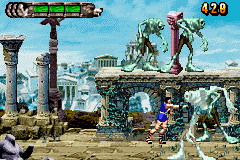
The Game Screen
•
Health Meter: Your life force is shown here. Your health will go from green to yellow to red as you take damage.
•
Beast Form: The beast form native to each world is shown here.
•
Lives Remaining: The number of lives remaining. You can gain up to 9 lives, but only 4 are displayed on the screen at one time.
•
Score: Your score is shown here.
Power-Ups
A variety of power-ups and special items are spread throughout the Realms. Look for them hidden inside certain objects or after you've defeated a wave of enemies.
•
Beast Form Talisman: Collect talismans to unlock the alternate Altered Beast forms.
•
Beast Form Power-Up: Enhanced Human and Final Altered Beast Form Power-up. •
1-UP: Adds a life to the counter (up to 9).
•
One Shot Magic: See ONE SHOT MAGIC on page XX.
•
Continue: When the game is over, you can continue the game with extra lives.
MULTIPLAYER BRAWL
In order to play against up to three other players, you will each need a Game Boy® Advance system and a Game Pak of Altered Beast™ Guardian of the Realms™. Also, one Game Boy Advance Game Link® cable is needed to connect two systems, two Game Link® cables are needed to connect three players, and three Game Link® cables are required for a four player brawl.
Setup
Connect each Game Boy® Advance system using the Game Link® cables, then each player must select MULTIPLAYER BRAWL from the Main Menu. The number of players connected will appear, up to a total of four players (1P, 2P, 3P, 4P). If you're the first player, wait until all players are connected then press the A Button to continue. Choose between the Co-Operative Mode and the Four Player Battle.
•
Co-Operative Mode: Take on the Dark Reaper with a partner.
•
Four Player Battle: Engage in an all out four-player free-for-all brawl.
Multiplayer-Exclusive Power-Ups
•
Stolen Spirit: Decreases another player's Beast Form power-up or enhancement; increases your enhancement level.
•
Slcth: Decreases the other player's movement speed.
•
Imbalance: Temporarily reverses another player's button controls.
•
Super Gravity: Other players cannot super jump.

.png)
 (En,Fr,De,Es,It).png)
