Starting the Game
1. Set up your Sega Saturn™ system as described in its instruction manual. Plug in Control Pad 1 (and Control Pad 2 for two player games). Note: Last Bronx™ is for one or two players.
2. Place the Last Bronx disc, label side up, in the well of the CD tray and close the lid.
3. Turn on the TV or monitor and the Sega Saturn. The Sega Saturn logo appears onscreen. If nothing appears, turn the system off and make sure it is set up correctly before turning it on again. 4. If you wish to stop a game in progress and return to the onscreen control panel, simultaneously press A, B, C and START on the Sega Saturn Control Pad. When the game Title screen appears, press the buttons again to go to the onscreen control panel. Important: Your Sega Saturn CD contains a security code that allows the disc to be read. Be sure to keep the disc clean and handle it carefully. If your Sega Saturn system has trouble reading the disc, remove the disc and wipe it carefully, starting from the center of the disc and wiping straight out toward the edge. CD Door
Control Port 1
Control Port 2
Get Down to It
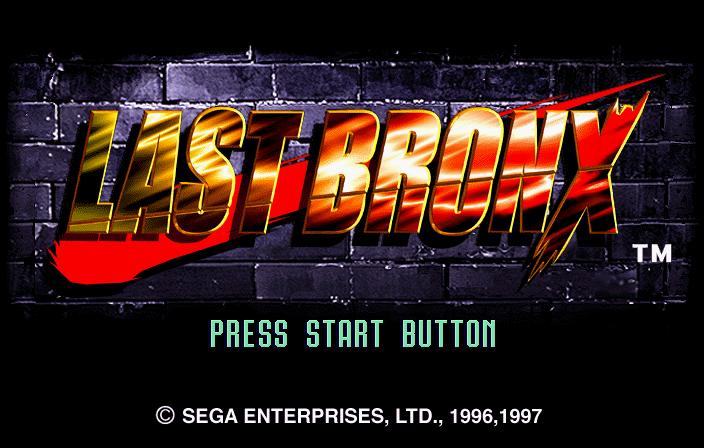
When you first start the Last Bronx CD, the Sega logo appears, followed by the Title screen. Press START at the Title screen to go to the Mode Select screen, or wait a few seconds to see a fight demo and the opening animation intro. Press START at any time during this sequence to return to the Title screen.
Loads of Modes
Pressing START from the Title screen brings up the Mode Select screen, where you pick a mode and brawl. Press the D-Pad up or down to highlight the name of a mode, and A, C or START to select the highlighted mode.
The following modes are available:
•
Arcade Mode: All the arcade game action without waiting in line. Save your quarters for the bus. •
VS Mode: Play against a friend (sold separately).
•
Saturn Mode: Beat the field & see how each fighter's story ends. •
Survival Mode: One round per opponent. And you don't get your health back.
•
Time Attack Mode: How fast can you beat everybody to a pulp?
•
Watch Mode: Fingers cramped? Let two CPU fighters have a go at it. Watch closely, kid. You might learn something.
•
Movies: Cinema with a heart as big as all Hollywood.
•
Portraits: Uncover the secrets of the Last Bronx portrait gallery.
•
Aerial Combo Practice Mode: Sharpen your aerial attack skills.
•
Free Practice Mode: Enjoy pummeling a completely defenseless foe.
•
Options: Change game features! See game stats! Hear game sounds!
Arcade Mode
Do you like fighting people? Well, that's against the law and isn't very nice. But now thanks to Arcade Mode, you can have all that fun you love without any of the pesky legal repercussions. Find out just how tough of a street fighter you are by facing each of the Last Bronx fighters in order. When you enter Arcade Mode, the Player Select screen appears, letting you choose a character to control in the Last Bronx fighting ring. Press the D-Pad in any direction to highlight the portrait of the character you want, and A, C or START to select the highlighted character. Once you make your choice, the Arcade Mode fight begins. There is only one rule - win.
How to Win
Each fight is a default best-of-three rounds match. (The Match Point can be changed in Options, p. 14.) To win a round:
1) Knock the other fighter's Life Gauge down to nothing before time expires.
2) Have more Life left than your opponent when time runs out.
*A round results in a Draw if both fighters' Life Gauges are equal when time expires. If both Life Gauges reach zero simultaneously, the round ends as a Double K.O.
*In the event of a Draw or Double KO, each fighter is awarded one round victory.
*When a round ending in a Draw or Double KO gives the Match Point to both fighters, a one-round Sudden Death fight occurs, with lowered Life Gauges and a shorter Time Limit. Winner take all.
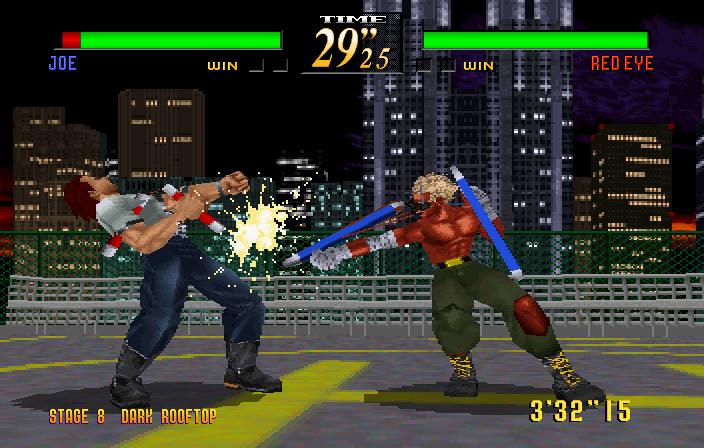
Last Bronx Fighting Arena LIFE GAUGE
WINS
STAGE
TIME REMAINING
Life Gauge
Lose a little (or a lot) each time you take a hit.
Lose it all, and the round is over for you.
Wins
Light up a square each time you win a round.
Time Remaining
Get the job done before this little ticker hits zero.
Stage
Learn Tokyo landmarks & geography the fun way.
Take a Safety Break- Game Pause
When you need to answer Nature's call, you can press START at any time during a fight to pause the game. The Pause window appears.
Choose to "RESUME" or go to the "TITLE SCREEN". Highlight a choice by pressing the D-Pad up or down. Press START to select.
Forced Entry
A second player can enter an Arcade Mode fight at any time (even when you're having fun by yourself) by pressing START on the unused Control Pad. "CHALLENGER COMES" appears onscreen, followed by the VS Mode Player Select screen.
The new entrant selects a character, as in Arcade Mode Player Select (p. 9).
Never Say Die - Game Over/Continue
In the event you lose an Arcade Mode