Starting Up: How to Use Your Sega Saturn System
This CD-ROM can only be used with the Saturn System. Do not attempt to play this CD-ROM on any other CD player, as doing so may damage the headphones and speakers. 1. Set up your Sega Saturn system by following the instructions in your Sega Saturn System Instruction Manual. Plug in Control Pad 1. For two player games, plug in Control Pad 2 also. 2. Place the Sega Saturn CD-ROM, label side up, in the well of the CD tray and close the lid. 3. Press the Power Button to load the game. The game starts after the Sega Saturn logo screen. If nothing appears, turn the system OFF and make sure it is set up correctly. 4. If you wish to stop a game in progress or the game ends and you want to restart, press the Reset Button on the Sega Saturn console to return to the game's Title screen. To return to the Control Panel, press Buttons A, B, C, and Start simultaneously at any time. If you turn on the power without inserting a CD, the Audio CD Control Panel appears. Place the Sega Saturn CD in the unit, press the D-Button to move the cursor to the top left button on the Control Panel, and press Start to begin the game. Important: Your Sega Saturn CD-ROM contains a security code that allows the disc to be read. Be sure to keep the disc clean and handle it carefully. If your Sega Saturn system has trouble reading the disc, remove the disc and wipe it carefully, starting from the centre of the disc and wiping straight out towards the edge. Hardware Setup
Note: This game is for up to 10 players. See page 32.
Pregame Screens and Options
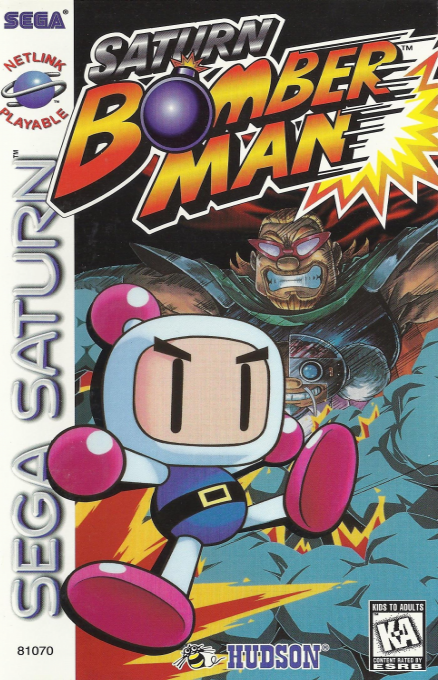
After the Sega and Hudson™ logos appear, an introduction begins followed by the Saturn Bomberman Title screen. A game demo follows. Press Start at any time to return to the Title screen. Press Start at the Title screen to see your options. Highlight by scrolling UP or DOWN with the D-Button. Press any button to select.
Game Mode
Choose from three different explosive games: Normal, Battle, and Master Games (see pages 24-54 for instructions). Highlight by scrolling UP or DOWN with the D-Button and press any button to select.
Fun and Games
After selecting the game mode, three game choices appear. Scroll through the choices by pressing the D-Button UP or DOWN.
Normal Game
Choose from a New Game or return to a previously saved game by selecting Load Game. When you select a New Game, a short animation begins. Sit back and watch, or press Start at any time to dive right into the action. Work your way through the mazes by planting bombs and blowing up objects along the way. Move to the next maze by destroying the Zarfs. Zarfs are the key to gaining access to the next level. Once these are out of the way, you move on to your next opportunity to save the world. This game can be played with one or two players.
Game Elements
•
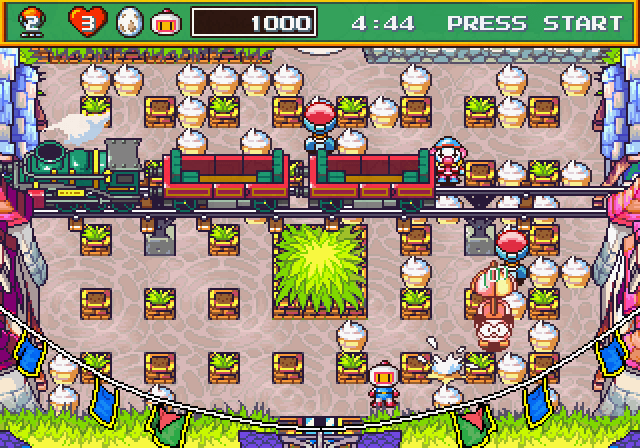
⑥ Soft Block: Plant bombs to get these out of your way as you search for the Zarfs. Some blocks contain Power-Ups (see pages 60-68).
•
⑦ Enemy: These jokers do their best to stop your quest. Be sure to stop them before they stop you.
•
⑧ Hard Block: These barriers can't be destroyed by your bombs.
•
⑨ Zarf: Destroy all of these to open the exit door to the next stage.
A Note on Saves and Continues
After the game ends, a screen appears allowing you to save the data of your most recent game. Choose Save Game to do so. Next time you choose to play a Normal Game, you can choose to start from your most recently saved level by selecting Load Game. Choosing Continue takes you back to the game where you just left off. Quit takes you back to the Title screen.
Important: Do not turn off your Sega Saturn system until the Save Game is complete. Battle Game
Tired of trying to save the world? Take a break and play a game that puts your bomb-laying skills to the test. It's every man for himself as you lay bombs in a variety of courses. Last player standing wins.
Play against up to nine other friends, or enjoy the company of an array of computer-controlled opponents waiting to take you to task.
Note: Saturn Bomberman can be played by up to 10 players using the Sega 6 Player™ Multiplayer Adapter (sold separately). When using one multi-tap, plug it into Control Port 2. After selecting the Battle Game, several Options screens will appear. First, choose either Match Play or Series. Match Play pits opponents against each other in an explosive bombing spree. Choose your stages as you go along. The last bomber standing wins. Series lets you pre-select your stages and the number of games in each stage.
Each mode has a variety of custom settings which let you fine-tune your fun. Choose settings by scrolling UP, DOWN, RIGHT, and LEFT with the D-Button. Make selections by pressing Button A, C, or Start. Cancel a selection by pressing Button B.
Match Play Options
•
Stage: First decide on your playing field size. Normal allows up to eight players, while Wide allows a battle royale of up to ten players.


.png)
.jpg)