Getting Started
Turn OFF the power switch on your Nintendo® Game Boy® Advance. Never insert or remove a Game Pak when the power is on.
Insert the Drome Racers Game Pak into the Game Boy Advance. Press firmly to lock the Game Pak in place.
Turn ON the POWER switch and the startup screens will appear. If you don't see the startup screens then begin again at step 1.
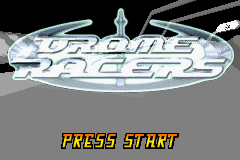
You will see the Drome Racers title screen. Press START to continue.
Resuming a Game
Drome Racers allows you to resume a previously saved game. If you have previously started a game, the information from it will automatically be loaded when you start up the game.
If there is no saved game and the save slot is 'empty' you will be taken to the Enter Name Screen.
Enter Name
•
Enter three letters (initials or name) you want to be known by in your Drome Racers career by using the Control Pad Up/Down/Left/Right.
•
Press the B Button to delete a letter or number.
•
When you have finished, select OK and press the A Button to confirm and you will be taken to the Main Menu Screen.
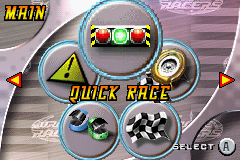
Quick Race
Select Quick Race from the Main Menu Screen using the Control Pad Left/Right and press the A Button.
You will be taken to the random car /track generator. Look at this carefully (you only have five seconds counted down at the bottom of the screen to change your mind).
•
Press the R Button to regenerate another random car/track combination.
•
Press the A Button to select the track shown or press the B Button to return to the Main Menu.
Nitros
A supercharged burst of speed for a short period of time can be picked up on the track. Gold Nitros will give you ONE burst of speed immediately.
Silver Nitros can be picked up and saved like the other pick-ups and used when needed (but only one can be saved at a time).
Pick-Up Controls
•
Use Silver Nitro R Button
Pause Menu
You can Pause the game at any point in a race by pressing the START Button. This will open the Pause/Game Options screen where you can:
•
Change Sound Effects Volume
•
Change Screen Brightness
•
Retry that Race from the start
Arcade Mode
The Arcade racing option in the Main Menu screen gives you a choice of three racing modes: Single Race
A single-player race where the winner takes all! You are free to choose which track you want to race on and which car you want to drive.
•
Select Single Race in the Arcade Race Menu screen
•
Select the track you want using Control Pad Left/Right. You are shown an image of the track on the left and details of:
•
Track Zone: Canyon, Mountain, Desert, Urban, Ice or High Speed
•
Track Type: On Road, Off Road
•
Press the A Button to select a track.
•
Select the car you want to race on that track.
All weapons Power-Ups and Nitros are available to you in this mode.
Time Attack
This is you against the clock. Beat the all-time lap records. You've got no opponents to get in the way or power-ups to pick up but you will still find Nitros on the track and you can use these to give you that extra edge by boosting your speed.
•
Select Track and Car you want as for the Single Race (above).
The Time Attack screen shows details of the Best Lap and the Current Record (top left).
Dragsters
This is where you'll face the ultimate straight-line speed challenge, on full burnout inside an ultra powerful dragster racer. You'll be racing both against the clock and against another opponent. •
Select Single Race or Battle Mode.
Dragster Single Race
Single Race - the winner of a single drag race takes all.
•
Select a Track Length from Novice, Intermediate, Professional, and Expert
Clutch
You can choose between Automatic (you will not have to worry about the clutch when changing gears), or Manual (YOU will have to control the Clutch when you change gears).
False Starts
Do not try to jump the start or you'll get a false start.
Battle Mode
In Battle Mode you'll have to race (and beat) progressively faster opponents as you try to get as many consecutive wins as possible in the challenge.
•
Select Battle Mode at the Choose Game screen and you will be taken to the Select Your Dragster screen.
•
Press the R Button in this screen to switch between automatic and manual clutch.
•
Check out your next opponent in Battle Mode.
The Championship
This is the ultimate Drome Racers challenge. Race for and try to win all the Drome Cups, as the competition becomes progressively more difficult. Put everything that you have learned in the other game sections to the test and see if you can handle the biggest test of all.
You will start each Cup challenge on the very first track. To progress to the next track you must try to finish with a place in the top three (a podium finish). You will need to race on every track for each Cup challenge. Each Cup features a mixture of on-road/off-road tracks located in different parts of the D

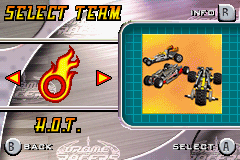
.png)
 (En,Fr,De,Da).png)


.png)
.png)
.png)
.png)

.png)

 (En,Fr,De).png)
 (En,Fr,De,Es,It).png)
.png)
_1.png)


_1.png)

.png)